Jira Align Feature Owner not syncing to Jira Epic Assignee
Summary
Updating a Feature’s Owner field in Jira Align fails to sync to the Jira Epic's Assignee. Syncing in the opposite direction works correctly. That is, updating the Jira Epic Assignee syncs successfully to Jira Align Feature Owner.
Environment
Jira Align
Diagnosis
Failing API call reported in the Jira Align UI under:
Administration (New Navigation = Gear icon) > Jira Settings > Manage Projects > View Logs > Jira API
|

Cause
This problem occurs when the Connector service account has not been granted the "Browse users and groups" permission in Jira.
Solution
Add the Connector service account to the Jira Global permission "Browse users and groups" found under: Settings > System > Global permissions
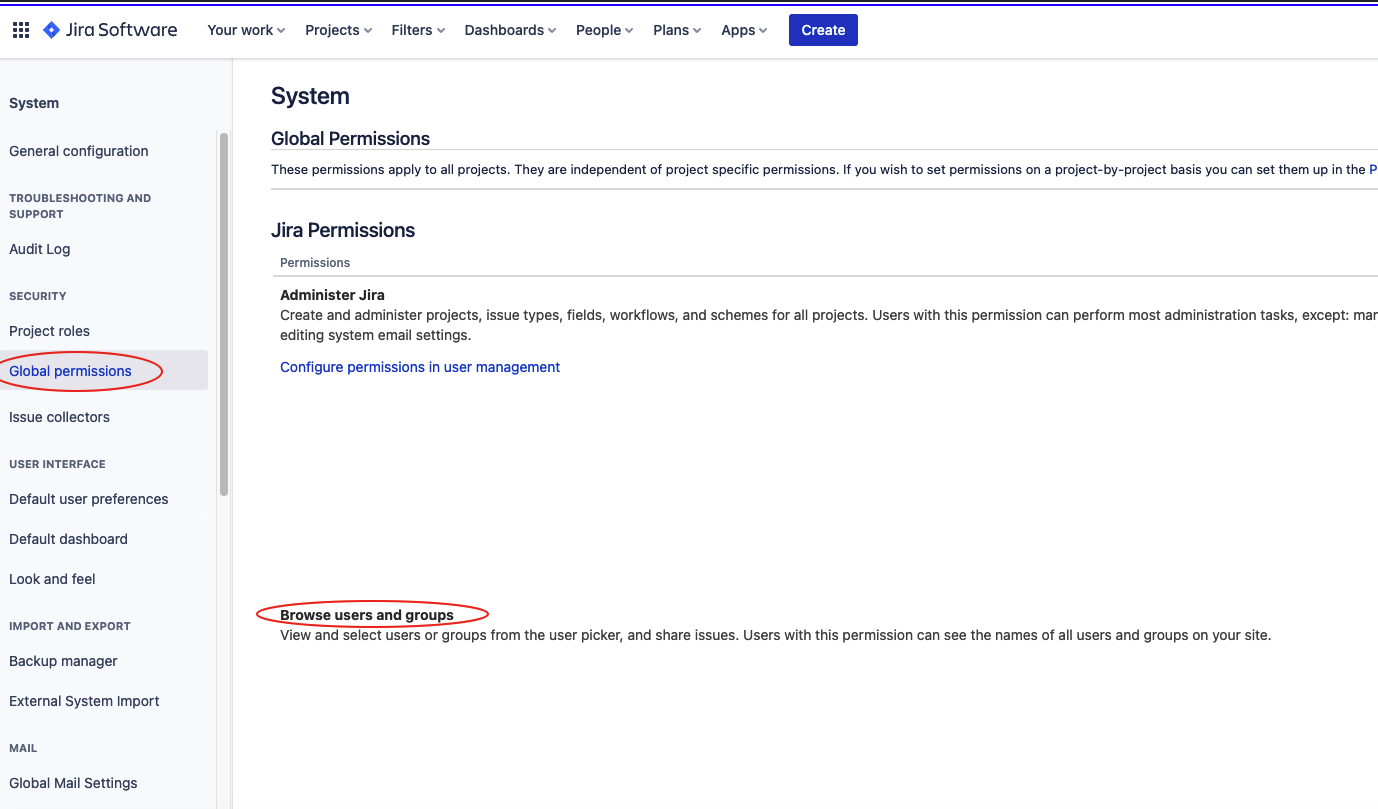
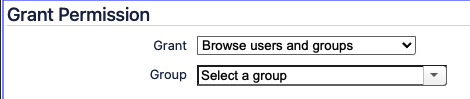
This must be done implicitly by adding the Connector service account to a group that has either already been granted the "Browse users and groups" permission or to a group that is then granted the permission via the “Grant Permission” selection found at the bottom of the Global Permissions page:
Was this helpful?