How to find a work item's Links in Enterprise Insights
Summary
All Jira Align work items (Story, Feature, Capability, (Portfolio) Epic...etc.) have a section called “Links” in the Details Panel where you can add external links you want to associate with the work item.
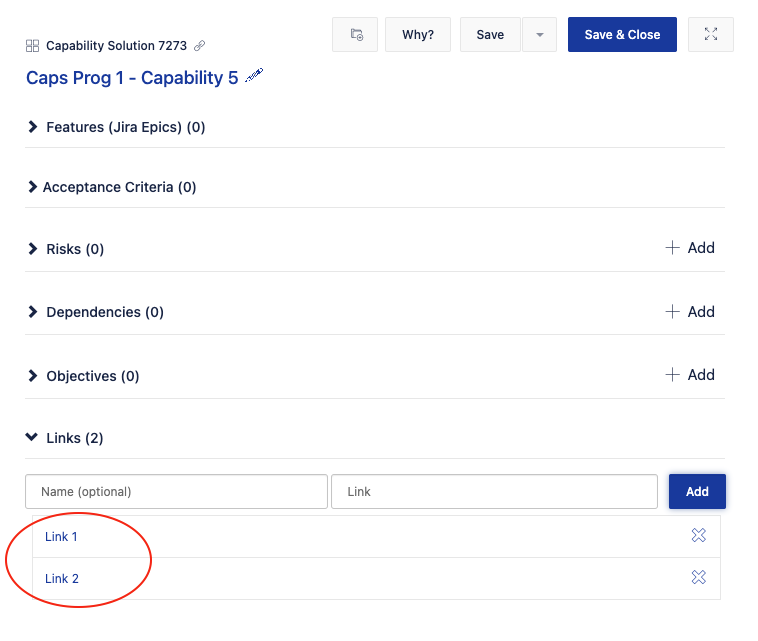
How can you access these link values from Enterprise Insights?
Environment
Jira Align
Solution
These are found in Enterprise Insights's [External Reference] view. The following SQL query shows one example for extracting the Links values via Enterprise Insights:
SELECT TOP (10) [External Reference ID]
      ,[External Reference Name]
      ,[External Reference Value]
      ,[Object Type]
      ,[Link Type]
      ,[Date Created]
      ,[FK Epic ID]
      ,[FK Capability ID]
      ,[FK Dependency ID]
      ,[FK Feature ID]
      ,[FK Objective ID]
      ,[FK Risk ID]
      ,[FK Story ID]
      ,[FK User Created By ID]
  FROM [current_dw].[External Reference]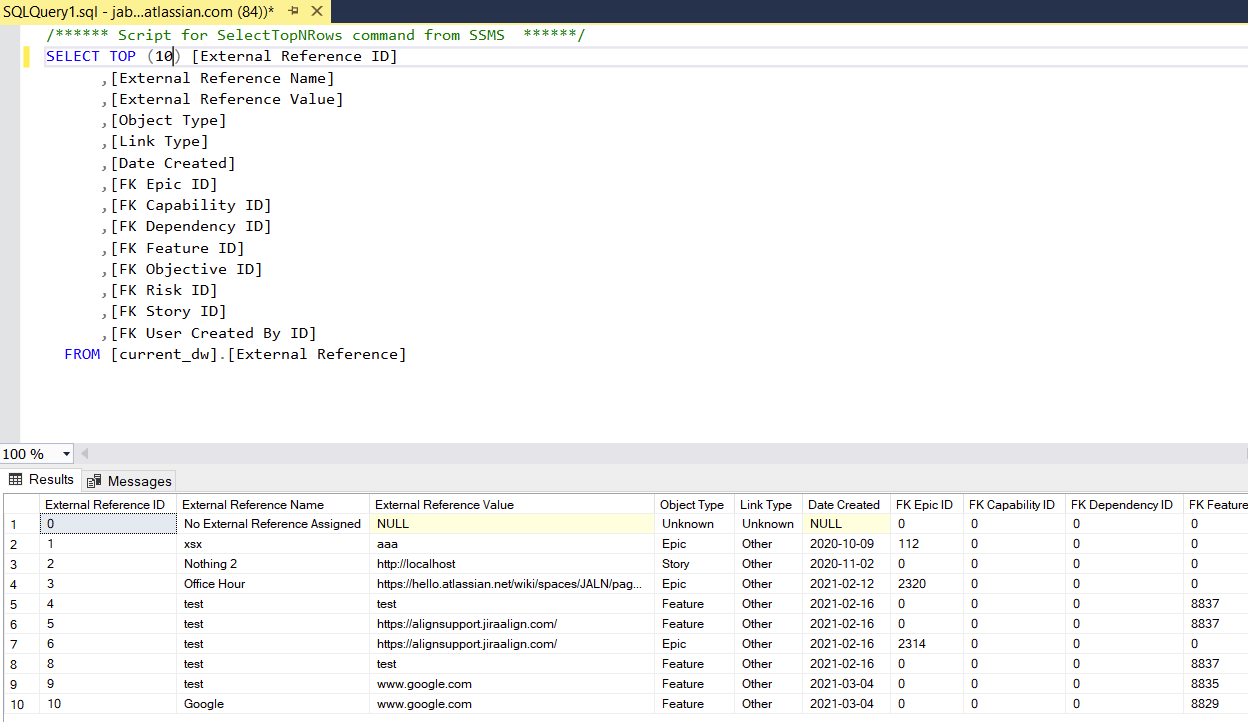
Updated on September 25, 2025
Was this helpful?
Still need help?
The Atlassian Community is here for you.