Version for linked application within Application Links interface is incorrect after linked application is upgraded
プラットフォームについて: Data Center のみ。 - This article only applies to Atlassian apps on the Data Center プラットフォーム。
この KB は Data Center バージョンの製品用に作成されています。Data Center 固有ではない機能の Data Center KB は、製品のサーバー バージョンでも動作する可能性はありますが、テストは行われていません。 Server* 製品のサポートは 2024 年 2 月 15 日に終了しました。Server 製品を実行している場合は、 アトラシアン Server サポート終了 のお知らせにアクセスして、移行オプションを確認してください。
*Fisheye および Crucible は除く
要約
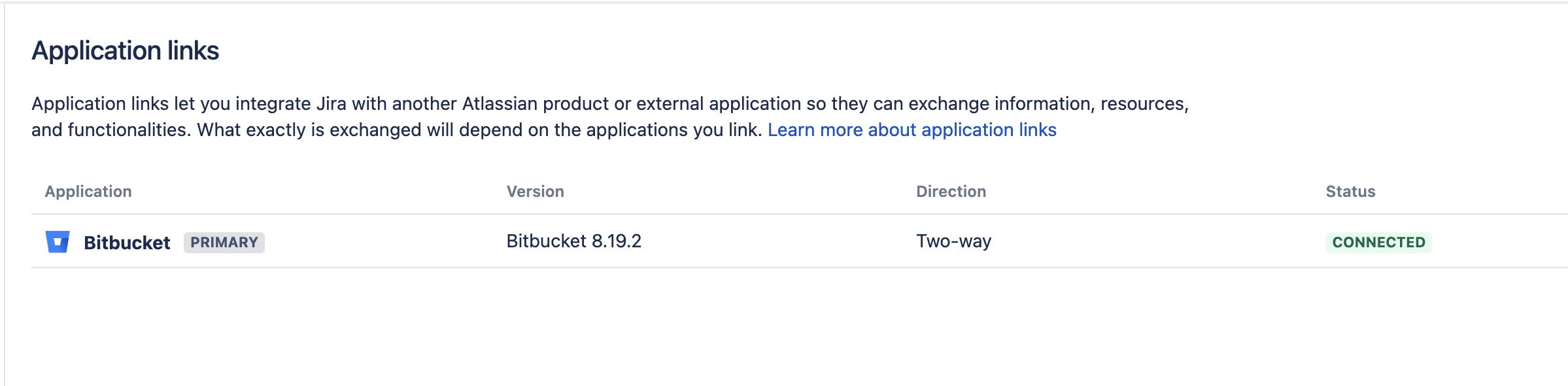
Within Settings > Applications > Application Links within Jira, if there a link to another Atlassian product such as Bitbucket for example, the version of the linked product is listed. After an upgrade of that linked product (Bitbucket in this example), the version listed will be incorrectly showing the older version prior to the upgrade.
環境
Any Jira environment with Application Links to another Atlassian Product
原因
This version is populated within the Application Links interface is cached upon initial start up of Jira and the connection to the linked application. So if the linked application is upgraded and restarted but Jira is not, the version will still show the older version because the cache has not been refreshed.
ソリューション
Restart the Jira instance after upgrading the linked application. After Jira reboots and connects to the upgraded application, the proper version listed will be listed.
この内容はお役に立ちましたか?