Utilizing the dropdown buttons on the Calendar Date Picker
プラットフォームについて: Data Center のみ。 - This article only applies to Atlassian apps on the Data Center プラットフォーム。
この KB は Data Center バージョンの製品用に作成されています。Data Center 固有ではない機能の Data Center KB は、製品のサーバー バージョンでも動作する可能性はありますが、テストは行われていません。 Server* 製品のサポートは 2024 年 2 月 15 日に終了しました。Server 製品を実行している場合は、 アトラシアン Server サポート終了 のお知らせにアクセスして、移行オプションを確認してください。
*Fisheye および Crucible は除く
要約
While selecting a Date Picker that displays the Calendar the buttons displayed also work as a Dropdown to select Month/Year.
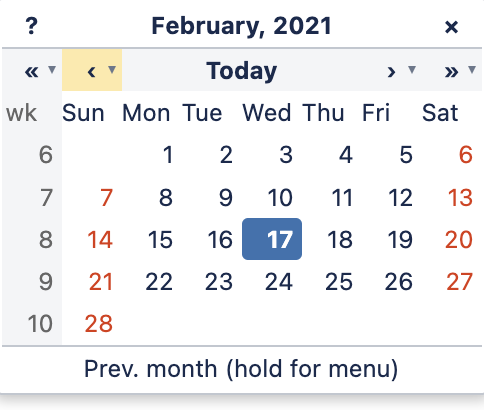
If you hover the mouse over it, it is possible to see that it highlights the entire button, containing both '<' and '⌄', for example:
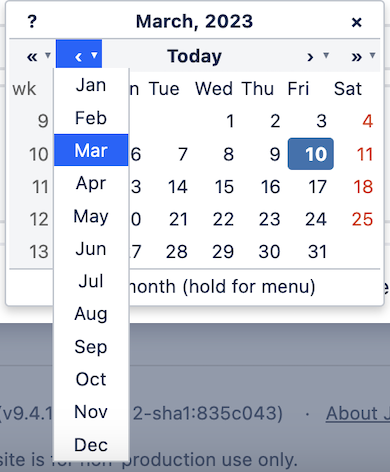
Additionally, while hovering the mouse, the message "hold for menu" is displayed below the Calendar, and if you press the mouse button and hold it, the dropdown will be displayed:
ソリューション
環境
Jira
この内容はお役に立ちましたか?