Unable to upload large attachment even when attachment file size limit exceeds it
プラットフォームについて: Data Center のみ。 - This article only applies to Atlassian apps on the Data Center プラットフォーム。
この KB は Data Center バージョンの製品用に作成されています。Data Center 固有ではない機能の Data Center KB は、製品のサーバー バージョンでも動作する可能性はありますが、テストは行われていません。 Server* 製品のサポートは 2024 年 2 月 15 日に終了しました。Server 製品を実行している場合は、 アトラシアン Server サポート終了 のお知らせにアクセスして、移行オプションを確認してください。
*Fisheye および Crucible は除く
要約
このページの内容はサポート対象外のプラットフォームに関連しています。したがって、アトラシアン サポートではこのページの記載内容のサポートの提供は保証されません。この資料は情報提供のみを目的として提供されています。内容はお客様自身の責任でご利用ください。
問題
Users receives a "Internal Error" message when uploading large attachments even though the attachment size limit had been set appropriately in JIRA. Although the upload failed, there is no useful information or error that can be found inside the logs.
診断
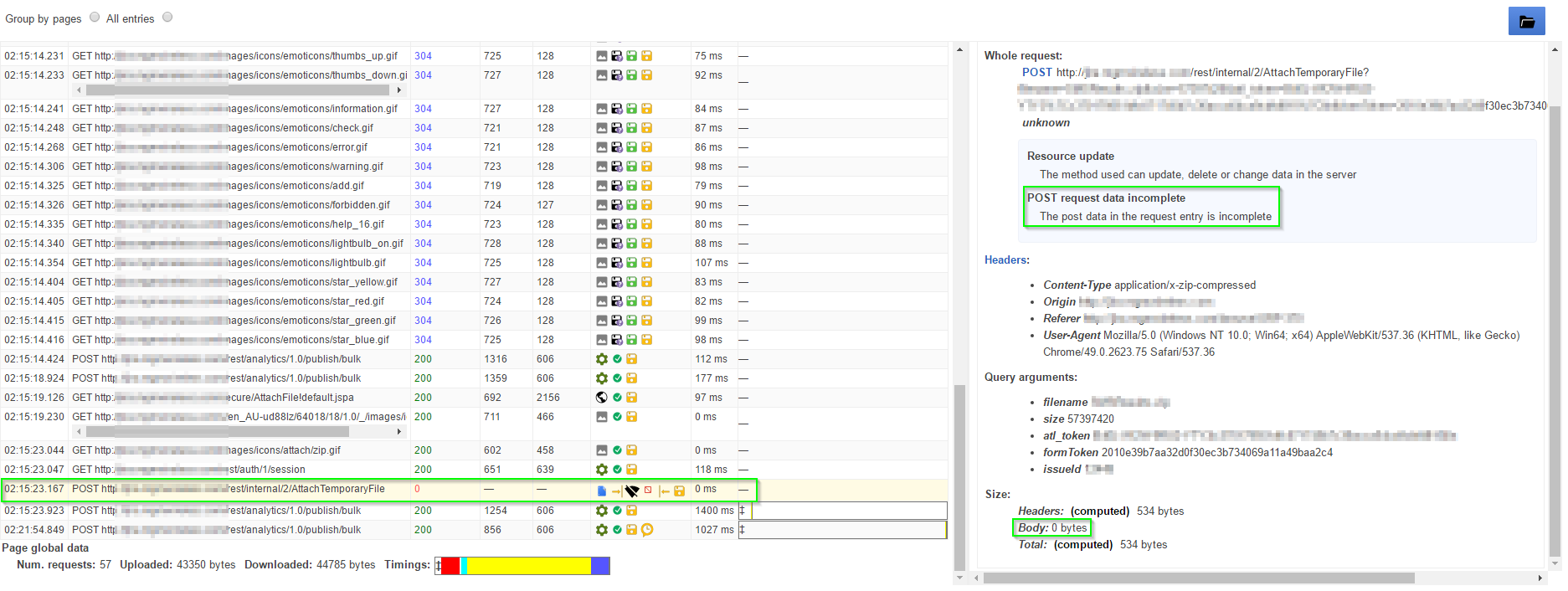
Generate a HAR file on the user side while replicating the issue. Search for the POST entry related to the file attachment. The POST data is incomplete and the server response code is "0".
The logs and HAR file also indicates that JIRA instance is configured behind a proxy. A simple telnet test to the JIRA instance hostname reveals that the JIRA instance is behind Microsoft IIS webserver.
HTTP/1.1 400 Bad Request
Content-Type: text/html; charset=us-ascii
Server: Microsoft-HTTPAPI/2.0
Date: Wed, 09 Mar 2016 06:18:44 GMT
Connection: close
Content-Length: 326
原因
Microsoft IIS webserver "maxAllowedContentLength" is set below JIRA's attachment size limit.
ソリューション
ソリューション
Change the "maxAllowedContentLength" in web.config to match or exceed JIRA's attachment size limit. For example:
<system.webServer>
<security>
    <requestFiltering>
        <requestLimits maxAllowedContentLength="10000000" />
    </requestFiltering>
</security>
<system.webServer>この内容はお役に立ちましたか?