Unable to create a new Jira board due to the error "You do not have permission to share. All shares are invalid"
プラットフォームについて: Cloud と Data Center - この記事は クラウド プラットフォームとデータセンター プラットフォームの両方に等しく当てはまります。
Server* 製品のサポートは 2024 年 2 月 15 日に終了しました。Server 製品を実行している場合は、 アトラシアン Server サポート終了 のお知らせにアクセスして、移行オプションを確認してください。
*Fisheye および Crucible は除く
要約
When creating a new Jira SCRUM or KANBAN board, the error below is thrown:
You do not have permission to share. All shares are invalid.
The user 'Admin C4L-Support' does not have permission to share. The owner has not been changed.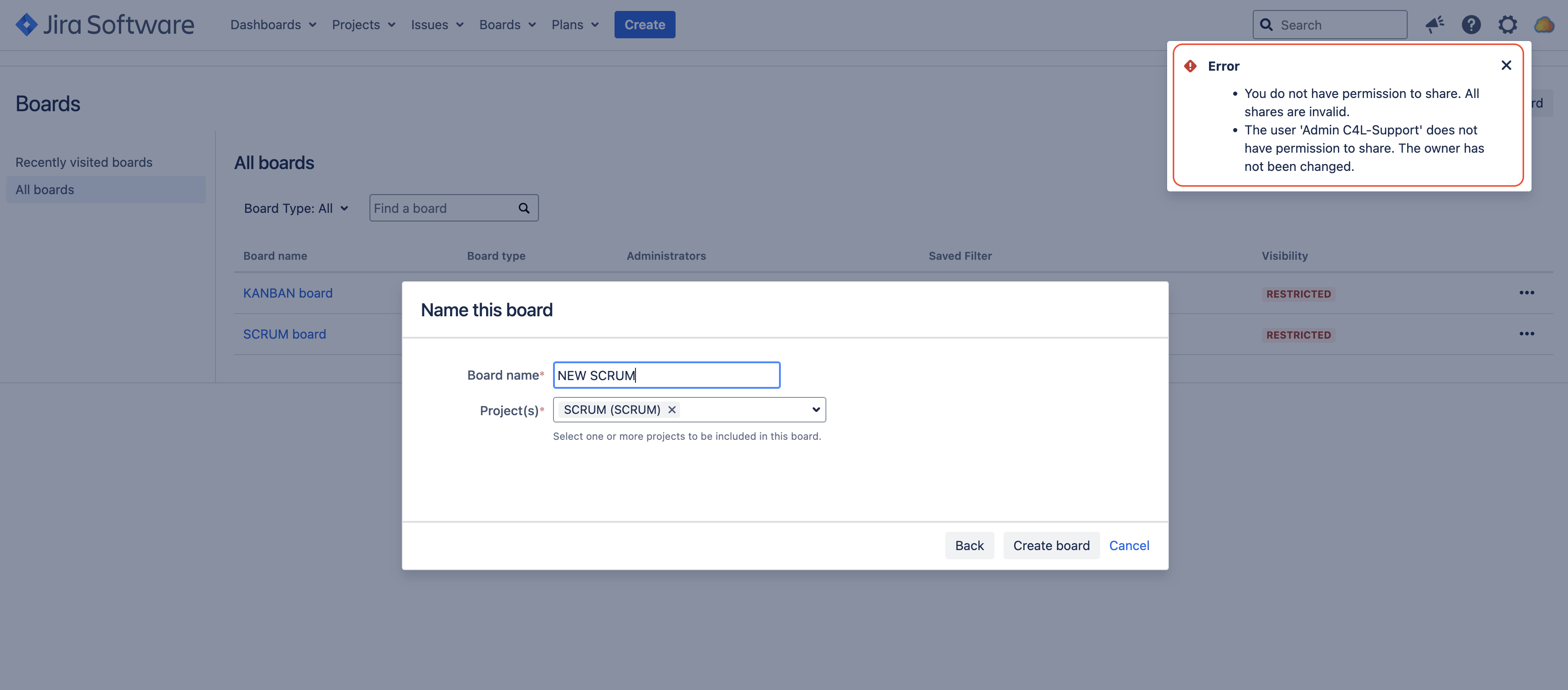
診断
Go to the page ⚙ > System > Global Permissions, and check the groups that are granted the global permission Create Shared Objects. If the user is not part of the groups that are granted this permission, this KB article is relevant.
原因
The user doesn't have the Create Shared Objects in Jira Global Permission, which is required, as explained in Creating a Board
ソリューション
Add the project roles, group or user into the Create Shared Objects permission in Jira' s Global Permissions
この内容はお役に立ちましたか?