Unable to browse any projects due to 500 page error
プラットフォームについて: Cloud と Data Center - この記事は クラウド プラットフォームとデータセンター プラットフォームの両方に等しく当てはまります。
Server* 製品のサポートは 2024 年 2 月 15 日に終了しました。Server 製品を実行している場合は、 アトラシアン Server サポート終了 のお知らせにアクセスして、移行オプションを確認してください。
*Fisheye および Crucible は除く
要約
症状
The following page appears when trying access/browse any project page:
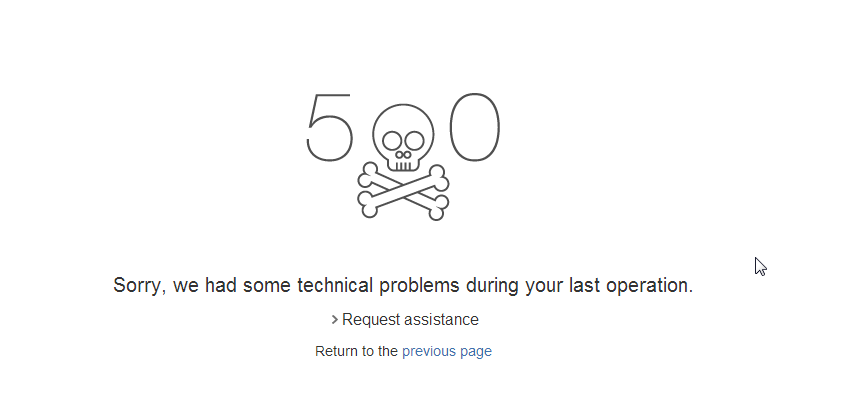
With the following Error when expanded:
Technical details
Log's referral number: 0b8255e1-5025-4373-bbbb-744ded4b9177

Cause
Referer URL: http://10.60.5.147:8624/jira624/secure/admin/ViewStatuses.jspa
com.google.template.soy.tofu.SoyTofuException: In template JIRA.Templates.Statuses.success: In 'foreach' command {foreach $status in $statuses}{call .statusRow}{param status: $status /}{/call}{/foreach}, the data reference does not resolve to a SoyListData.
com.google.template.soy.tofu.SoyTofuException: In template JIRA.Templates.Statuses.success: In 'foreach' command {foreach $status in $statuses}{call .statusRow}{param status: $status /}{/call}{/foreach}, the data reference does not resolve to a SoyListData.
	at com.google.template.soy.tofu.internal.BaseTofu.renderMainHelper(BaseTofu.java:341)
	at com.google.template.soy.tofu.internal.BaseTofu.renderMain(BaseTofu.java:300)
	at com.google.template.soy.tofu.internal.BaseTofu.access$100(BaseTofu.java:56)
	at com.google.template.soy.tofu.internal.BaseTofu$RendererImpl.render(BaseTofu.java:427)
診断
atlassian-jira.log に次のエラーが返される。
2014-06-11 23:52:56,671 http-bio-8626-exec-12 ERROR llee 1432x337x1 c2t9yp 0:0:0:0:0:0:0:1 /browse/MIS [jira.projects.web.BrowseProject] Something went wrong getting context for currently selected browse project tab
java.lang.IllegalArgumentException: host must not be null
	at org.apache.commons.httpclient.HostConfiguration.setHost(HostConfiguration.java:269)
	at org.apache.commons.httpclient.HostConfiguration.setHost(HostConfiguration.java:284)
	at com.atlassian.sal.core.net.HttpClientProtocolConfig.changeHostConfigurationProtocol(HttpClientProtocolConfig.java:59)
	at com.atlassian.sal.core.net.HttpClientProtocolConfig.changeHostConfigurationProtocol(HttpClientProtocolConfig.java:48)

	at com.atlassian.sal.core.net.HttpClientProtocolConfig.configureProtocol(HttpClientProtocolConfig.java:20)
	at com.atlassian.sal.core.net.HttpClientRequestFactory.configureProtocol(HttpClientRequestFactory.java:85)
	at com.atlassian.sal.core.net.HttpClientRequestFactory.getHttpClient(HttpClientRequestFactory.java:56)
	at com.atlassian.sal.core.net.HttpClientRequestFactory.createRequest(HttpClientRequestFactory.java:45)
	at com.atlassian.sal.core.net.HttpClientRequestFactory.createRequest(HttpClientRequestFactory.java:17)  <+3> (NativeMethodAccessorImpl.java:39) (DelegatingMethodAccessorImpl.java:25)
.....
	at com.atlassian.applinks.core.auth.trusted.TrustedApplicationsRequestFactory.createRequest(TrustedApplicationsRequestFactory.java:38)
	at com.atlassian.applinks.core.auth.ApplicationLinkRequestFactoryFactoryImpl$AbsoluteURLRequestFactory.createRequest(ApplicationLinkRequestFactoryFactoryImpl.java:201)
	at com.atlassian.jirafisheyeplugin.rest.FishEyeRestApiManagerImpl.buildRequest(FishEyeRestApiManagerImpl.java:304)
	at com.atlassian.jirafisheyeplugin.rest.FishEyeRestApiManagerImpl.callFisheye(FishEyeRestApiManagerImpl.java:162)
	at com.atlassian.jirafisheyeplugin.rest.FishEyeRestApiManagerImpl.callFisheye(FishEyeRestApiManagerImpl.java:125)
	at com.atlassian.jirafisheyeplugin.domain.fisheye.FishEyeInstanceImpl.isCrossRepoCapable(FishEyeInstanceImpl.java:104)
	at com.atlassian.jirafisheyeplugin.domain.fisheye.FishEyeManagerImpl.isAssociatedWithFishEye(FishEyeManagerImpl.java:323)
	at com.atlassian.jirafisheyeplugin.web.ShowPanelHelperImpl.isAssociatedWith(ShowPanelHelperImpl.java:122)
	at com.atlassian.jirafisheyeplugin.web.ShowPanelHelperImpl.showProjectPanel(ShowPanelHelperImpl.java:92)
	at com.atlassian.jirafisheyeplugin.web.projecttabpanel.fisheye.FishEyeProjectTabPanel.showPanel(FishEyeProjectTabPanel.java:658)
As you see the above stack traces consist of multiple fisheyeplugin classes and also application link as well. You may try to go to (Administration > Add-ons > Manage add-ons > System > Fisheye Plugin) and then try to disable this plugin. After that try to browse any projects see whether the 500 error still occurring. If you are able to view the project after this steps, it means this KB article is applied to your situation.
原因
Previously there is an application link configuration which is connected to Fisheye however is being removed in JIRA UI but there is still caches being retained in the database itself. Therefore the application link is not being remove completely while there are certain host connection being initiated thus indirectly affecting the browse project configuration.
ソリューション
ソリューション
You can refer to How to remove Application link directly through database KB article to delete the affected Fisheye application link.
この内容はお役に立ちましたか?