Resolve 'Unable to test the connection' during Jira Setup
プラットフォームについて: Data Center のみ。 - This article only applies to Atlassian apps on the Data Center プラットフォーム。
この KB は Data Center バージョンの製品用に作成されています。Data Center 固有ではない機能の Data Center KB は、製品のサーバー バージョンでも動作する可能性はありますが、テストは行われていません。 Server* 製品のサポートは 2024 年 2 月 15 日に終了しました。Server 製品を実行している場合は、 アトラシアン Server サポート終了 のお知らせにアクセスして、移行オプションを確認してください。
*Fisheye および Crucible は除く
The content on this page relates to platforms which are supported; however, the content is out of scope of our support offerings. Consequently, Atlassian cannot guarantee support. Please be aware that this material is provided for your information only and you may use it at your own risk.
問題
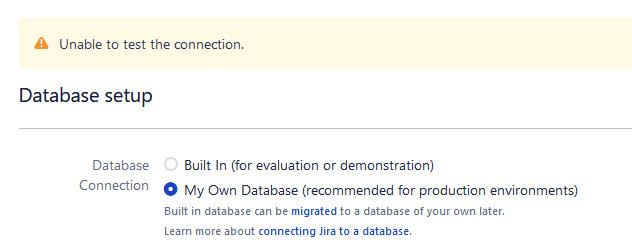
Jira fails to test the database connection as part of the Jira setup, resulting in the error: Unable to test the connection
原因
The permissions of the files and/or directories under '<jira-install-dir>/jre/lib/security/policy/' are incorrect.
ソリューション
To correct the permissions, you can perform the following action:
chmod -R a+rx <jira-install-dir>/jre/lib/security/policy/この内容はお役に立ちましたか?