Required Field Exception Is Not Displayed When Integrating JIRA with IIS
プラットフォームについて: Data Center のみ。 - This article only applies to Atlassian apps on the Data Center プラットフォーム。
この KB は Data Center バージョンの製品用に作成されています。Data Center 固有ではない機能の Data Center KB は、製品のサーバー バージョンでも動作する可能性はありますが、テストは行われていません。 Server* 製品のサポートは 2024 年 2 月 15 日に終了しました。Server 製品を実行している場合は、 アトラシアン Server サポート終了 のお知らせにアクセスして、移行オプションを確認してください。
*Fisheye および Crucible は除く
症状
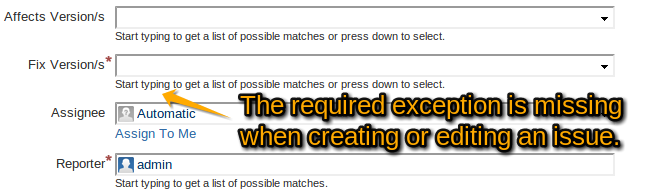
When creating or editing an issue, the exception "The Field is Required" is not being displayed.
原因
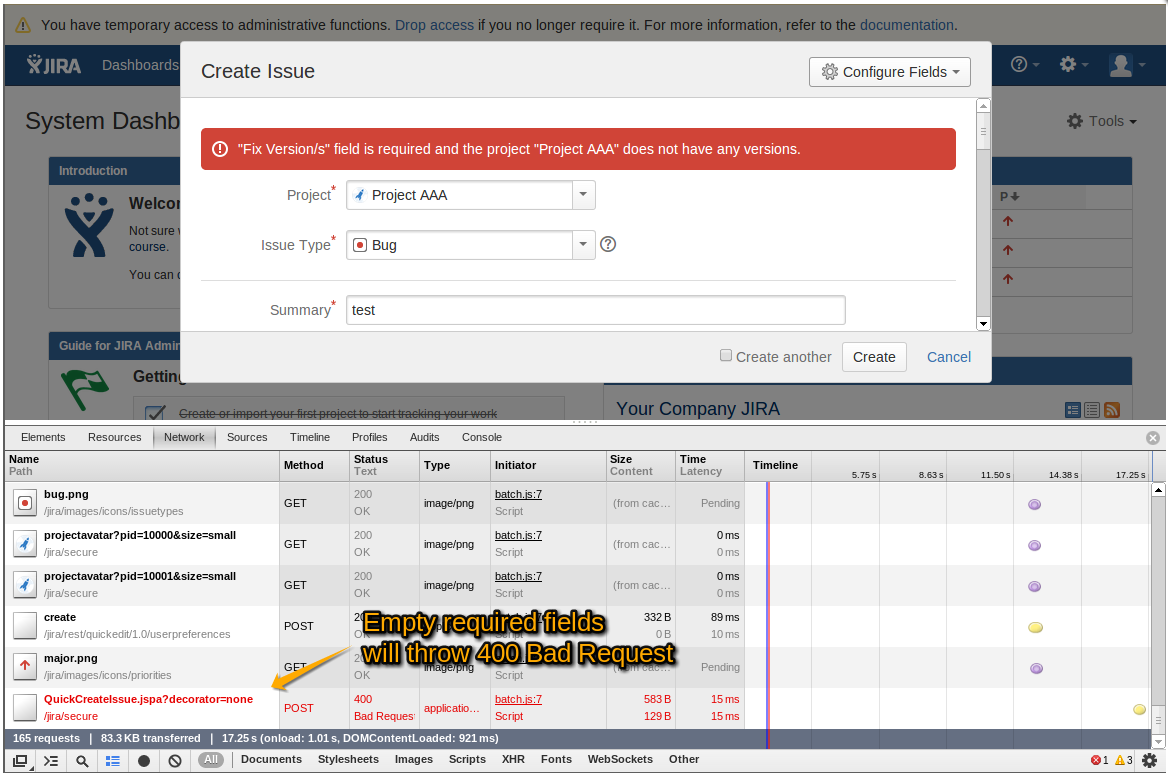
When submitting an empty required field, the action will resulted in a 400 Bad Request exception.
ソリューション
Open the web.config that's in the folder you setup in IIS for JIRA.
Add the following lines within the file
<system.webServer>
    <httpErrors errorMode="Detailed" />
</system.webServer>
更新日時: September 25, 2025
この内容はお役に立ちましたか?
さらにヘルプが必要ですか?
アトラシアン コミュニティをご利用ください。