Priority Color configuration will not change the color of a priority's text or icon
プラットフォームについて: Cloud と Data Center - この記事は クラウド プラットフォームとデータセンター プラットフォームの両方に等しく当てはまります。
Server* 製品のサポートは 2024 年 2 月 15 日に終了しました。Server 製品を実行している場合は、 アトラシアン Server サポート終了 のお知らせにアクセスして、移行オプションを確認してください。
*Fisheye および Crucible は除く
要約
Changing the Priority Color setting (in Settings > Issues/Work items > Priorities) does not change the color of the text or the icon associated with it.
ソリューション
The Priority color applies to the Projects gadget
The Priority Color is used in the Projects Gadget to demonstrate the percentage of tasks created within that project of a certain priority:
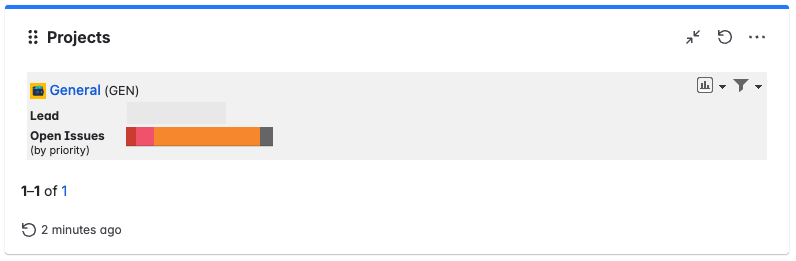
This Priority Color name is, to a certain extent, misleading, as it is not related to the text or its icon color. To change the icon of a priority, you must update a new icon with the desired color.
更新日時: September 26, 2025
この内容はお役に立ちましたか?
さらにヘルプが必要ですか?
アトラシアン コミュニティをご利用ください。