Jira Service Management tickets creating empty ticket description or comment
プラットフォームについて: Cloud と Data Center - この記事は クラウド プラットフォームとデータセンター プラットフォームの両方に等しく当てはまります。
Server* 製品のサポートは 2024 年 2 月 15 日に終了しました。Server 製品を実行している場合は、 アトラシアン Server サポート終了 のお知らせにアクセスして、移行オプションを確認してください。
*Fisheye および Crucible は除く
要約
When you forward an email you generally want the contents of the email copied over to the next recipient. That said, when an email is forwarded to another person and then submitted as an email request there is no email body/description added to the Jira Issue that is created, only the summary is added. This can cause confusion and mislead users as there is no content description or issue comment from the email request ticket.
診断
This scenario is caused when using the Strip quotes feature under Products > Jira Service Management - Email requests:
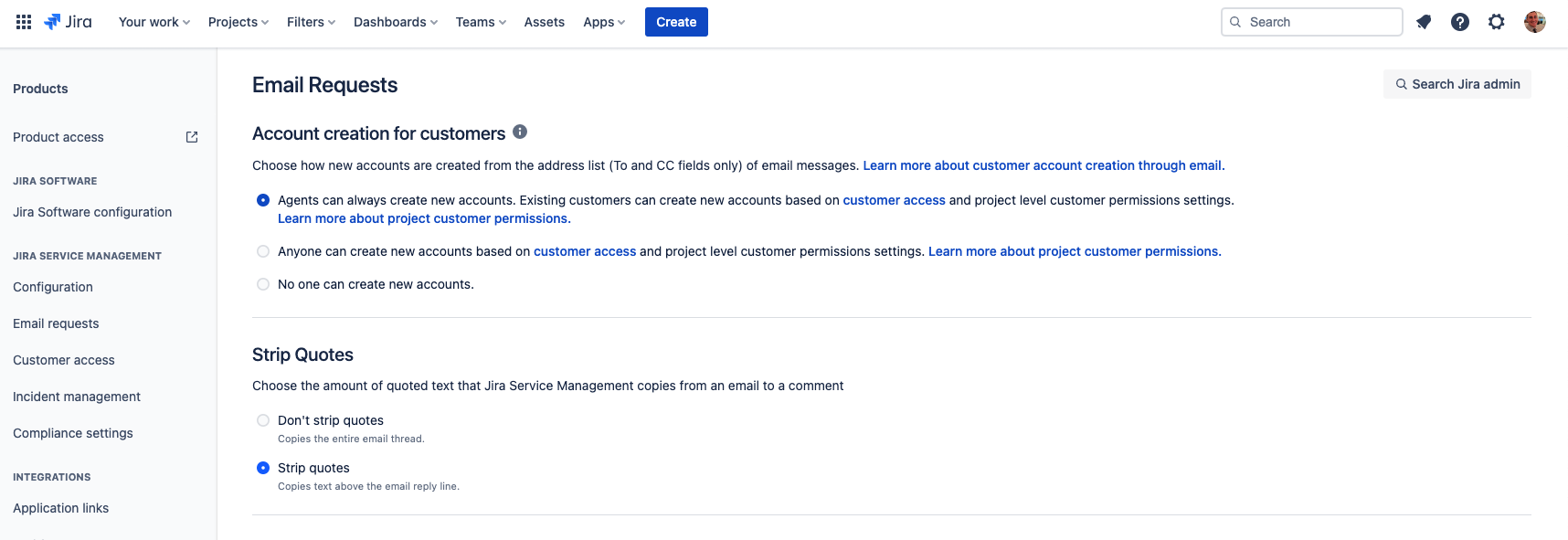
Please note that this issue happens generally with Outlook but can happen with Gmail too, depending on the format of the email and JSM settings
原因
When email requests are submitted and Strip quotes is turned on, if any email contents are quoted, anything below that line will be removed from the email request, when created as a Jira Issue. Such as the following format of an email (from the email headers (downloaded EML file) with: quoted-printable indicating the text below it will be removed from the email request as a Jira Issue.
Content-Type: text/html;
charset=utf-8
Content-Transfer-Encoding: quoted-printable

<html><head><meta http-equiv=3D"content-type" content=3D"text/html; charset=3D=
utf-8"></head><body dir=3D"auto">This is a test<div><br></div><div>Thank you!<br><br><div dir=3D"ltr"><p di=
r=3D"ltr" style=3D"line-height: 1.38; margin-top: 0pt; margin-bottom: 0pt;">=
ソリューション
次のいずれかの対応が可能です。
Disable quoted text and include all email content, including forwarded email content.
Always include the content you want above the line where the text is not quoted.
この内容はお役に立ちましたか?