Jira - How to change the order of the statuses in a Two Dimensional Filter Statistics gadget
プラットフォームについて: Data Center のみ。 - This article only applies to Atlassian apps on the Data Center プラットフォーム。
この KB は Data Center バージョンの製品用に作成されています。Data Center 固有ではない機能の Data Center KB は、製品のサーバー バージョンでも動作する可能性はありますが、テストは行われていません。 Server* 製品のサポートは 2024 年 2 月 15 日に終了しました。Server 製品を実行している場合は、 アトラシアン Server サポート終了 のお知らせにアクセスして、移行オプションを確認してください。
*Fisheye および Crucible は除く
要約
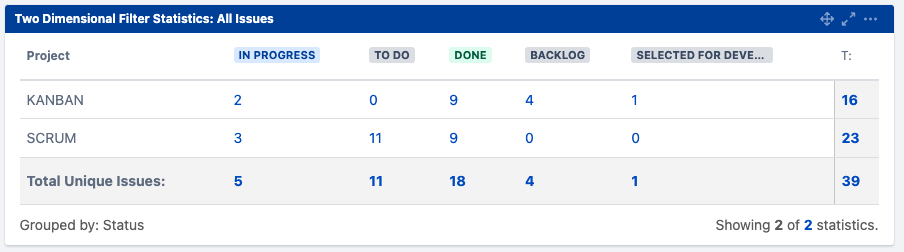
The purpose of this article is to explain how to change the order of the status in the Two Dimensional Filter Statistics gadget shown in the screenshot below:
環境
Jira Server/Data Center on any version.
ソリューション
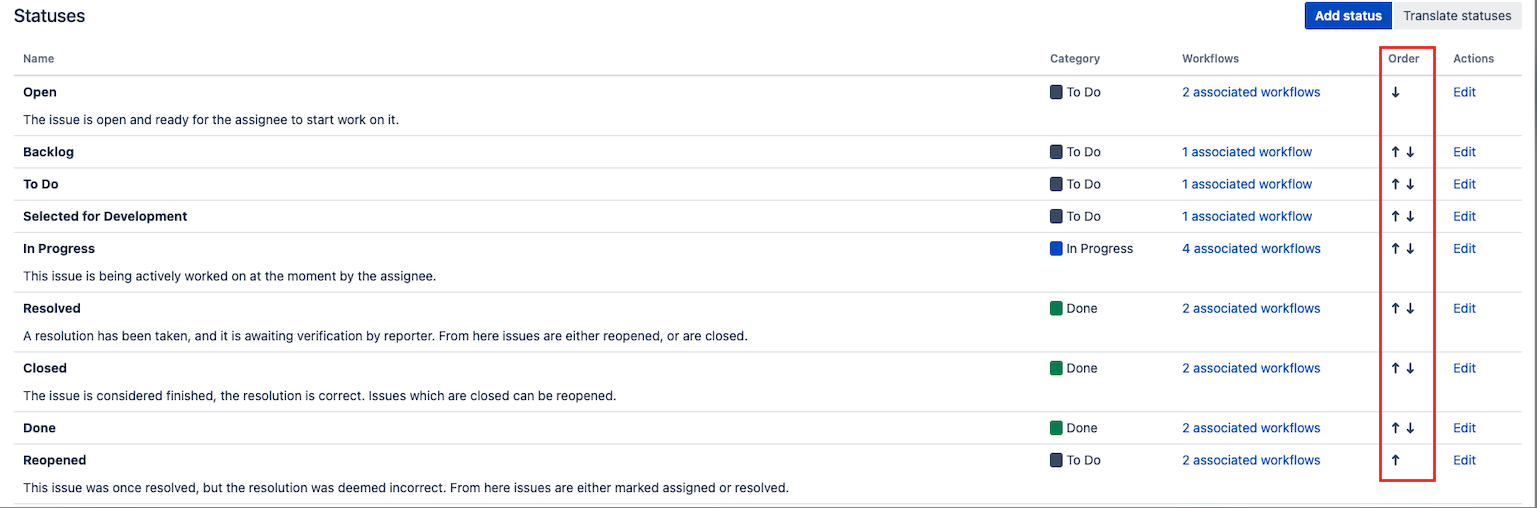
Jira maintains the global order for all the statuses in the page ⚙ > Issues > Statuses. Since the order of the statuses shown in the gadget follows the global order of the statuses, you will need to re-order them in the page ⚙ > Issues > Statuses if you want them to be ordered differently in the gadget.
The global status order can be changed in the page ⚙ > Issues > Statuses by using the up and down arrows in the Order column as illustrated below:
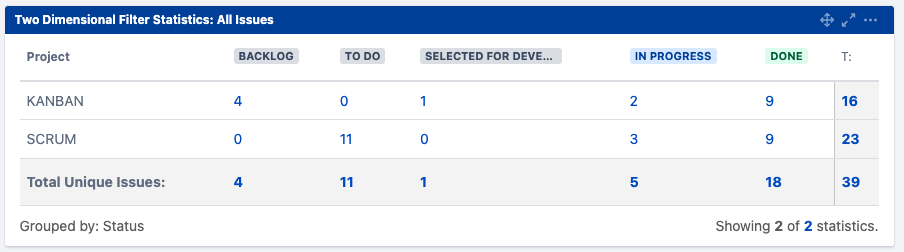
The order of the statuses will then be reflected in the gadget, as illustrated below:
この内容はお役に立ちましたか?