Issue search List View does not show returned results
プラットフォームについて: Cloud と Data Center - この記事は クラウド プラットフォームとデータセンター プラットフォームの両方に等しく当てはまります。
Server* 製品のサポートは 2024 年 2 月 15 日に終了しました。Server 製品を実行している場合は、 アトラシアン Server サポート終了 のお知らせにアクセスして、移行オプションを確認してください。
*Fisheye および Crucible は除く
要約
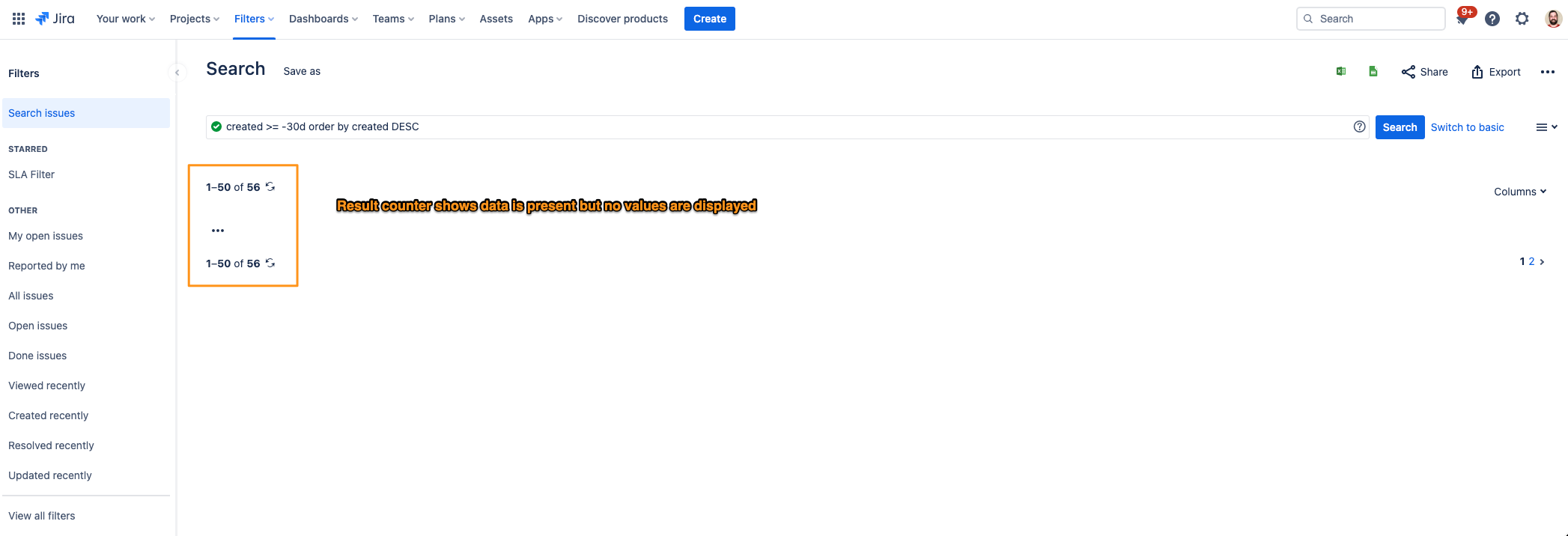
Using Jira issue search, the Detail View shows search results, however, switching to the List View does not display results. The results counter shows the number of issues returned, yet no issue data is returned.
診断
Navigating to the issue search via Filters > Advanced search and using either the basic or JQL searches, toggling to the List View option does not display any data. The user interface does not throw any errors or indicators as to the issue:
原因
In order for data to be displayed on the List View, columns must be selected. When no columns are selected for the data, the data is displayed in this manner.
ソリューション
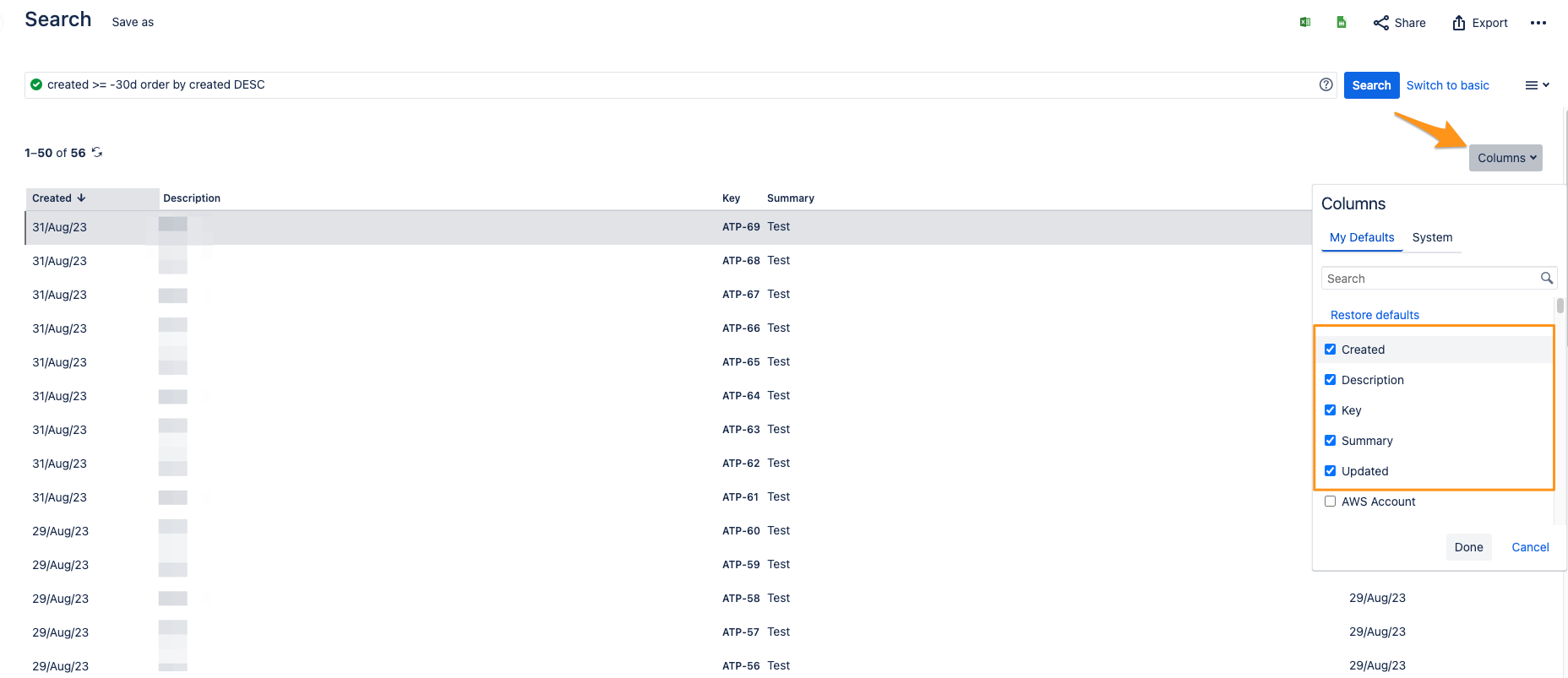
Click the Columns dropdown and select the desired columns to display, such as Key, Summary and Description. For further information on configuring the search results page please read Change the view of search results.
この内容はお役に立ちましたか?