HTML Gadget height on Dashboard is reduced
プラットフォームについて: Data Center のみ。 - This article only applies to Atlassian apps on the Data Center プラットフォーム。
この KB は Data Center バージョンの製品用に作成されています。Data Center 固有ではない機能の Data Center KB は、製品のサーバー バージョンでも動作する可能性はありますが、テストは行われていません。 Server* 製品のサポートは 2024 年 2 月 15 日に終了しました。Server 製品を実行している場合は、 アトラシアン Server サポート終了 のお知らせにアクセスして、移行オプションを確認してください。
*Fisheye および Crucible は除く
要約
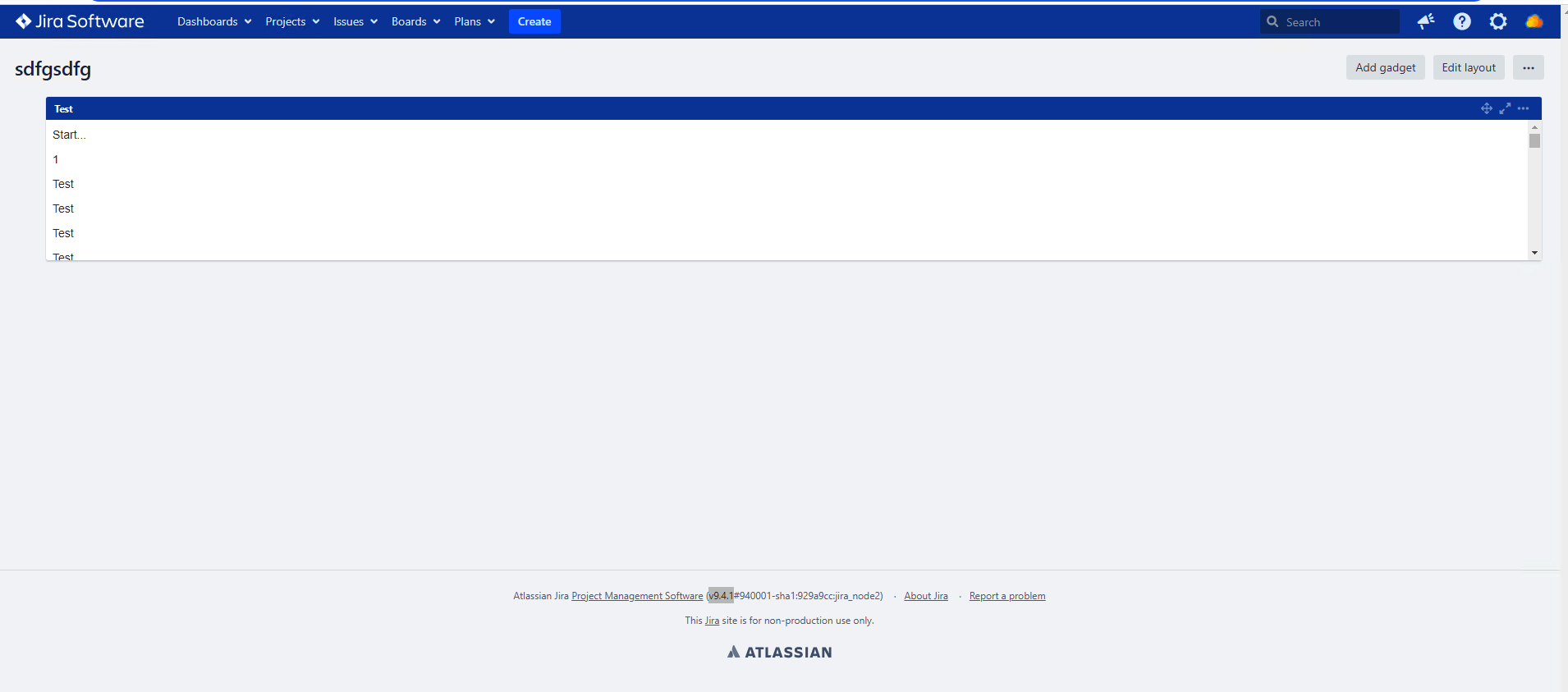
This article describes a scenario where the html gadget height is shortened. Thus all the contents need to be scrolled to view
環境
9.x
原因
There is known product bug JRASERVER-74987 - HTML Gadget height on Dashboard is reduced .
This problem is observed in Windows OS.
回避策
Following javascript can be used as workaround. Add it in announcement banner.
<script>
    setTimeout(function() {
        AJS.toInit(function() {
            if (document.URL.indexOf("/secure/Dashboard.jspa") >= 0) {
                try {
                    var textdashboard = document.getElementsByClassName('text-dashboard-item-container');
                   for (var j = 0, gadgetCount = textdashboard.length; j < gadgetCount; j++) {
                         var heightvar = textdashboard[j].children[0].style.height;
                         var heightframevar = textdashboard[j].parentElement.style.height;
                         if(heightvar > heightframevar)
                         textdashboard[j].parentElement.style.height=heightvar;
                    }
                } catch (error) {}
            }
        });
    }, 2000);
</script>
更新日時: September 25, 2025
この内容はお役に立ちましたか?
さらにヘルプが必要ですか?
アトラシアン コミュニティをご利用ください。