How to disable asset related gadgets in dashboards ?
プラットフォームについて: Data Center のみ。 - This article only applies to Atlassian apps on the Data Center プラットフォーム。
この KB は Data Center バージョンの製品用に作成されています。Data Center 固有ではない機能の Data Center KB は、製品のサーバー バージョンでも動作する可能性はありますが、テストは行われていません。 Server* 製品のサポートは 2024 年 2 月 15 日に終了しました。Server 製品を実行している場合は、 アトラシアン Server サポート終了 のお知らせにアクセスして、移行オプションを確認してください。
*Fisheye および Crucible は除く
要約
This knowledge base article describes a scenario where user wants to get disable all Assets related gadgets in dashboard.
環境
9.x
ソリューション
Disable rlabs-gadget-widgets from Manage Apps -> Assets Plugin and with it asset based gadget was not being listed in search while adding gadget. Check images for reference.

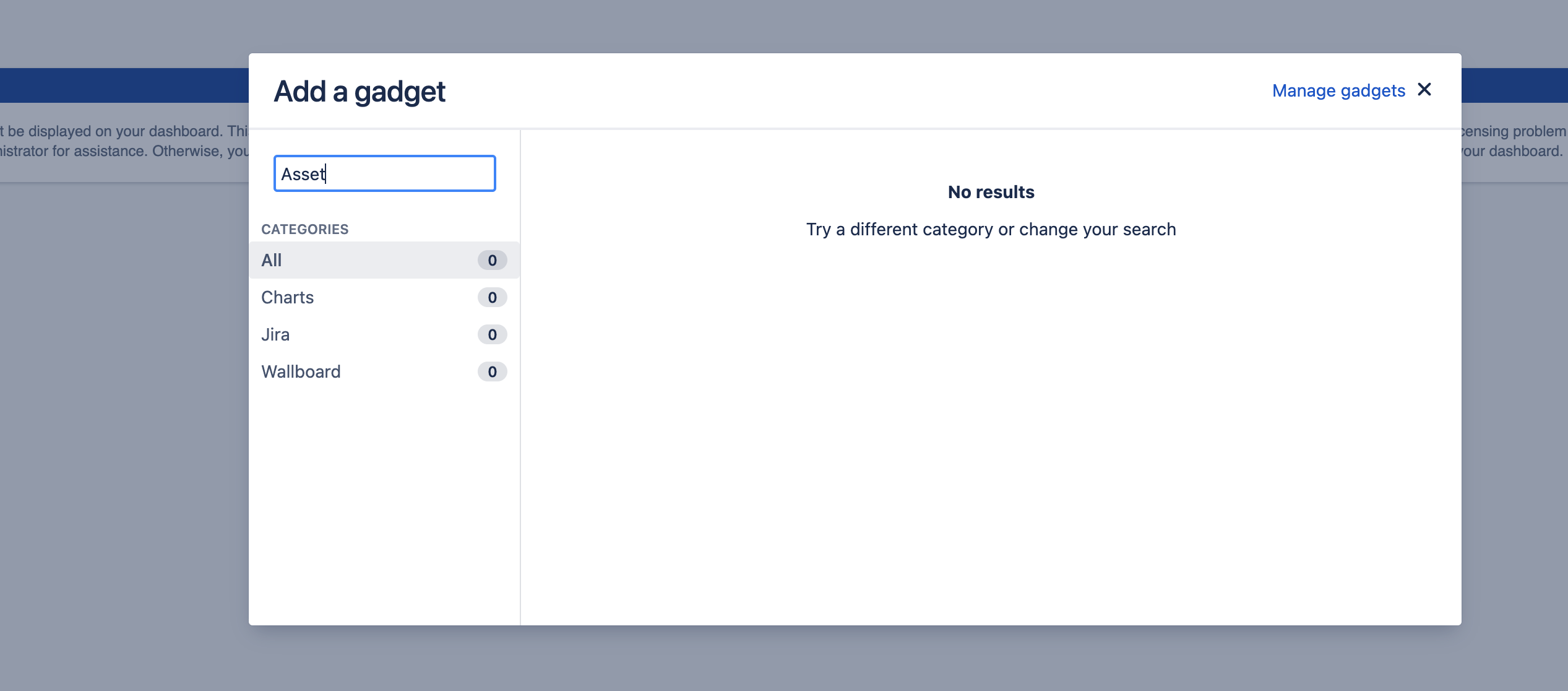
After we disable rlabs-gadget-widgets existing gadgets in dashboard would show message: This gadget cannot be displayed on your dashboard. This could be due to a licensing problem or an application error. If you need this gadget, contact your administrator for assistance. Otherwise, you can remove it from your dashboard.
この内容はお役に立ちましたか?