How to copy Jira users from text attribute to user attribute using an Assets automation
プラットフォームについて: Cloud と Data Center - この記事は クラウド プラットフォームとデータセンター プラットフォームの両方に等しく当てはまります。
Server* 製品のサポートは 2024 年 2 月 15 日に終了しました。Server 製品を実行している場合は、 アトラシアン Server サポート終了 のお知らせにアクセスして、移行オプションを確認してください。
*Fisheye および Crucible は除く
要約
This article applies to the scenario where the Assets objects have a text attribute populated with Jira usernames and we want to copy those over to an attribute of type user in the same object type, for example in order for the related objects to be displayed in each user profile.
問題
Some of the users maintain the username in the Assets object stored in a text field attribute. As this is a Text type attribute ( and not the User type attribute), these objects will not be associated with the user and hence not displayed on the user profile of Jira user.
ソリューション
From an Assets point of view, the only way to associate an Object to a Jira User is by using a Jira User type Attribute (a User Picker) on the Object. In this use case, as the user is using the Text type attribute, the objects will not be displayed on the User profile. Therefore in order to get the objects displayed on profiles, it is necessary to add a new User type attribute to the same object type and use an Assets automation to update the Jira User type attribute by copying over it the value of the text attribute that contains the username as follows:
Add a new User type attribute to the existing object type:
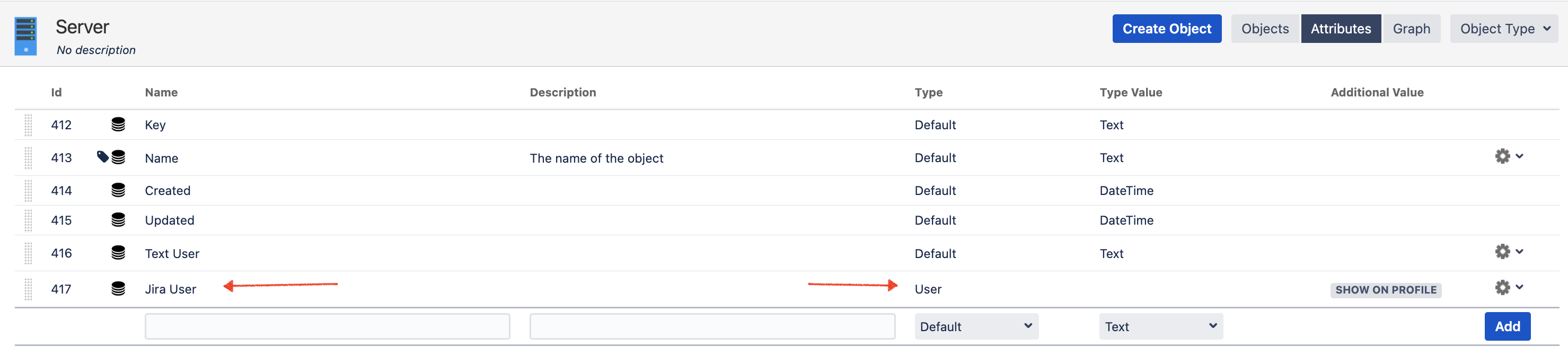
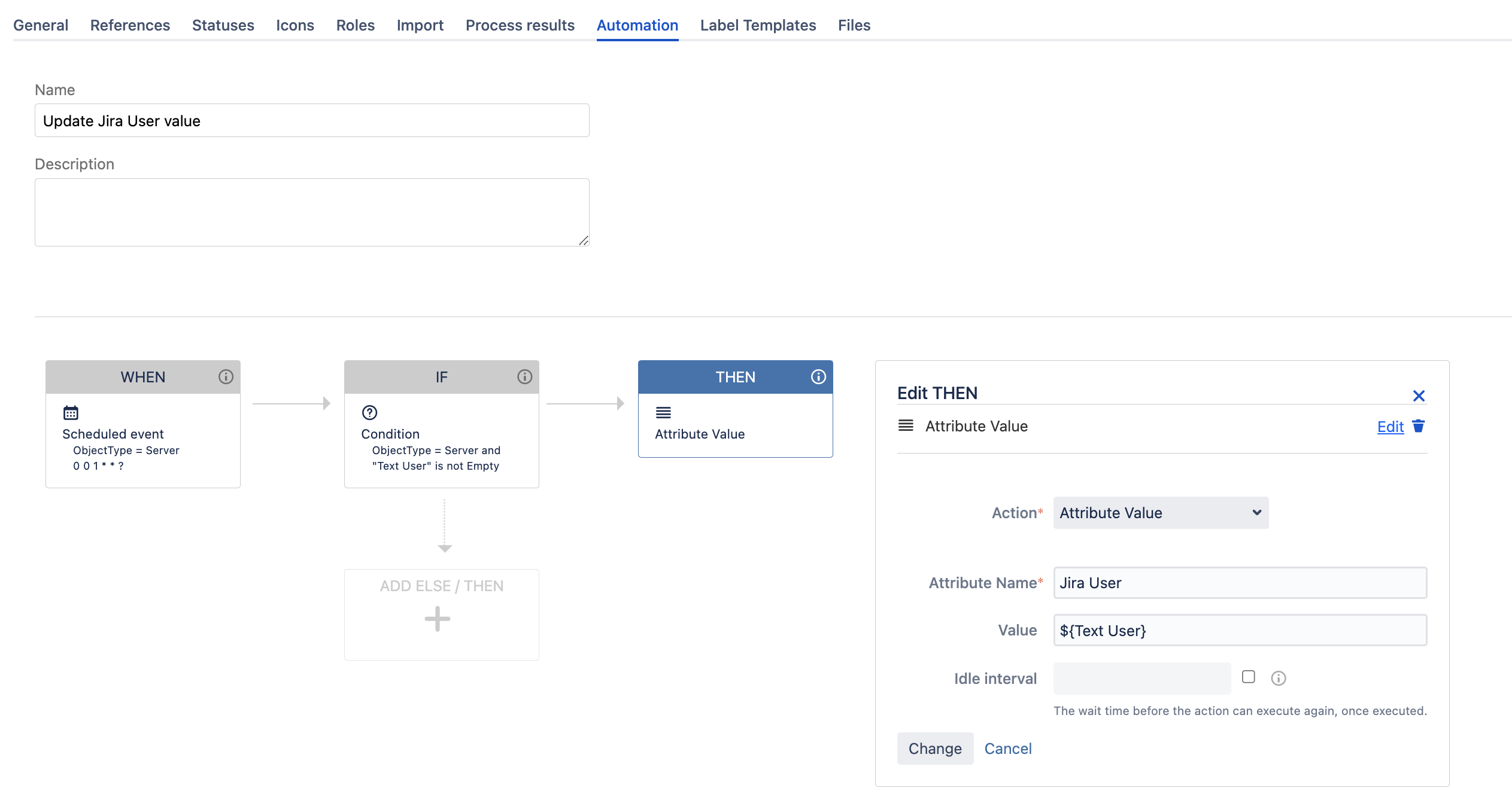
Add an automation rule to go through all the objects with the non-empty Text User attribute and update the attribute Jira User with the same value. This automation is run once to update all the existing objects. In order to address the scenario where the value of the Text type attribute changes in the future, we will need to add another event-based automation (with a similar THEN structure) for creating/updating events to update the User type attribute from the modified Text type attribute. Note that a placeholder is used in the Action of the automation to explicit the value of the Text attribute:
この内容はお役に立ちましたか?