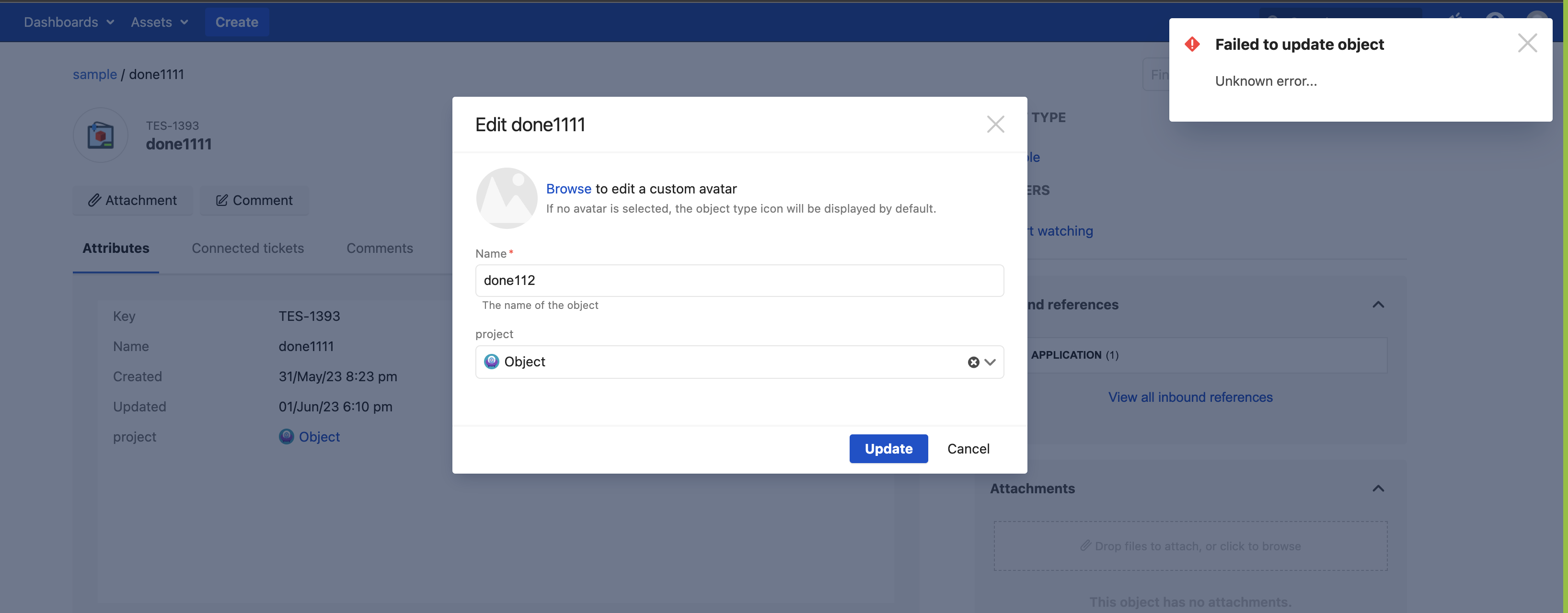
"Failed to update object" Unknown error while updating an Asset object
プラットフォームについて: Data Center のみ。 - This article only applies to Atlassian apps on the Data Center プラットフォーム。
この KB は Data Center バージョンの製品用に作成されています。Data Center 固有ではない機能の Data Center KB は、製品のサーバー バージョンでも動作する可能性はありますが、テストは行われていません。 Server* 製品のサポートは 2024 年 2 月 15 日に終了しました。Server 製品を実行している場合は、 アトラシアン Server サポート終了 のお知らせにアクセスして、移行オプションを確認してください。
*Fisheye および Crucible は除く
要約
When the user tries to update an object that has value for the attribute type Project. Then, the user must have both Object Schema Managers/Object Schema Developers and Browse Project permission for the respective project. If the permission is not assigned, the user will encounter the below error when attempting to update the objects.
ソリューション
The user must have both Object Schema Managers/Object Schema Developers and Browse Project permission in order to update any objects that have a value for an attribute of type Project.
この内容はお役に立ちましたか?