"Allow Gravatars" setting is missing in Jira
プラットフォームについて: Data Center のみ。 - This article only applies to Atlassian apps on the Data Center プラットフォーム。
この KB は Data Center バージョンの製品用に作成されています。Data Center 固有ではない機能の Data Center KB は、製品のサーバー バージョンでも動作する可能性はありますが、テストは行われていません。 Server* 製品のサポートは 2024 年 2 月 15 日に終了しました。Server 製品を実行している場合は、 アトラシアン Server サポート終了 のお知らせにアクセスして、移行オプションを確認してください。
*Fisheye および Crucible は除く
要約
The setting located at System -> General Configuration -> Edit Settings > Allow Gravatars is missing after Jira upgrade.
環境
Jira 9.12.x and above
ソリューション
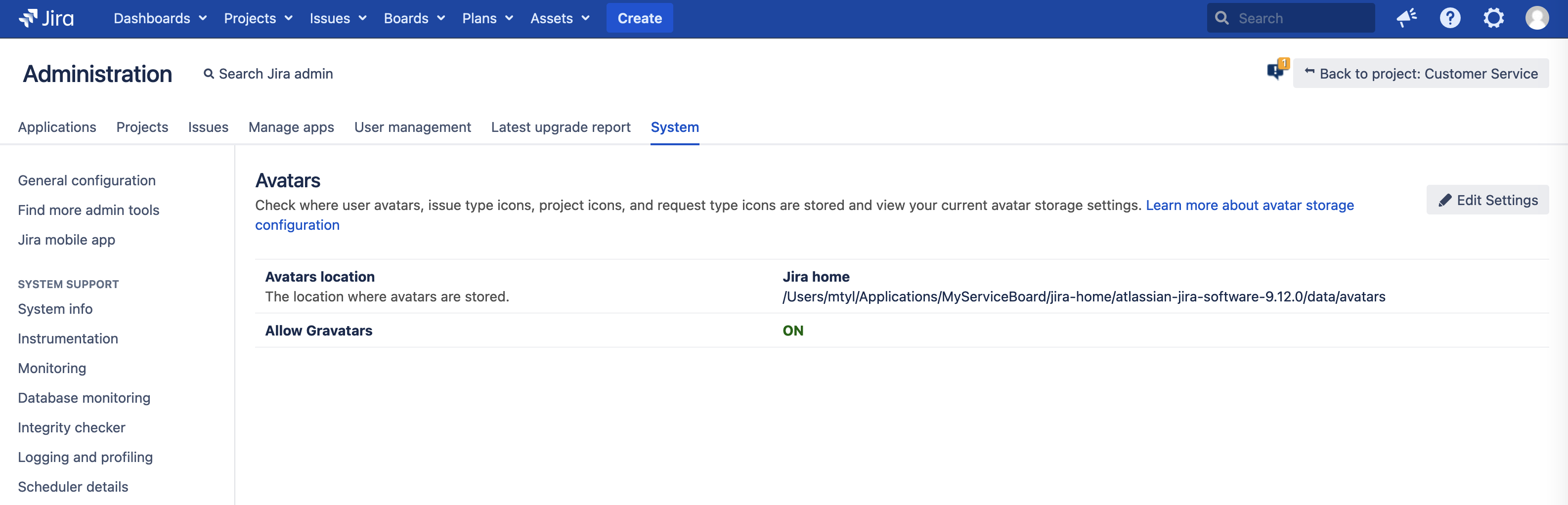
The setting is now in the Jira Administration -> System -> Avatars page:
更新日時: September 26, 2025
この内容はお役に立ちましたか?
さらにヘルプが必要ですか?
アトラシアン コミュニティをご利用ください。