Stuck at adding Project Link when integrating Fisheye with JIRA
プラットフォームについて: Data Center のみ。 - This article only applies to Atlassian apps on the Data Center プラットフォーム。
この KB は Data Center バージョンの製品用に作成されています。Data Center 固有ではない機能の Data Center KB は、製品のサーバー バージョンでも動作する可能性はありますが、テストは行われていません。 Server* 製品のサポートは 2024 年 2 月 15 日に終了しました。Server 製品を実行している場合は、 アトラシアン Server サポート終了 のお知らせにアクセスして、移行オプションを確認してください。
*Fisheye および Crucible は除く
問題
Getting the UI message below when integrating Fisheye with JIRA at the point where is necessary creating the Project Link:
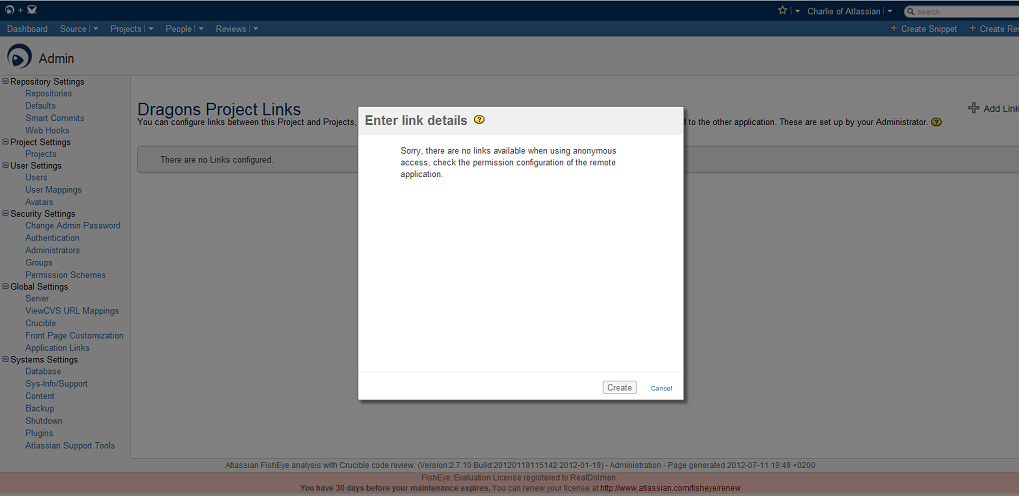
Also inside log files it's possible to verify the following entries:
WARN  [btpool0-21 ] com.atlassian.security.auth.trustedapps.filter.TrustedApplicationFilterAuthenticator TrustedApplicationFilterAuthenticator-authenticate - Failed to login trusted application: jira:10106008 due to: com.atlassian.security.auth.trustedapps.InvalidCertificateException: Request not allowed from IP address: 127.0.0.1
ERROR [btpool0-21 ] com.atlassian.fisheye.trustedapplications.FisheyeAuthenticationListener FisheyeAuthenticationListener-authenticationError - Error handling trusted applications authentication attempt:BAD_REMOTE_IP;	Request not allowed from IP address: {0};	["127.0.0.1"]
原因
The possible caused for this issue are described on the Trusted Applications authentication Troubleshooting Guide page.
ソリューション
The BAD_REMOTE_IP; Request not allowed from IP Address page contains the resolution steps to resolve this issue.
この内容はお役に立ちましたか?