ConnectTimeoutException or SocketTimeoutException error in logs
プラットフォームについて: Data Center のみ。 - This article only applies to Atlassian apps on the Data Center プラットフォーム。
この KB は Data Center バージョンの製品用に作成されています。Data Center 固有ではない機能の Data Center KB は、製品のサーバー バージョンでも動作する可能性はありますが、テストは行われていません。 Server* 製品のサポートは 2024 年 2 月 15 日に終了しました。Server 製品を実行している場合は、 アトラシアン Server サポート終了 のお知らせにアクセスして、移行オプションを確認してください。
*Fisheye および Crucible は除く
症状
The following error appears in JIRA / my log file:
org.apache.commons.httpclient.ConnectTimeoutException
または
org.apache.commons.httpclient.SocketTimeoutException
原因
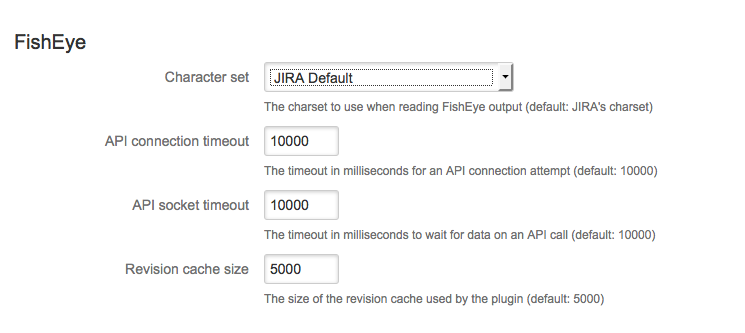
The cause may be a Fisheye/Crucible performance issue. To confirm that it really is Fisheye/Crucible taking a long time to respond, go to JIRA's Administration > Add-ons > Application Links and click in Fisheye Configuration for the Fisheye application link. Update the API Connection Timeout and API Socket Timeout fields.
ソリューション
If the problem is related to Fisheye/Crucible performance, then try implementing some performance improvements.
この内容はお役に立ちましたか?