Unable to set Crowd SSO token java.lang.IllegalArgumentException: Cookie name [AbCdEfG123, crowd.token_key] is a reserved token
プラットフォームについて: Data Center のみ。 - This article only applies to Atlassian apps on the Data Center プラットフォーム。
この KB は Data Center バージョンの製品用に作成されています。Data Center 固有ではない機能の Data Center KB は、製品のサーバー バージョンでも動作する可能性はありますが、テストは行われていません。 Server* 製品のサポートは 2024 年 2 月 15 日に終了しました。Server 製品を実行している場合は、 アトラシアン Server サポート終了 のお知らせにアクセスして、移行オプションを確認してください。
*Fisheye および Crucible は除く
要約
Crowd-supplied SSO login is looping after login, user never arrives at the application's landing page.
環境
4.2.2
診断
The following message will be seen in atlassian-confluence.log
2021-08-19 14:03:26,810 https-jsse-nio-8443-exec-10 ERROR [crowd.integration.springsecurity.AbstractCrowdSSOAuthenticationProcessingFilter] Unable to set Crowd SSO token
java.lang.IllegalArgumentException: Cookie name [AbCdEfG123, crowd.token_key] is a reserved token
        at javax.servlet.http.CookieNameValidator.validate(Cookie.java:405)
        at javax.servlet.http.Cookie.<init>(Cookie.java:119)
原因
The "Cookie name[<anything>]is a reserved token" error is that the cookie's name has an invalid character. Please reference the original RFC for cookies (RFC6265), specifically the portion on the "Set-Cookie Header" for the expected syntax. Characters such as a comma (",") in this case is not allowed in a cookie's name.
ソリューション
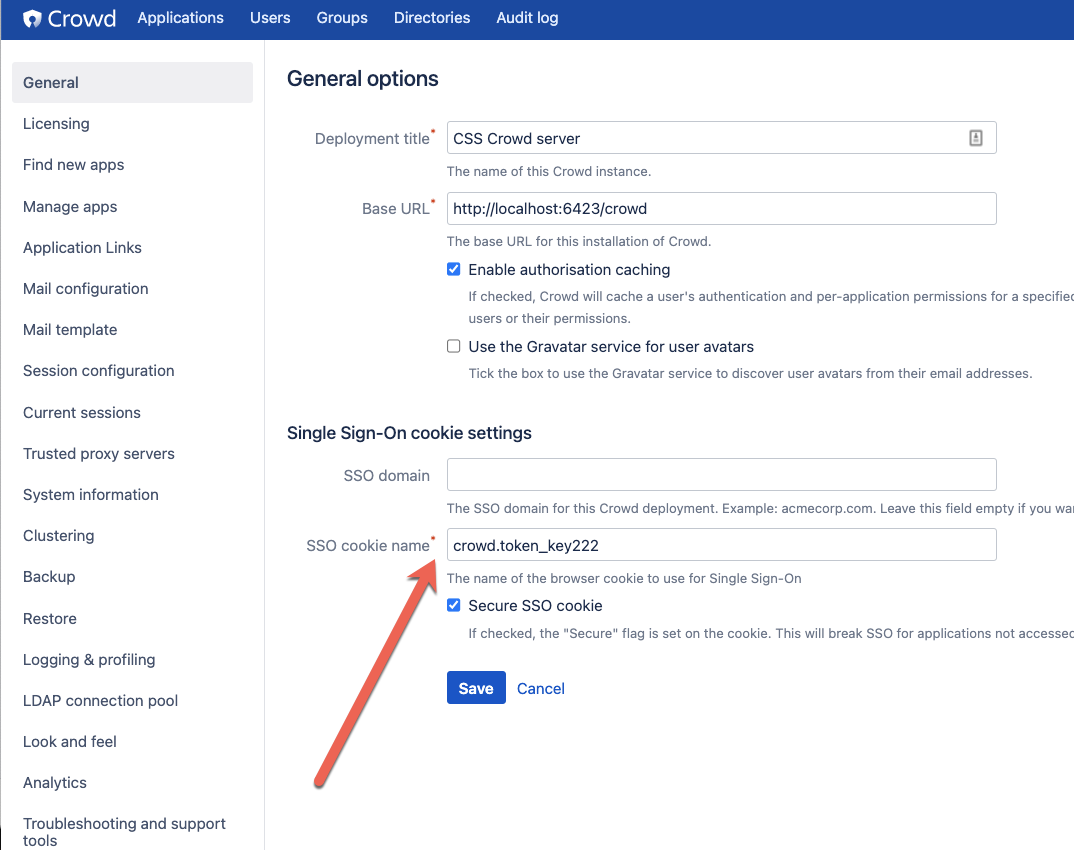
Remove any illegal characters in the name of the cookie in Crowd's General Configuration screen. See RFC6265, specifically the portion on the "Set-Cookie Header" for the expected syntax.
この内容はお役に立ちましたか?