Unable to Update Plugin Due to 'FATAL no pg_hba.conf entry' in PostgreSQL
プラットフォームについて: Data Center のみ。 - This article only applies to Atlassian apps on the Data Center プラットフォーム。
この KB は Data Center バージョンの製品用に作成されています。Data Center 固有ではない機能の Data Center KB は、製品のサーバー バージョンでも動作する可能性はありますが、テストは行われていません。 Server* 製品のサポートは 2024 年 2 月 15 日に終了しました。Server 製品を実行している場合は、 アトラシアン Server サポート終了 のお知らせにアクセスして、移行オプションを確認してください。
*Fisheye および Crucible は除く
症状
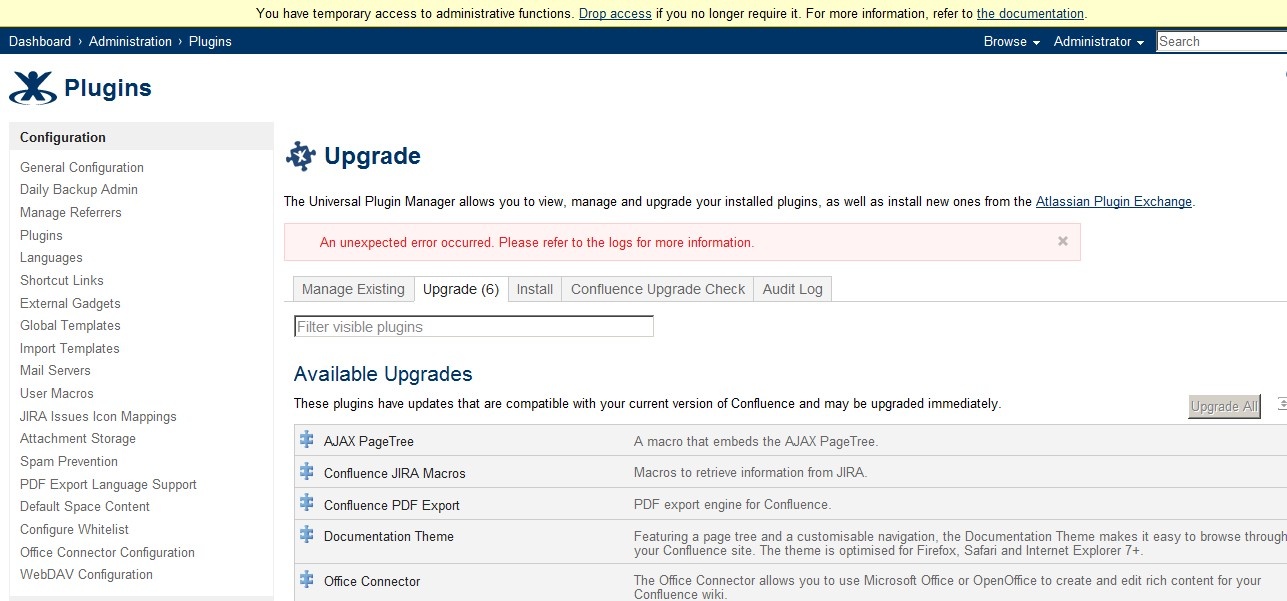
Unable to update any plug-in using Universal Plugin Manager with the message: "An unexpected error occurred. Please refer to the logs for more information."
atlassian-confluence.log に次のエラーが返される。
ERROR [http-8080-3] [atlassian.config.bootstrap.DefaultAtlassianBootstrapManager] getTestDatabaseConnection Could not successfully test your database:
 -- referer: http://localhost:8080/setup/setupstandarddb-start.action?database=postgresql | url: /setup/setupstandarddb.action | userName: anonymous | action: setupstandarddb
org.postgresql.util.PSQLException: FATAL: no pg_hba.conf entry for host "xxx.xxx.xxx.xxx", user "confluence", database "confluence", SSL off
原因
PostgreSQL has a list of allowed IP (configured in pg_hba.conf) that allow access to the database server. There is a missing entry for the host.
ソリューション
Edit the pg_hba.conf file and add an entry to the Confluence server IP:
# TYPE  DATABASE    USER        CIDR-ADDRESS          METHOD

# IPv4 local connections:
host    all         all         127.0.0.1/32          md5
host    confluence  confluence  xxx.xxx.xxx.xxx       md5
# IPv6 local connections:
host    all         all         ::1/128               md5
この内容はお役に立ちましたか?