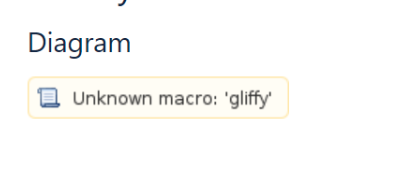
Reason of Unknown macro:'gliffy' error on your confluence page
プラットフォームについて: Data Center のみ。 - This article only applies to Atlassian apps on the Data Center プラットフォーム。
この KB は Data Center バージョンの製品用に作成されています。Data Center 固有ではない機能の Data Center KB は、製品のサーバー バージョンでも動作する可能性はありますが、テストは行われていません。 Server* 製品のサポートは 2024 年 2 月 15 日に終了しました。Server 製品を実行している場合は、 アトラシアン Server サポート終了 のお知らせにアクセスして、移行オプションを確認してください。
*Fisheye および Crucible は除く
要約
When importing a space or page from another Confluence instance (such as Datacenter, Server, or Cloud), it is possible to encounter an error message that reads "Unknown macro: 'gliffy'" on the page.
原因
This type of error typically occurs when the Gliffy plugin is present on the source instance but not available on the destination instance.
ソリューション
Ensure that the source instance has the Gliffy plugin installed. Next, proceed to install the Gliffy plugin on the destination instance. After successful installation of the Gliffy plugin, you will notice that the Gliffy image is displayed on the page instead of encountering an error message like "Unknown macro:'gliffy'".
この内容はお役に立ちましたか?