Confluence のフッターにライセンス エラーが表示される
プラットフォームについて: Data Center のみ。 - This article only applies to Atlassian apps on the Data Center プラットフォーム。
この KB は Data Center バージョンの製品用に作成されています。Data Center 固有ではない機能の Data Center KB は、製品のサーバー バージョンでも動作する可能性はありますが、テストは行われていません。 Server* 製品のサポートは 2024 年 2 月 15 日に終了しました。Server 製品を実行している場合は、 アトラシアン Server サポート終了 のお知らせにアクセスして、移行オプションを確認してください。
*Fisheye および Crucible は除く
症状
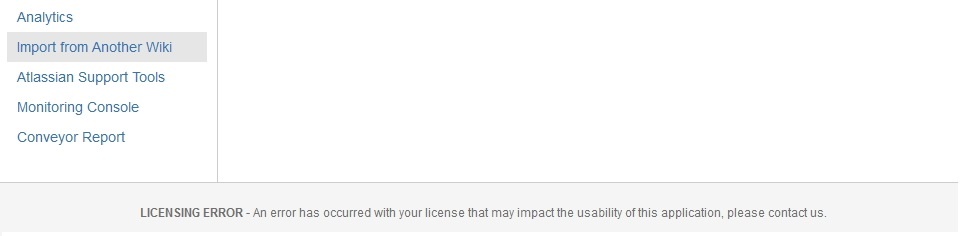
The following ERROR is seen in the footer of Confluence when the license has been confirmed as a valid license:
原因
This is caused by customization of the footer-content.vm Velocity template. Most of the time, the customisation applied in this file is carried from the previous Confluence release customisation which is not a recommended for vm file. As there might be some changes for Confluence styling and classes use, it would be better to use the new default file as the baseline of the customisation.
ソリューション
Please replace the <confluence_installation_folder>/confluence/decorators/includes/footer-content.vm file with the default Velocity file that came with the Confluence version that you have.
この内容はお役に立ちましたか?