JIRA Issues Macro Search Does Not Work in IE9
プラットフォームについて: Data Center のみ。 - This article only applies to Atlassian apps on the Data Center プラットフォーム。
この KB は Data Center バージョンの製品用に作成されています。Data Center 固有ではない機能の Data Center KB は、製品のサーバー バージョンでも動作する可能性はありますが、テストは行われていません。 Server* 製品のサポートは 2024 年 2 月 15 日に終了しました。Server 製品を実行している場合は、 アトラシアン Server サポート終了 のお知らせにアクセスして、移行オプションを確認してください。
*Fisheye および Crucible は除く
症状
Using IE9, when trying to search for a JIRA issue to insert into a JIRA Issues Macro, an error is thrown: "Received the following HTTP error code from the server: 200"
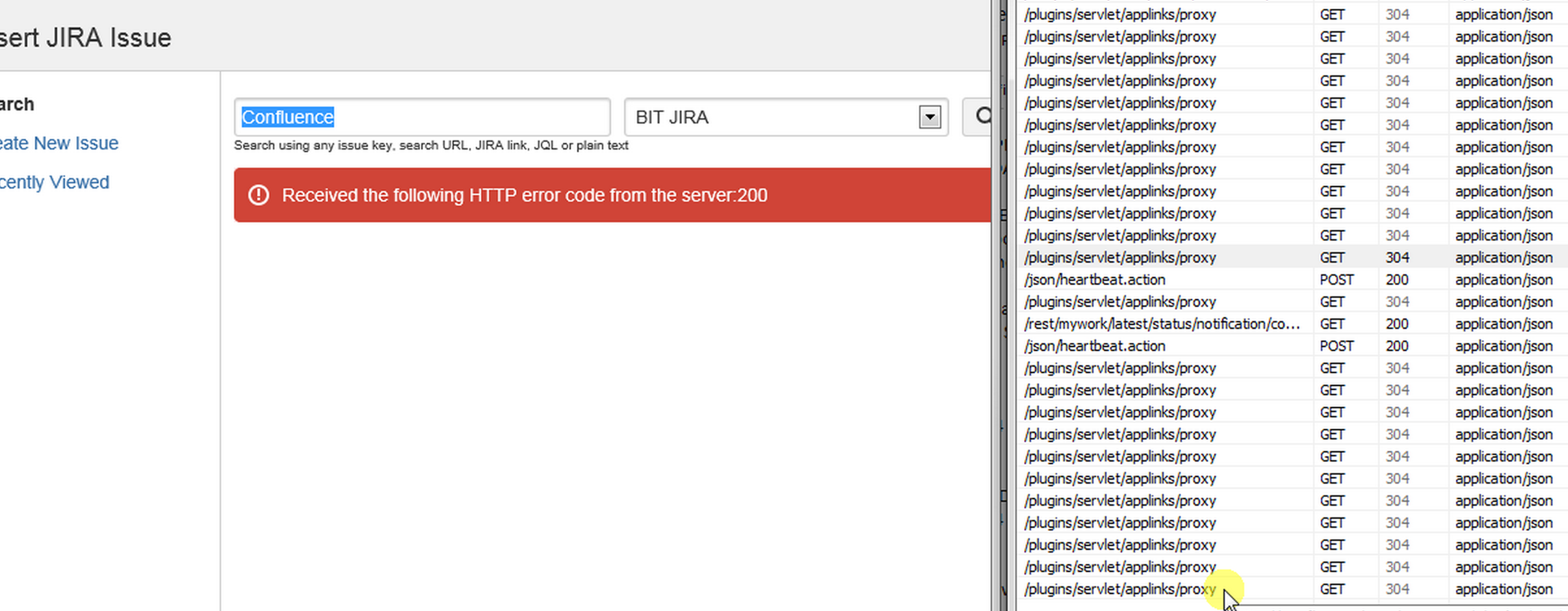
However, network logs shows a "304" redirect. No errors are thrown in the application logs.
原因
Cookies are missing from the header.
ソリューション
In IE, allow cookies for Confluence at Tools > Internet Options > Privacy > Sites > Address of website, add the Confluence url, and click Allow.
この内容はお役に立ちましたか?