Confluence Cloud でマクロ (アドオン) の使用状況を確認する方法
プラットフォームの注記: Cloud のみ - This article only applies to Atlassian apps on the クラウド プラットフォーム上のアトラシアン製品にのみ適用されます。
要約
Confluence Cloud にインストール/使用されているアドオン/マクロの使用状況を知るためにレポートを取得したい場合は、
環境
Confluence Cloud
ソリューション
You need Confluence App Admin access in order to view the Macro Usage report. If you don't have this, ask your site admin to run the report or grant you the required admin access.
Confluence 管理画面にアクセスします。
マクロの使用セクションを確認します。
ダイレクトリンクは次のようなパターンになります: https://INSTANCE_URL.atlassian.net/wiki/admin/macro-usage。
このページでは、サイト管理者として、マクロを含む/使用する現在のページ/ブログに関して、アドオン/マクロの使用状況を基本的に確認できます。利用可能なリンクをクリックすると、現在そのようなアドオン/マクロを使用しているすべてのページ/ブログのリストの検索結果が表示されます。
例:
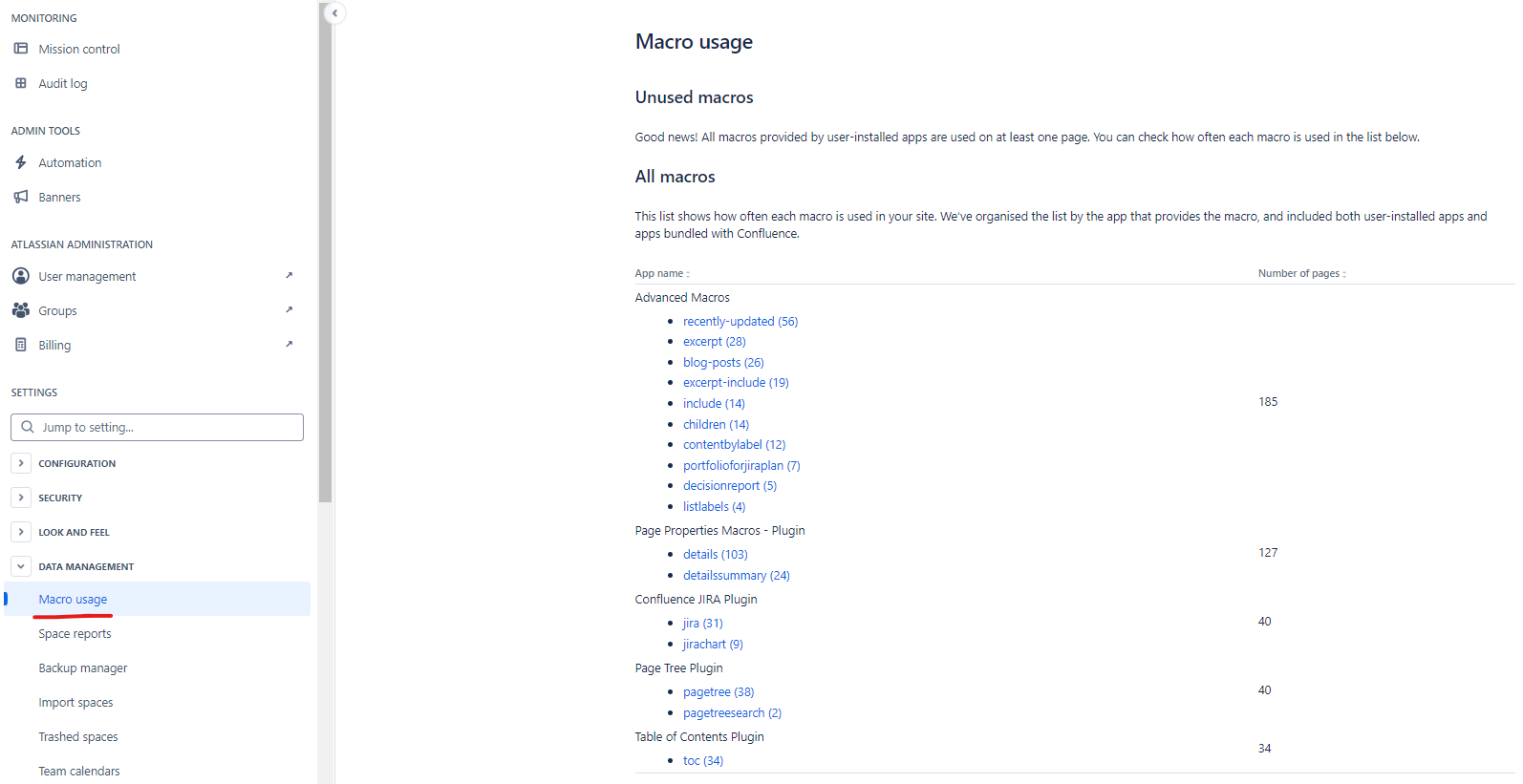
注:ユーザーは、現在アクセス権を持っているページ/ブログの結果のみを見ることができます。権限が制限されているため、ユーザーに制限されているページ/ブログは検索結果に表示されません。
Common use case
This report is commonly used before disabling or removing a Marketplace app or a specific macro — run it first to confirm no pages currently rely on that macro, since disabling an in-use macro will break rendering on those pages.
この内容はお役に立ちましたか?