After a successful migration URL links are broken in the new cloud instance
プラットフォームの注記: Cloud のみ - This article only applies to Atlassian apps on the クラウド プラットフォーム上のアトラシアン製品にのみ適用されます。
要約
ℹ️ Which page is right for you?
This is the current, primary article for fixing broken links after migration. Use the steps on this page first.
There is also a legacy link-fixing page — use it only if the steps below don't resolve your issue, or if Atlassian Support specifically directs you there.
After migrating Jira or Confluence from Data Center to Cloud or between Cloud sites, some URLs in the recently migrated instances might appear broken as they still point to the old URLs. This includes any links between individual entities in the migrated instances, for example:
Remote links between Jira work items or Confluence pages
添付ファイルへのリンク
コメントやページにユーザーが URL として貼り付けたリンク
診断
Check any links like
Remote links between Jira work items or Confluence pages
添付ファイルへのリンク
コメントやページにユーザーが URL として貼り付けたリンク
原因
After migrating, your instances start living under different URLs. Any links from other instances (Jira or Confluence) would still reference the old URLs, which either no longer work or represent the pre-migration instances. Such links aren’t automatically updated after migration, especially if they were pasted by users into comments or descriptions as URLs.
To fix such links, you need to complete a task that updates all broken links to their new destinations. Link fixing can usually be performed during other migration tasks, provided it does not interfere with ongoing processes.
ソリューション
You can use Link fixing to update all broken links in bulk.
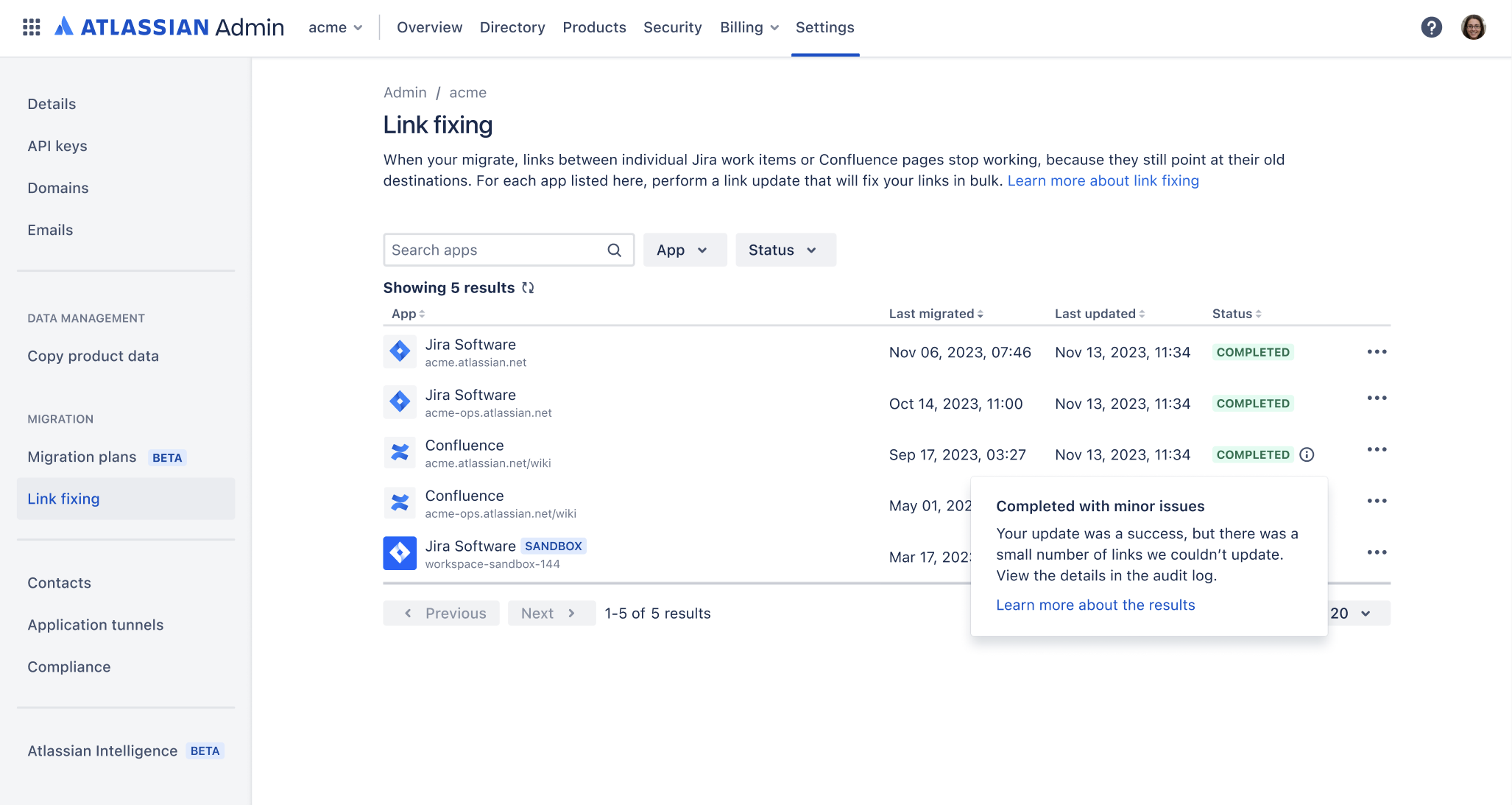
You can use link fixing to update links in Jira and Confluence, including the following migration types:
Data Center からクラウド
クラウドからクラウド
To learn more about link fixing, supported link types, and detailed steps on how to update links after migration, see the following page.
Verify it worked
After link fixing completes, spot-check a sample of previously broken links to confirm they now resolve to the correct Cloud destinations. Check at least one of each type:
Remote links between Jira work items or Confluence pages
添付ファイルへのリンク
URLs pasted by users into comments or pages
If any links still point to the old URLs, run link fixing again — some links may have been skipped if the target content hadn't been migrated yet during the first run. If the issue persists after a second run, reach out to Atlassian Support as described below.
問題が発生した場合にサポートに連絡する
上記の解決策で問題が発生した場合にのみ、アトラシアン サポートにお問い合わせください。この場合、アトラシアン サポートはこの方法または類似の従来の方法を使用してリンクを修正します。
アトラシアンサポートに連絡する
アトラシアン サポートに連絡するには、お問い合わせチケットを起票し、「移行サポート」を選択してください。
データを提供する
To update the links in your instances, we’ll need information about the destinations of links:
Current URL in cloud: URL of the cloud instance that will be the new destination for links.
Original URL in server: Original URL of the instance it was migrated from. If possible, also provide Server ID.
(Optional) Production instance URL: If this instance was migrated from a staging instance, also provide the URL of the corresponding production instance. If possible, also provide Server ID.
その他のデータおよびアプリのリンク
If you’d like to fix links between instance in different cloud sites, we’ll also need the URLs of both sites. In this case, you also need to create application links between your products before reaching out to us (for products that live in a single site, app links are created automatically). Learn how to create app links
リンクを修正する従来の方法
リンクを修正するための従来の依頼方法も存在します。ここに記載の手順がうまくいかない場合は、代わりにお試しください。場合によっては、こちらを完了するようサポート チームから求められることもあります。詳細については、「リンクを修正する従来の方法」を参照してください。
この内容はお役に立ちましたか?