自動化を使用して [Group Picker] フィールドに値を追加します。
プラットフォームの注記: Cloud のみ - This article only applies to Atlassian apps on the クラウド プラットフォーム上のアトラシアン製品にのみ適用されます。
要約
Jira の自動化を使用して、特定のトリガーの 1 つ以上のグループで [Group Picker] フィールドを自動的に更新する場合。
ユースケース: 特定のカスタム フィールドの値が変更されたら、[Group Picker] フィールドを XYZ グループで自動的に更新したい
または、課題のステータスが更新されたときに、タスクに取り組むすべてのグループで [Group Picker] フィールドを自動的に更新したいとします。
ソリューション
Please use the following JSON in the "edit issue" section to update the "Group Picker" field with a single value at a time.The JSON will not overwrite the existing values present in the field; it will just append. You can use multiple "edit issue" actions to update multiple values using automation:
{
"update": {
"customfield_xxxxx": [{ "add": { "name":"<group_name>" } }]
}
}
上記の JSON は、フィールドにある既存の値を上書きせず、追加するだけです。複数の「課題を編集」アクションによって、自動化を使用して複数の値を更新できます。例:
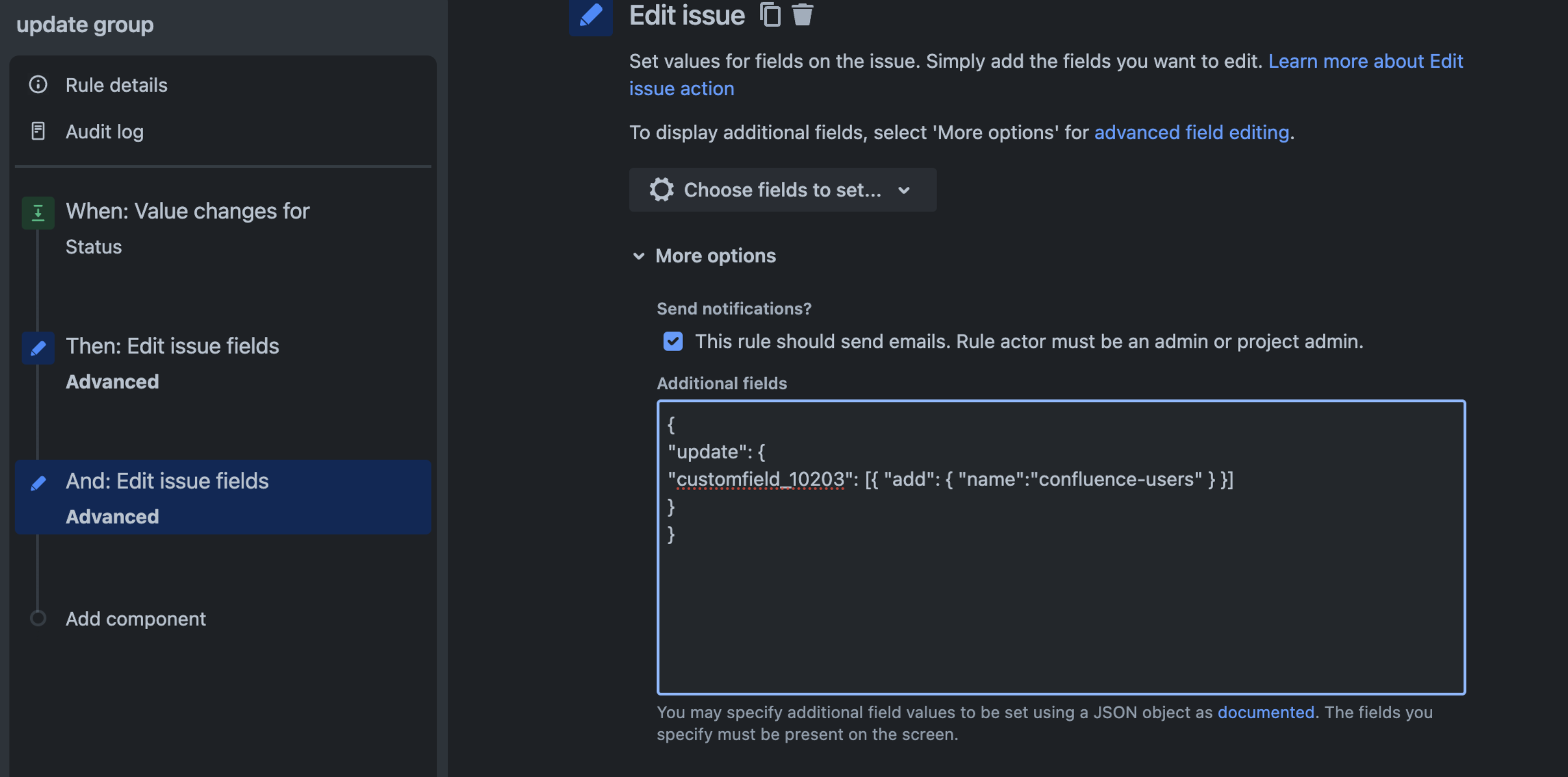
To set multiple groups in a single Edit issue action, use the following JSON. This overwrites the existing values in the Group Picker field.If you want to keep the existing values instead of overwriting them, use the append JSON shown earlier:
{ "fields": { "customfield_xxxxx": [ { "name": "<group_name1>" }, { "name": "<group_name2>" } ] } }
Replace customfield_xxxxx with the ID of your own custom field ID. The ID is a numeric value in the form of customfield_ followed by digits. You can follow the steps in the following knowledge base to find the ID.
この内容はお役に立ちましたか?