Sprints cannot be added to the Advanced Roadmaps plans
プラットフォームについて: Data Center のみ。 - This article only applies to Atlassian apps on the Data Center プラットフォーム。
この KB は Data Center バージョンの製品用に作成されています。Data Center 固有ではない機能の Data Center KB は、製品のサーバー バージョンでも動作する可能性はありますが、テストは行われていません。 Server* 製品のサポートは 2024 年 2 月 15 日に終了しました。Server 製品を実行している場合は、 アトラシアン Server サポート終了 のお知らせにアクセスして、移行オプションを確認してください。
*Fisheye および Crucible は除く
問題
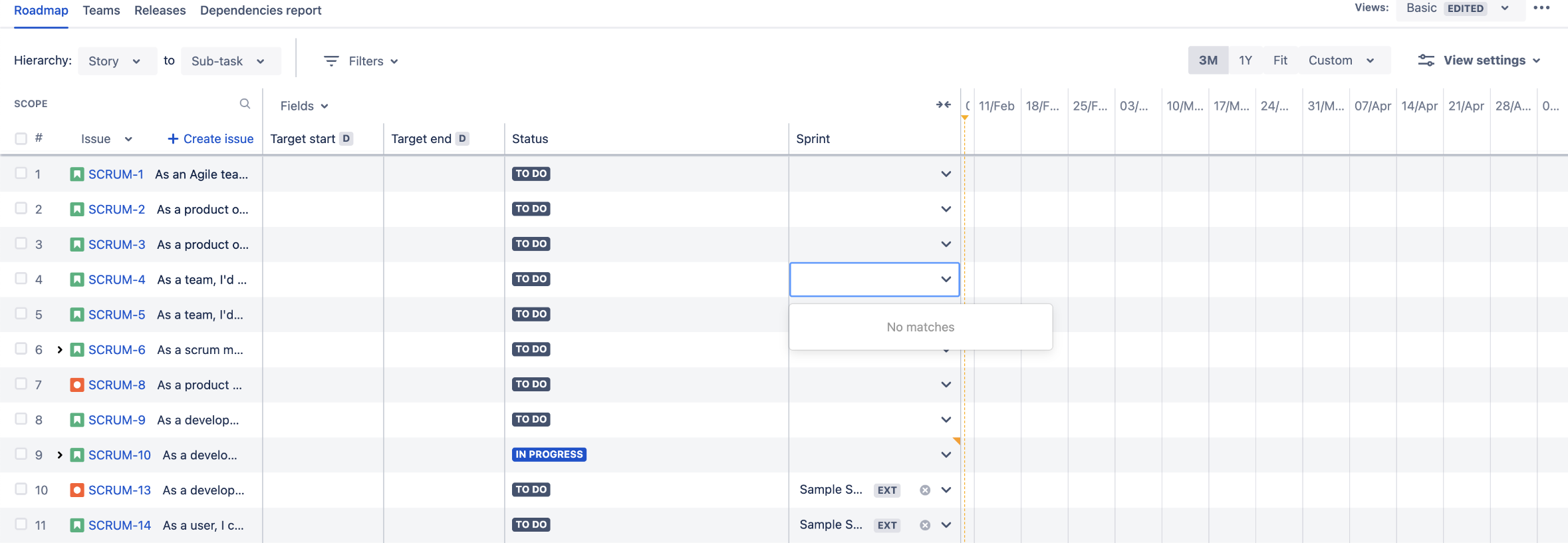
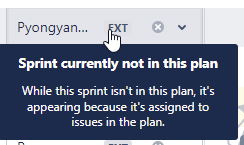
The users can't find and select the sprints in the sprints column. Even though the sprint is visible, it shows the "Sprint currently not in this plan. While this sprint isn't in this plan, it's appearing because it's assigned to issues in the plan" warning and an EXT next to the sprint name.
原因
This is caused by the issue sources of the plan. Sprints are a feature of a board, and they are loaded into the plan automatically when a board is chosen as the issue source.
ソリューション
Navigate to the Issue Sources in your plan configuration and choose the Board as the issue source.
この内容はお役に立ちましたか?