Cannot access Goals in Focus with error "We are unable to let you in"
Platform Notice: Cloud Only - This article only applies to Atlassian apps on the cloud platform.
Summary
This article covers how to resolve the error message "We are unable to let you in" to view and add Goals in Focus.
Diagnosis
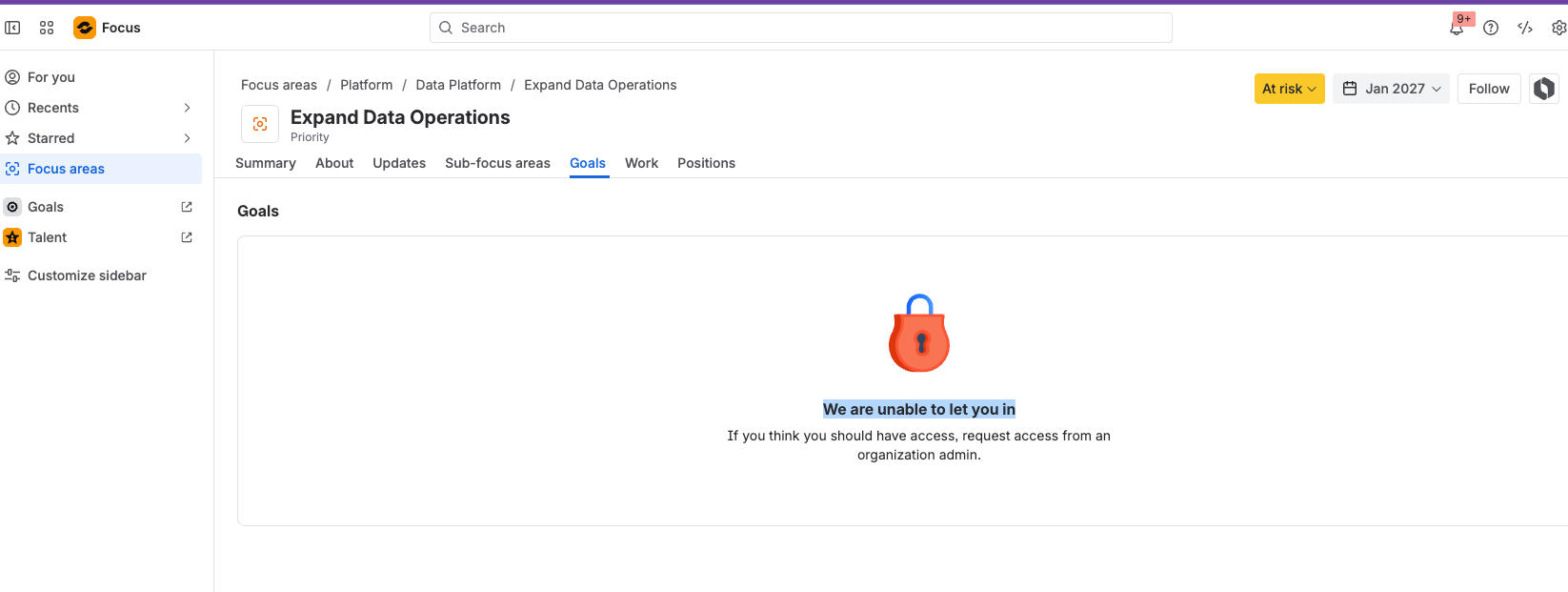
When opening a Focus area, Goals are not visible and the banner shows “We are unable to let you in.” Adding new Goals is also unavailable.
Cause
Goals is not enabled by the admin.
Solution
Enable Goals via Platform Experiences (admin only)
Who can do this: Organization admins with access to Platform Experiences.
Impact: Enables viewing and creating Goals in Focus areas for all users in the org.
Go to Admin for your Atlassian organization: admin.atlassian.com.
Select the organization where you want to enable Focus Goal types.
In the left navigation, navigate to Apps → Platform Experiences.
Select Activate now to enable Platform Experiences.
Confirm the activation is complete and users are opted in.
Was this helpful?