Recover a Page After a Failed Save Attempt or System Crash
Platform Notice: Data Center Only - This article only applies to Atlassian apps on the Data Center platform.
Note that this KB was created for the Data Center version of the product. Data Center KBs for non-Data-Center-specific features may also work for Server versions of the product, however they have not been tested. Support for Server* products ended on February 15th 2024. If you are running a Server product, you can visit the Atlassian Server end of support announcement to review your migration options.
*Except Fisheye and Crucible
Summary
Occasionally, network or database issues may cause problems with saving pages. The odds of this occurring seem to increase exponentially based on a) the importance of the document and b) how long you've been working on it.
💡When Collaborative Editing is turned on, Confluence auto-saves the editor's contents as a draft when someone exits the editor using the Close button and every 30 seconds while they are in the editor.
Solution
Here's how to recover a page that you've been previously working on:
Option 1
When Collaborative Editing is ON
Unpublished Changes and Drafts will be shown in the Recently worked on tab from the dashboard:
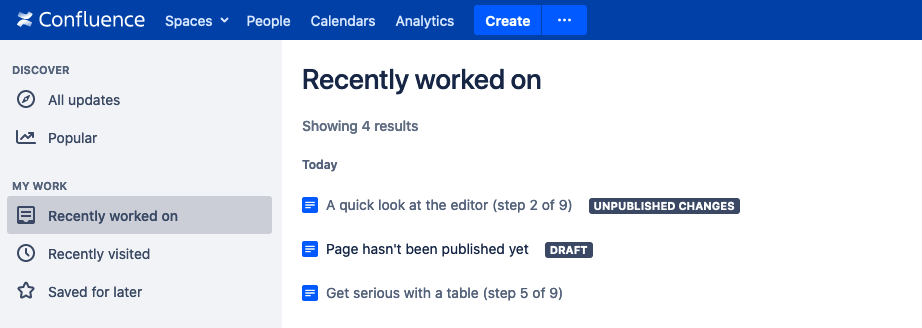
ℹ️ The UNPUBLISHED CHANGES and DRAFT lozenges are not available when Collaborative Editing is turned OFF
When Collaborative Editing is OFF
Try creating a new page in the same space. You should see a banner that says:
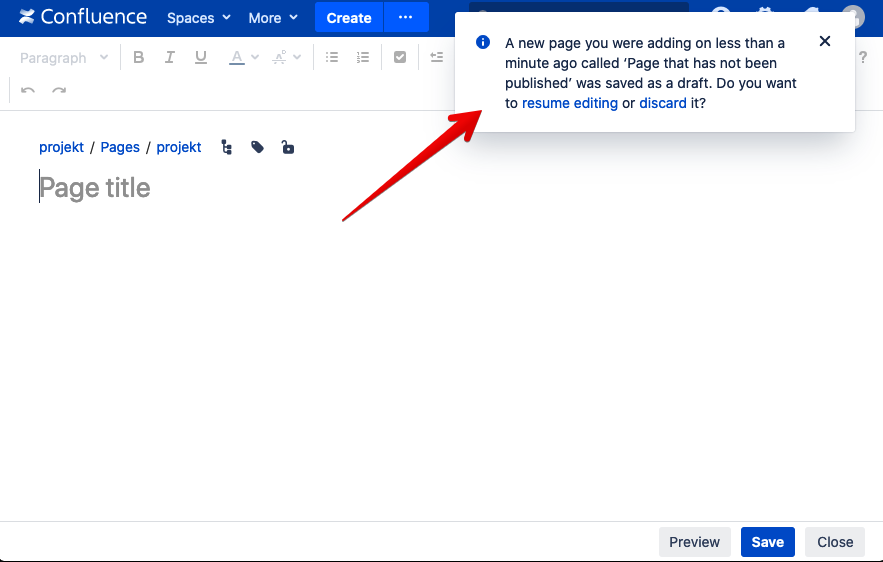
Clicking "resume editing" will take you to the last draft saved for this page.
Option 2
This option works when Collaborative Editing is either ON or OFF.
In the top right of the Confluence window click on Your profile picture -> Drafts. This will display a list of all the drafts you have saved.
The pages shown in the Drafts menu have an option to Resume Editing or Discard.
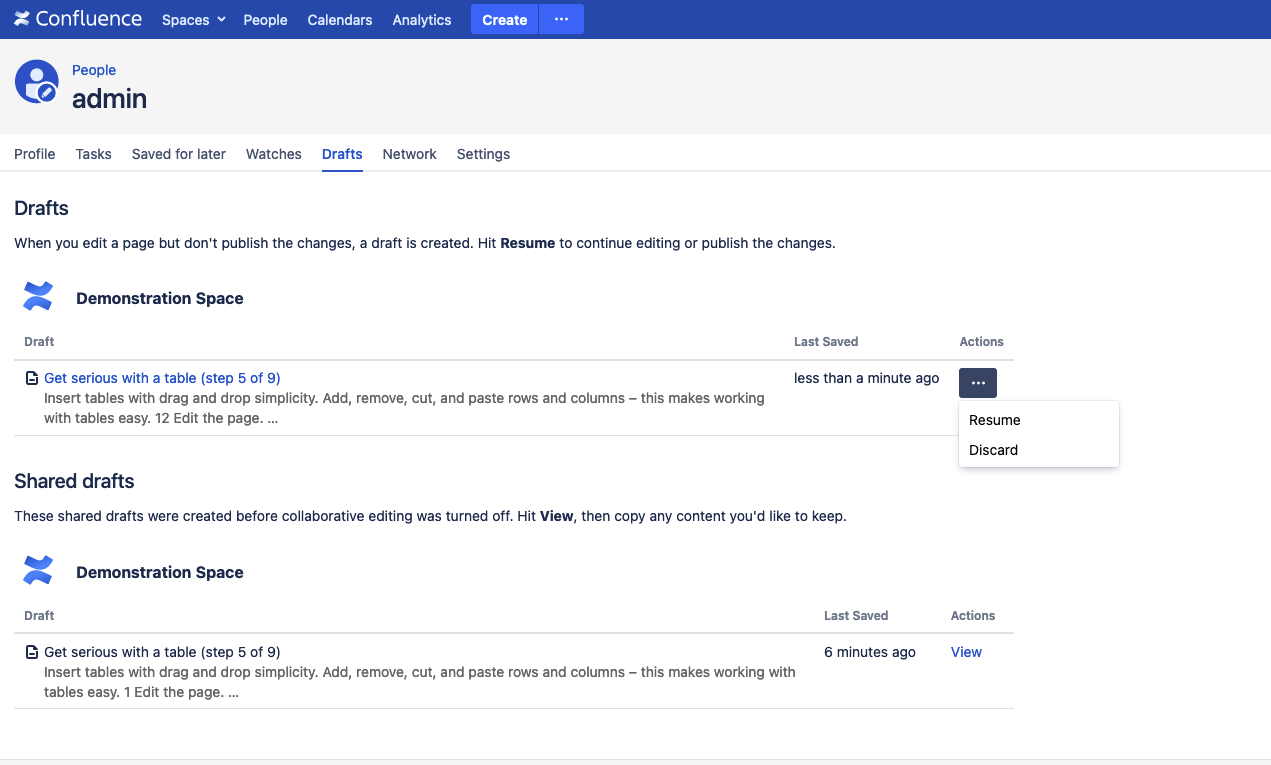
When "Shared drafts" is specifically mentioned, this means the draft under this category is created before Collaborative Editing was turned OFF.
Learn more about Drafts here.
Verify your recovered content:
After resuming a draft, confirm the recovered content matches what you remember writing — Confluence auto-saves every 30 seconds during collaborative editing, so the last few seconds before a crash may not be captured.
ℹ️ If you need further assistance with recovering a page, you may contact Atlassian Support and provide the information about the page to see if the unpublished content can be recovered.
Was this helpful?