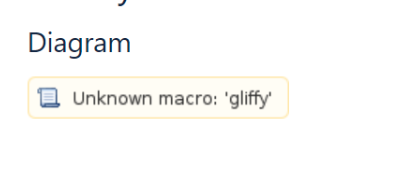
Reason of Unknown macro:'gliffy' error on your confluence page
Platform Notice: Data Center Only - This article only applies to Atlassian apps on the Data Center platform.
Note that this KB was created for the Data Center version of the product. Data Center KBs for non-Data-Center-specific features may also work for Server versions of the product, however they have not been tested. Support for Server* products ended on February 15th 2024. If you are running a Server product, you can visit the Atlassian Server end of support announcement to review your migration options.
*Except Fisheye and Crucible
Summary
When importing a space or page from another Confluence instance (such as Datacenter, Server, or Cloud), it is possible to encounter an error message that reads "Unknown macro: 'gliffy'" on the page.
Cause
This type of error typically occurs when the Gliffy plugin is present on the source instance but not available on the destination instance.
Solution
Ensure that the source instance has the Gliffy plugin installed. Next, proceed to install the Gliffy plugin on the destination instance. After successful installation of the Gliffy plugin, you will notice that the Gliffy image is displayed on the page instead of encountering an error message like "Unknown macro:'gliffy'".
Was this helpful?