Missing Links From Space Tools Menu For Certain Space
Platform Notice: Data Center Only - This article only applies to Atlassian apps on the Data Center platform.
Note that this KB was created for the Data Center version of the product. Data Center KBs for non-Data-Center-specific features may also work for Server versions of the product, however they have not been tested. Support for Server* products ended on February 15th 2024. If you are running a Server product, you can visit the Atlassian Server end of support announcement to review your migration options.
*Except Fisheye and Crucible
Summary
Problem
There's missing item/links shown in the Space Tools pop up menu.
Expected behavior after clicking on Space Tools :
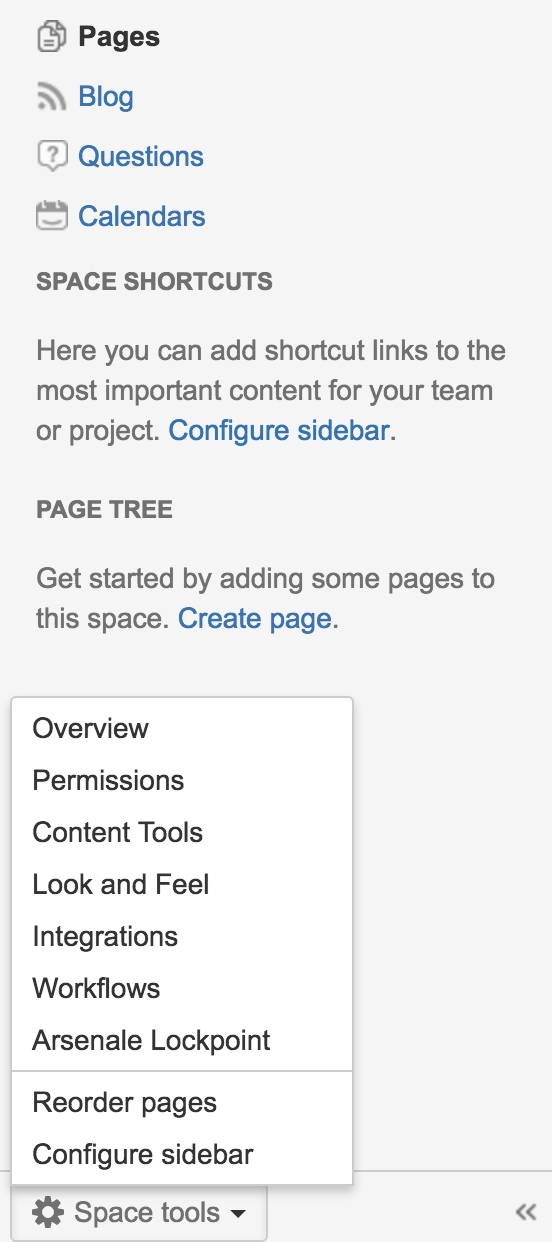
Actual behavior after clicking on Space Tools :
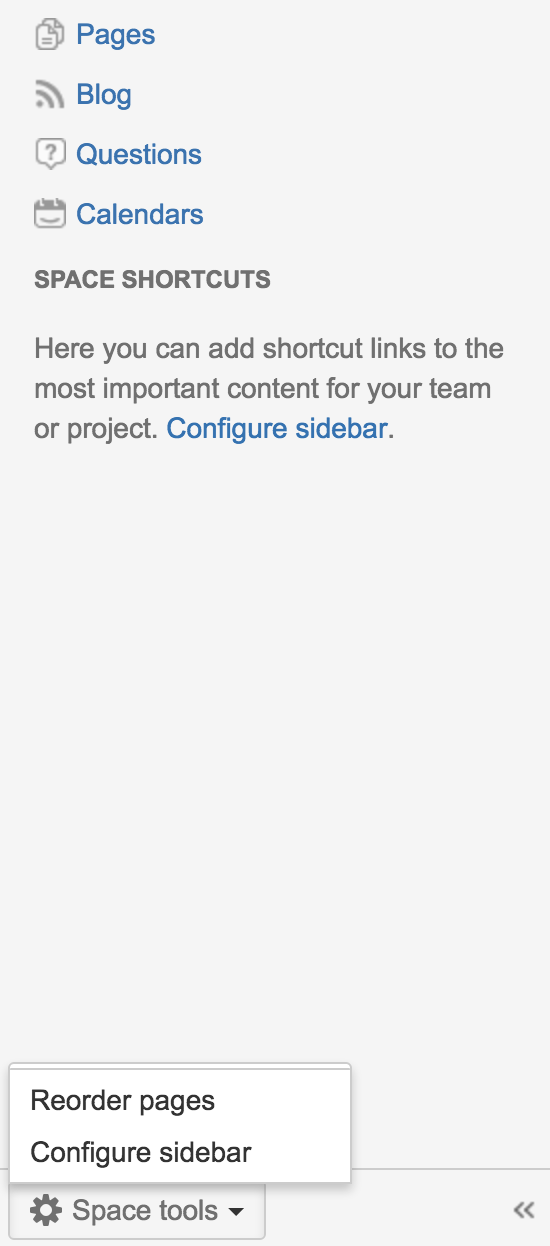
There's no error whatsoever shown in the logs
Diagnosis
This usually happens right after an upgrade or migration.
Happens across all browser
Affects all users
Only certain space was affected.
No Global Custom HTML
On Default Theme (Global Look and Feel)
Cause
There's no custom space layout obstructing the menu to be generated.
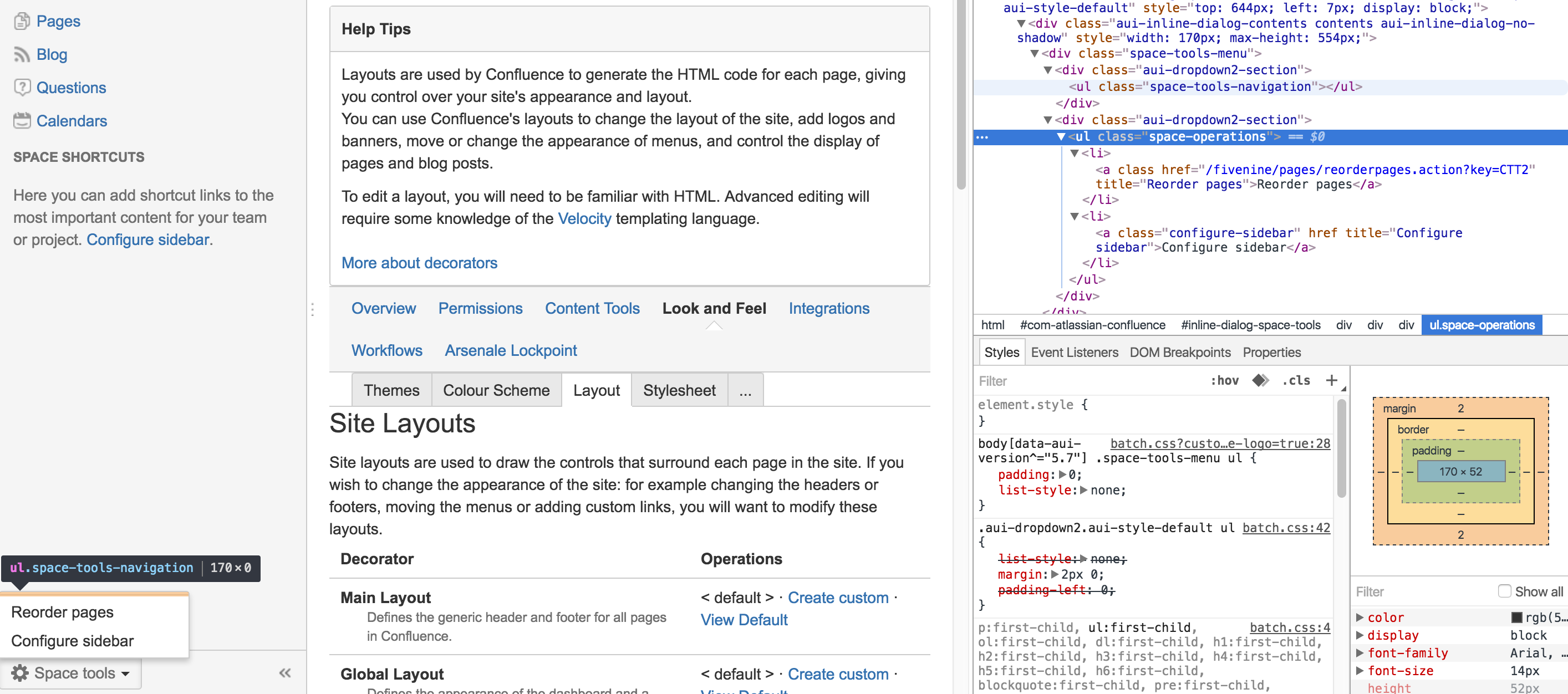
The custom space layout should look similar as below :
## PAGE SPECIFIC DECORATOR
## Here the context is the page. Modes are 'view', 'edit', 'edit-preview', 'view-information', and 'view-attachments'.

#set ($helper = $params.get("helper"))
#set ($mode = $params.get("mode"))
#set ($context = $params.get("context"))
#set ($confPage = $helper.page)

#infoPanelInitFromParams()
## GENERAL PAGE DECORATING BEGINS

#requireResourcesForContext("page")

#if ($mode != "edit" && $mode != "edit-preview")
    #parse ("/decorators/includes/content-navigation.vm")
#end

#if ($infoPanelRequired)
<content tag="sidebar">
    #infoPanel(true true true true)
</content>
#end

#if( ($mode != "edit" && $mode != "edit-preview" ))
<content tag="ia-sidebar">
                #foreach ($webPanel in $webInterfaceManager.getDisplayableWebPanels("atl.page.left.sidebar", {"page": $confPage, "context": $context}))
                $!webPanel.getHtml($action.context)
    #end
</content>
#end

<div id="content" class="page $!mode">
    #parse("/decorators/includes/page-content-includes.vm")

    ## MODE SPECIFIC DECORATING BEGINS
    #*
        Display page based on mode: currently 'view', 'edit', 'preview-edit', 'info' and 'attachments.
        See the individual page templates (viewpage.vm, editpage.vm, etc.) for the setting of the mode parameter.
    *#
    ## VIEW

    #if ($mode == "view")
        <content tag="headsection">
            #webPanelForLocation("atl.confluence.viewpage.header" $action.context)
        </content>

        #if ($space.personal)
            #set ($usernameFromSpaceKey = $spaceUtils.getUsernameFromPersonalSpaceKey($spaceKey))
            #if ($permissionHelper.canView($action.remoteUser, $action.getUser($usernameFromSpaceKey)))
                ## Deprecated: needed in case main.vmd hasn't been updated
                <content tag="show-personal-sidebar">true</content>
            #end
        #end

        #requireResourcesForContext("viewcontent")

        #set ($labelable = $page)
        #permitSearchEngines()

        #if ($helper.isHistoricalVersion())
            <content tag="suppressPdfLink">true</content>
        #end

        #parse ("/decorators/includes/page-metadata.vm")
        #if ($helper.isHistoricalVersion() || $helper.action.navigatingVersions)
                #versionInfo()
        #end

        ## If you choose to move page it's being done from view mode
        #putMetadata('browse-page-tree-mode', 'view')
        #putMetadata('parent-page-id', $!parentPage.id)

        <div id="main-content" class="wiki-content">
           $body
        </div>

        #trackbackRdf ($trackbackUtils.getContentIdentifier($page) $page.title $trackbackUtils.getPingUrl($page))

        #if ($mode != "edit" && $mode != "edit-preview")
            #set($labelable = $page)
            #parse("/labels/labels-editor.vm")
        #end

                                #if (!$action.childrenNotShown)
        #renderChildren()
                                #end

        #applyDecorator("root")
            #decoratorParam("sitemeshPage" $sitemeshPage)
            #decoratorParam("page" $page)
            #decoratorParam("context" "comments")
        #end

    ## EDIT || PREVIEW-EDIT
    #elseif ($mode == "edit" || $mode == "edit-preview")
        $body

    ## INFO
    #elseif ($mode == "view-information")
        #requireResourcesForContext("viewinformation")
        $body

    ## ATTACHMENTS
    #elseif ($mode == "view-attachments" || $mode == "move-attachments" || $mode == "view-attachment")
        #requireResourcesForContext("viewattachments")
        $body

    ## FOR CUSTOM WEB-ITEMS
    #else
        $body

    #end
    ## MODE SPECIFIC DECORATING ENDS

</div>

## GENERAL PAGE DECORATING ENDS

#parse ("/pages/page-breadcrumbs.vm")
#menuMacros_renderBrowseMenu()
Solution
Workaround
Click on Space tools > Reorder pages
Click your space's home page
Click on Space Tools again
You should be able to see the full menu again.
Resolution
Following the steps shown in the workaround section
Click on Look and Feel
Click on Layout Tab
Look for Space Layout in the Content Layout Section
Click on 'Reset Default'
Should the issue still persist, please do not hesitate to create new support in regards to this: https://support.atlassian.com
Was this helpful?