Invalid locale format errors for certain users
Platform Notice: Data Center Only - This article only applies to Atlassian apps on the Data Center platform.
Note that this KB was created for the Data Center version of the product. Data Center KBs for non-Data-Center-specific features may also work for Server versions of the product, however they have not been tested. Support for Server* products ended on February 15th 2024. If you are running a Server product, you can visit the Atlassian Server end of support announcement to review your migration options.
*Except Fisheye and Crucible
Problem
Getting the following System Error message in the Confluence browser when logging in as certain user:
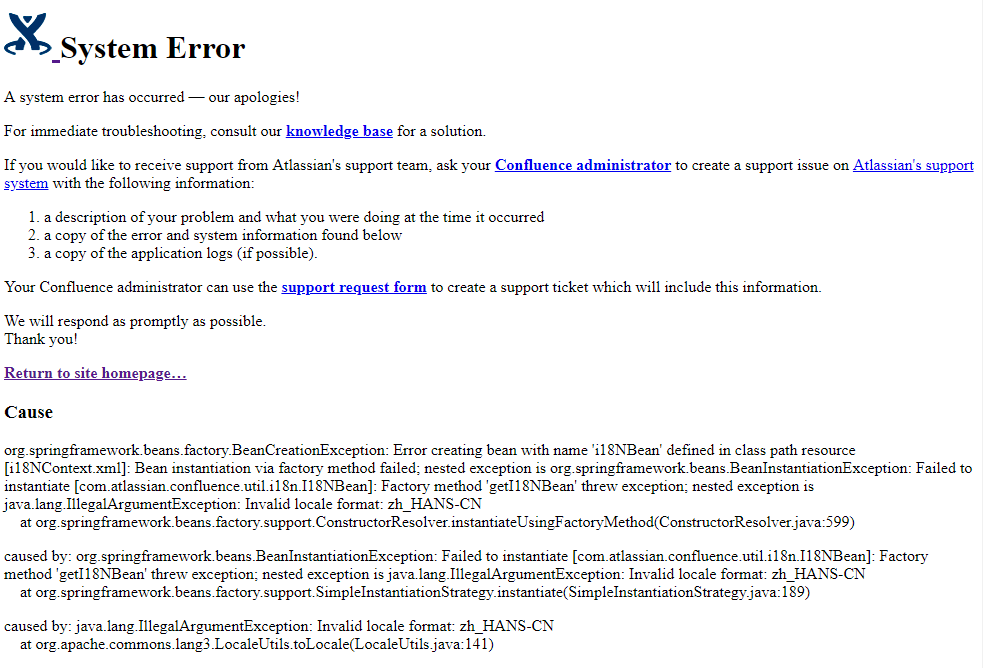
The following appears in the atlassian-confluence.log
Caused by: org.springframework.beans.BeanInstantiationException: Failed to instantiate [com.atlassian.confluence.util.i18n.I18NBean]: Factory method 'getI18NBean' threw exception; nested exception is java.lang.IllegalArgumentException: Invalid locale format: zh_HANS-CN
at org.springframework.beans.factory.support.SimpleInstantiationStrategy.instantiate(SimpleInstantiationStrategy.java:189)
at org.springframework.beans.factory.support.ConstructorResolver.instantiateUsingFactoryMethod(ConstructorResolver.java:588)
... 335 more
Caused by: java.lang.IllegalArgumentException: Invalid locale format: zh_HANS-CN
at org.apache.commons.lang3.LocaleUtils.toLocale(LocaleUtils.java:141)
Cause
Confluence users could choose their Language preference from their profile settings:
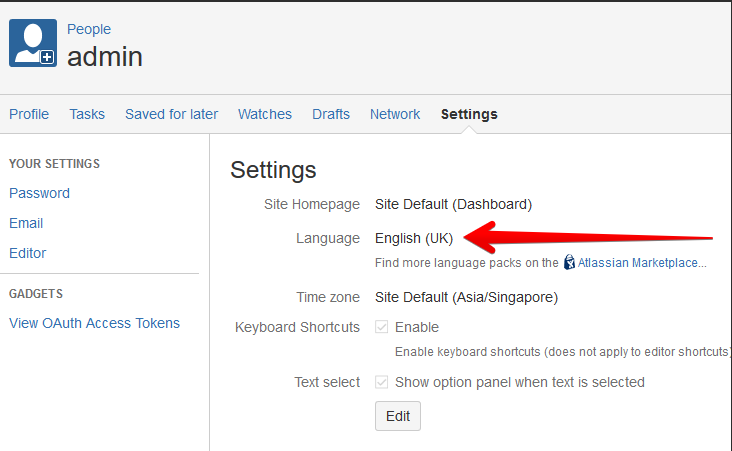
For some reason, the corresponding data saved in the database is invalid as per Internationalization standard. For example, the above error logs shows invalid locale format of zh_HANS-CN where the correct locale for Chinese is zh_CN.
This documentation from Oracle: Internationalization: Understanding Locale in the Java Platform contains further information on the different codes to be set for language and country codes.
Diagnosis
The locale information are stored in the os_propertyentry table, with the entity_key value of confluence.user.locale:
entity_name | entity_key | string_val |
|---|---|---|
USERPROPS-8a80cb8165e647ab0165e64aa0430000 | confluence.user.locale | zh_HANS-CN |
Resolution
Perform database update to alter these values to the correct one. In this example, use the following SQL query to update the invalid locale format of zh_HANS-CN to the correct locale format zh_CN.
UPDATE os_propertyentry SET string_val = 'zh_CN' WHERE entity_key = 'confluence.user.locale' AND string_val = 'zh_HANS-CN';Warning: Backup your database before proceeding.
Before running any SQL in this article, create a full backup of your Jira database. This is a database-level operation with no undo other than restoring from backup. Only proceed if you're comfortable running SQL directly against the Jira database, and test on a staging or cloned environment first, wherever possible.
Clear Caches by going to

> General Configuration > Cache Management > Flush all.
Was this helpful?