How to get a URL to download an attachment in Confluence
Platform Notice: Cloud Only - This article only applies to Atlassian apps on the cloud platform.
Summary
There may be instances when you need to get a URL to download an attachment. This article outlines a method to achieve this.
Environment
Confluence Cloud
Solution
Access the page where the desired file is attached.
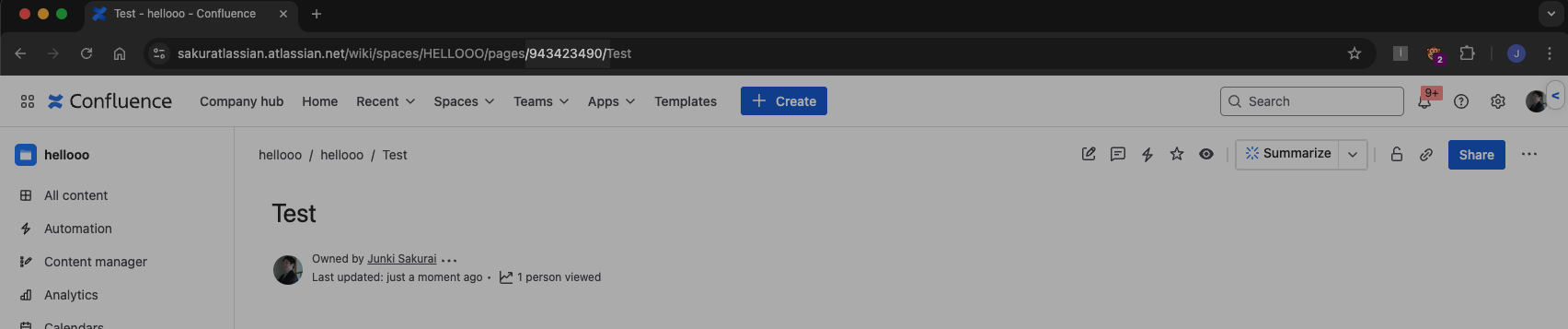
Extract the id of the page from the URL bar.
For instance, the id is 943423490 in the following image.
Paste a URL like the following into the URL bar to list the page's attachments:
https://{your-site}.atlassian.net/wiki/api/v2/pages/{page-id}/attachments
Locate a section similar to the one below that contains the download link.
..._links":{"download":"/download/attachments/XXXXXX/○○○○○",
You can now download the file using the following URL
https://{Your site name}.atlassian.net/wiki/download/attachments/XXXXXX/○○○○○
⚠️ Authentication required
The download URL respects the page and space permissions of the attachment:
A user must be signed in with view access to the page for the link to work. Without authentication, the URL redirects to a login page.
An automation or script must authenticate using Basic Auth (your email address + an API token) or OAuth 2.0.
The URL is not publicly accessible unless the space has anonymous access enabled and your site allows spaces to enable anonymous access (see Control whether spaces can turn on anonymous access).
Verify your download URL
Confirm the constructed URL works before using it in production:
Browser test: Open a private/incognito window, sign in to Confluence with an account that has view access to the page, then paste the download URL. The file should download directly — if you see a login page or "no access" error, double-check the page ID and your permissions.
API/automation test: Run a quick
curlcommand with your credentials to confirm a200response:curl -u your-email@example.com:YOUR_API_TOKEN \ "<redacted URL>" \ -o filename.ext -w "%{http_code}"A
200status confirms the URL and authentication are correct. A401means invalid credentials; a403means the account lacks permission to the page.
Was this helpful?