Error saving draft in Confluence while editing a Page due to "Error saving draft. No draft has been saved."
Platform Notice: Data Center Only - This article only applies to Atlassian apps on the Data Center platform.
Note that this KB was created for the Data Center version of the product. Data Center KBs for non-Data-Center-specific features may also work for Server versions of the product, however they have not been tested. Support for Server* products ended on February 15th 2024. If you are running a Server product, you can visit the Atlassian Server end of support announcement to review your migration options.
*Except Fisheye and Crucible
Summary
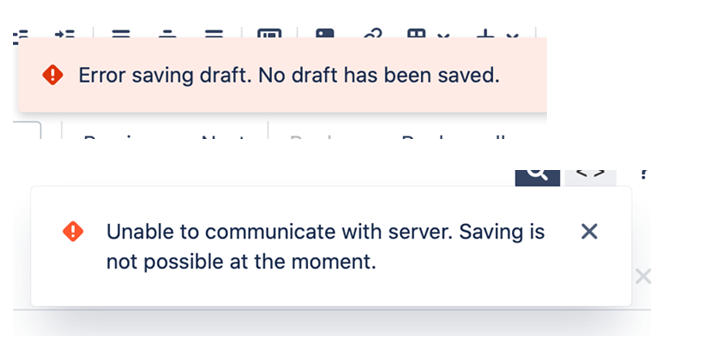
While editing a page in Confluence, the following errors may appear.
Error saving draft. No draft has been saved.or
Unable to communicate with server. Saving is not possible at the moment.Screenshot of the issue:
This only occurs to specific pages, while other pages can be created or modified.
Environment
Confluence Server or Data Center with Collaborative Editing enabled.
Diagnosis
Tomcat logs (catalina.out) repeatedly shows the following warning message:
INFO [http-nio-8080-exec-198] org.apache.coyote.http11.Http11Processor.service Error parsing HTTP request header
 Note: further occurrences of HTTP request parsing errors will be logged at DEBUG level.
	java.lang.IllegalArgumentException: Request header is too large
Cause
The maxHttpHeaderSize is too small for the current deployment.
According to the Apache Tomcat reference:
| The maximum size of the request and response HTTP header, specified in bytes. If not specified, this attribute is set to 8192 (8 KB). |
Solution
Increase the maxHttpHeaderSize value on the necessary Tomcat connector as described in the steps below.
If you are running Confluence Data Center with multiple nodes, this change must be applied to each node.
Navigate to
<Confluence-install>/conffolder.Make a backup copy of the
server.xmlfile.Edit
server.xmland include themaxHttpHeaderSizeparameter on the main Tomcat connector.⚠️ If the parameter is already in place, just edit the value for it.
Restart Confluence following your standard procedure.
Example of a Tomcat connector with the suggested parameter:
<Connector port="8090" maxHttpHeaderSize="32768"
    connectionTimeout="20000" maxThreads="48" minSpareThreads="10"
    enableLookups="false" acceptCount="10" debug="0"
    URIEncoding="UTF-8" protocol="org.apache.coyote.http11.Http11NioProtocol"
/>
This parameter does not define a limit and can be increased if needed.
We recommend doubling this value each time it's needed: 8k, 16k, 32k, 64k and so on.
Was this helpful?