Resolving SSH key validation errors due to key type or length restrictions in Bitbucket Data Center
Platform Notice: Data Center Only - This article only applies to Atlassian apps on the Data Center platform.
Note that this KB was created for the Data Center version of the product. Data Center KBs for non-Data-Center-specific features may also work for Server versions of the product, however they have not been tested. Support for Server* products ended on February 15th 2024. If you are running a Server product, you can visit the Atlassian Server end of support announcement to review your migration options.
*Except Fisheye and Crucible
Summary
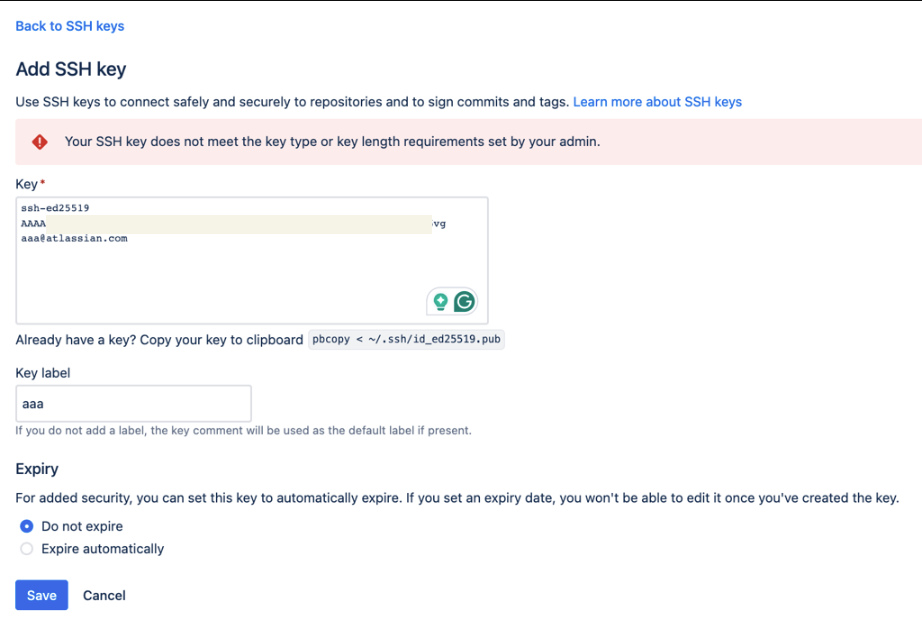
When attempting to add an SSH key in Bitbucket Data Center, the operation fails with the error:
“Your SSH key does not meet the key type or key length requirements set by your admin.”
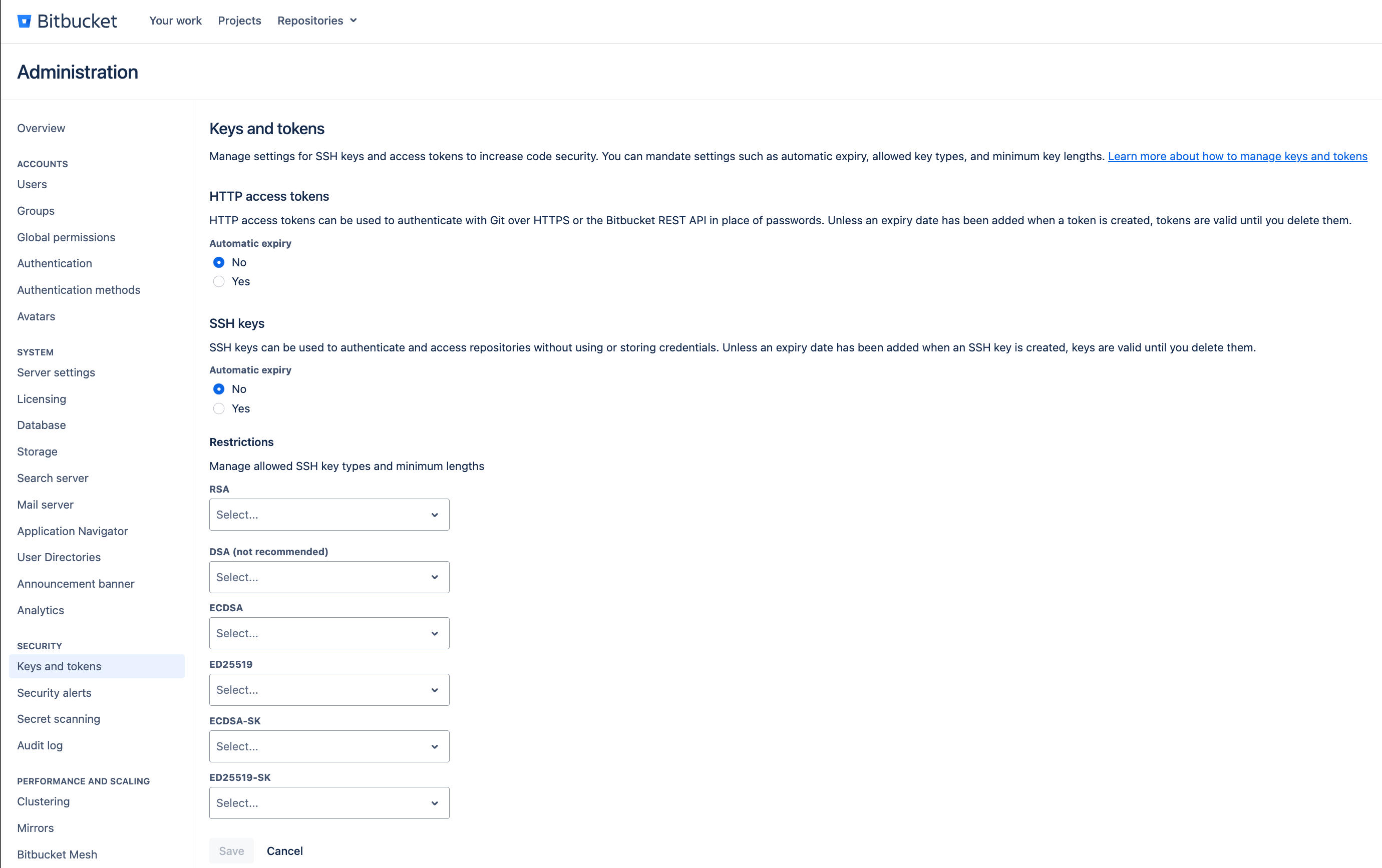
Additionally, the “Keys and Tokens” page may not display the expected key restriction values, preventing updates or additions of SSH keys at any level (Global/Project/Repository).
Diagnosis
Symptoms
The “Restrictions” field under “Keys and Tokens” displays “Select…” instead of populated values.
Adding a valid SSH key results in the error: “Your SSH key does not meet the key type or key length requirements set by your admin.”
Troubleshooting steps
Verify SSH Key Type and Length Ensure the SSH key you are adding meets the restrictions configured in Bitbucket. To check key details:
ssh-keygen -l -f /path/to/public_key.pubCheck Database Table for Restrictions Confirm that key restrictions exist in the database:
select * from "AO_FB71B4_SSH_KEY_RESTRICTION"Inspect API Response On loading the “Keys and Tokens” page, capture a HAR file and check the response from:
<bitbucketURL>/rest/ssh/latest/adminIf the response is empty ({"keyTypeRestrictions":[]}), restrictions are missing..Enable AO Table Debug Logs Enable debug logs to observe queries to the restriction table:
2025-10-29 12:21:47,001 DEBUG [https-jsse-nio-9443-exec-6] admin @1YZQX75x741x1038x3 1okxglv 127.0.0.1,0:0:0:0:0:0:0:1 "GET /rest/ssh/latest/admin HTTP/1.0" net.java.ao.sql SELECT "MIN_KEY_LENGTH","ID","ALGORITHM" FROM "AO_FB71B4_SSH_KEY_RESTRICTION"
Cause
The SSH key does not meet the type or length requirements configured in Bitbucket.
The database table
AO_FB71B4_SSH_KEY_RESTRICTIONis missing required data for key type and size restrictions.
Solution
1. Correct the SSH Key
Ensure your SSH key matches the required type and length as per the restrictions.
2. Restore or Insert Key Restrictions
If restrictions are missing from the database table:
Restore the table content from a recent backup.
Reference the table content from another environment (e.g., staging or production).
Insert default restrictions using a custom SQL query (example below):
INSERT INTO "AO_FB71B4_SSH_KEY_RESTRICTION" ("ALGORITHM","MIN_KEY_LENGTH") VALUES
    ('ECDSA',256),
    ('ED25519',256),
    ('ECDSA-SK',256),
    ('ED25519-SK',256),
    ('DSA',NULL),
    ('RSA',8192);
Directly modifying the Bitbucket database can lead to data loss or corruption. Always take a full database backup before proceeding. If unsure, contact Atlassian Support.
Was this helpful?