Pushing a branch to Bitbucket fails with the error, "refspec matches more than one".
Platform Notice: Data Center Only - This article only applies to Atlassian apps on the Data Center platform.
Note that this KB was created for the Data Center version of the product. Data Center KBs for non-Data-Center-specific features may also work for Server versions of the product, however they have not been tested. Support for Server* products ended on February 15th 2024. If you are running a Server product, you can visit the Atlassian Server end of support announcement to review your migration options.
*Except Fisheye and Crucible
Summary
The error "refspec matches more than one" is shown while pushing a branch to Bitbucket.
This occurs because there is more than one Git ref that matches the ref name specified in the push command.
Example
Suppose a repo has a branch and a tag with the same name, "dev".
When an attempt is made to push the "dev" branch to the remote, the error "refspec matches more than one" will be shown and the push fails.
Case 1: Local refs
If the branch and the tag are on the local copy of the repo, the push will show the error:
git push origin dev

error: src refspec dev matches more than one
error: failed to push some refs to 'ssh://bitbucket.myhost.com:7999/proj1/repo-test.git'
"src" indicates that the ref name "
dev" matches more than one ref in the local copy (source)
Case 2: Remote refs
If the branch and the tag are on the remote, the push will show the following error:
git push origin dev:dev

error: dst refspec dev matches more than one
error: failed to push some refs to 'ssh://bitbucket.myhost.com:7999/proj1/repo-test.git'
"dst" indicates that the ref specification "
dev" matches more than one ref in the remote (destination)
Solution
Case 1: Local refs
First, check for branches and tags that have the same ref name on the local copy of the repo.
For example, to check for a branch with the name "dev":
git branch | grep "dev"To check for a tag with the name "dev":
git tag | grep "dev"If a local tag is found that has the same ref name as the branch being pushed, the tag can be deleted with the following command:
git tag -d devAfterwards, retry pushing the branch.
Case 2: Remote refs
Similar to the first case, check for branches and tags that have the same ref name on the remote.
For example, to check for a branch on the remote with the name "dev":
git ls-remote --heads | grep "dev"To check for a tag on the remote with the name "dev":
git ls-remote --tags | grep "dev"If a remote tag is found that has the same ref name as the branch, the tag on the remote can be deleted with:
git push --delete origin refs/tags/devAlternatively, the tag can be deleted through the Bitbucket UI with these procedures:
Go to the repo's "Commits" page
Look for the tag
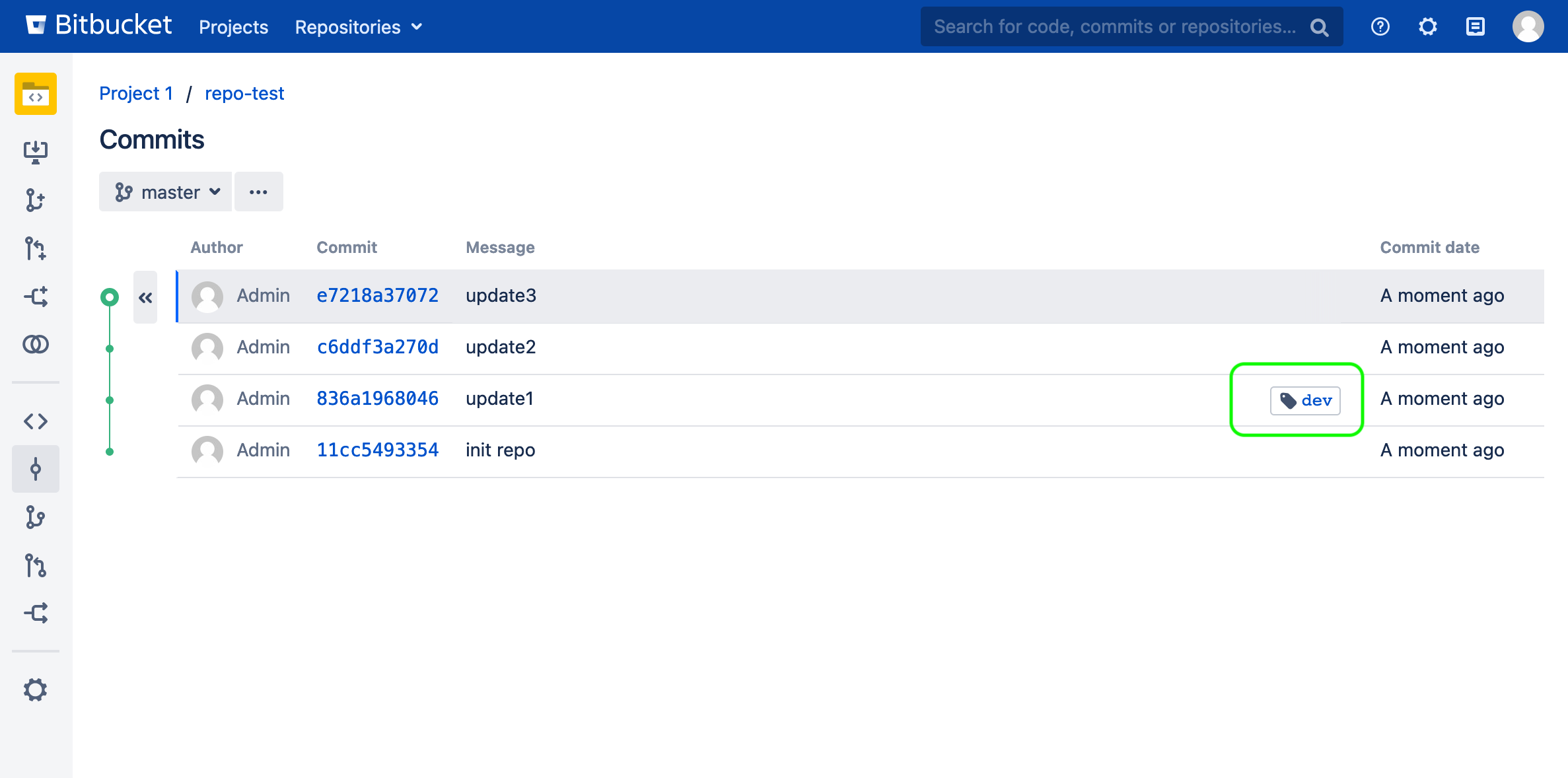
Click the commit hash associated with the tag
Delete the tag
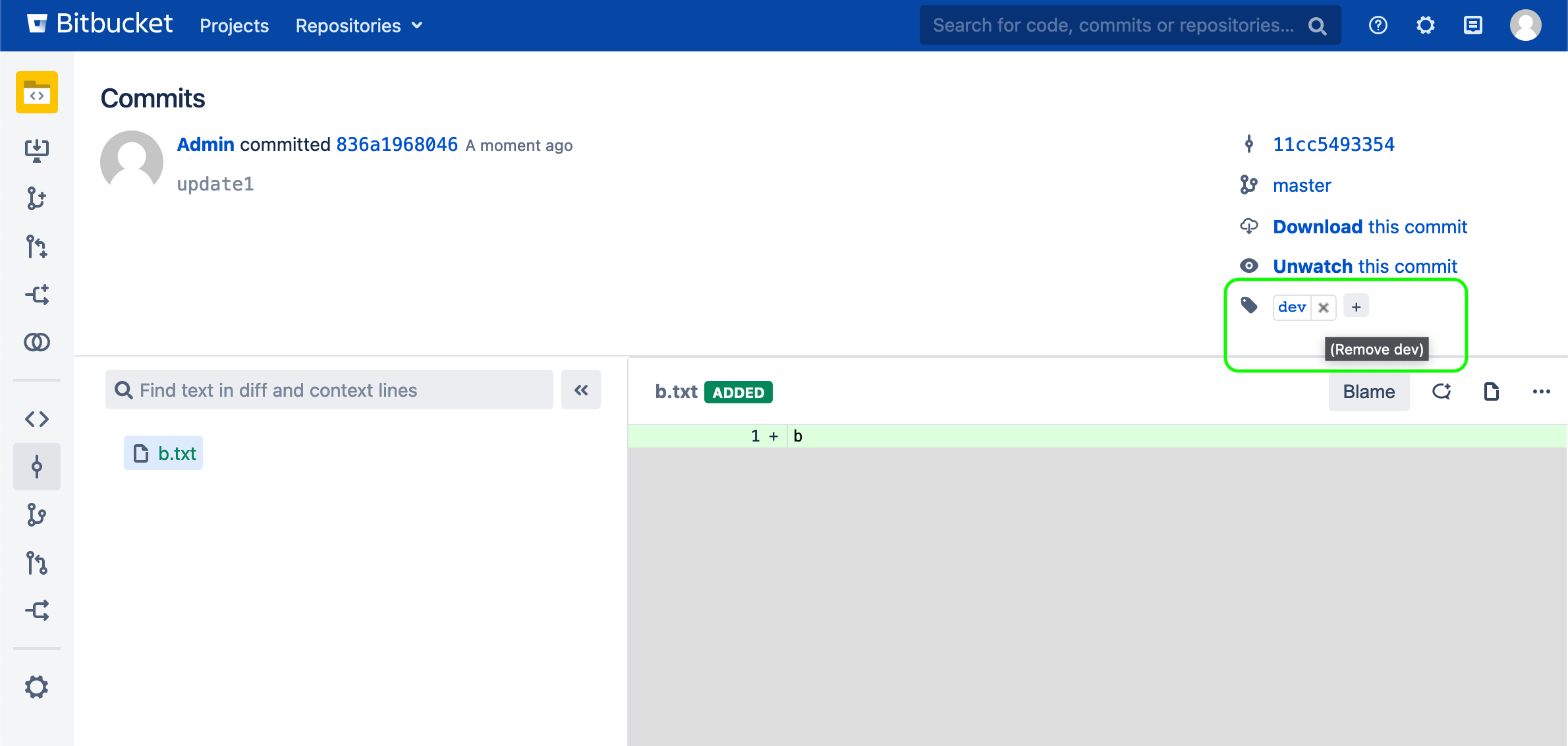
Afterwards, retry pushing the branch.
Was this helpful?