How to remove or unlink a Bitbucket workspace from an organization
Platform Notice: Cloud Only - This article only applies to Atlassian apps on the cloud platform.
Summary
Once a Bitbucket workspace is linked to an Atlassian organization, it can't be unlinked or transferred to another organization.
Important
It is not possible to unlink the workspace from an existing Atlassian Org or move it to a different Org. This is a current limitation.
Follow the feature request BCLOUD-23320: Support transfer of Bitbucket Workspaces Between Organizations for updates on when this will be available.
Once the Bitbucket workspace is linked to an Org it will be queued up for migration to a new billing engine and shortly after for migration to centralized user management.
Migration to a new Atlassian Billing engine is described in our Community post.
Migration to Atlassian Administration for Centralized user and app access management.
It is not possible to unlink the workspace from an existing Atlassian Org or move it to a different Org if the workspace was already migrated. This is a current limitation. Follow the feature request BCLOUD-23320: Support transfer of Bitbucket Workspaces Between Organizations for updates on when this will be available.
Solution
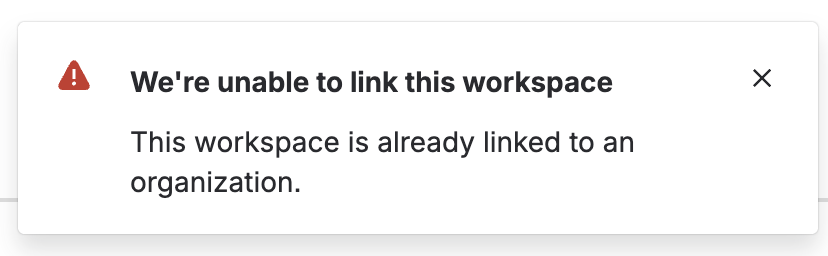
When attempting to link a workspace that is already associated with another organization, you will encounter the following error:
The linked Bitbucket workspace is included in the count of apps associated with a customer Organization. Consequently, it is not possible to delete the organization unless you first delete the Bitbucket workspace linked to it. As unlinking or transferring the Bitbucket workspace to another organization is not possible, deleting the Bitbucket workspace is the only way to delete an organization.
Was this helpful?