Create and manage service accounts in Bamboo Data Center
Platform Notice: Data Center Only - This article only applies to Atlassian apps on the Data Center platform.
Note that this KB was created for the Data Center version of the product. Data Center KBs for non-Data-Center-specific features may also work for Server versions of the product, however they have not been tested. Support for Server* products ended on February 15th 2024. If you are running a Server product, you can visit the Atlassian Server end of support announcement to review your migration options.
*Except Fisheye and Crucible
Summary
From the Bamboo 12 version, the service accounts feature for Bamboo was implemented. This page gives an overview of how to create the service accounts and use them.
Service accounts
Service Accounts are a new type of non-human principal that enables secure, automated integrations. They are not associated with an user, don't consume a license and can only access the Bamboo REST API using Oauth 2.0 2LO authentication.
OAuth2 will accept only HTTPS filter requests and block HTTP requests for security purposes. So, SSL need to be enabled for Bamboo to create service accounts using this feature.
Solution
Service accounts can be created from Bamboo Overview > Security > Service Accounts > Create Service Account.
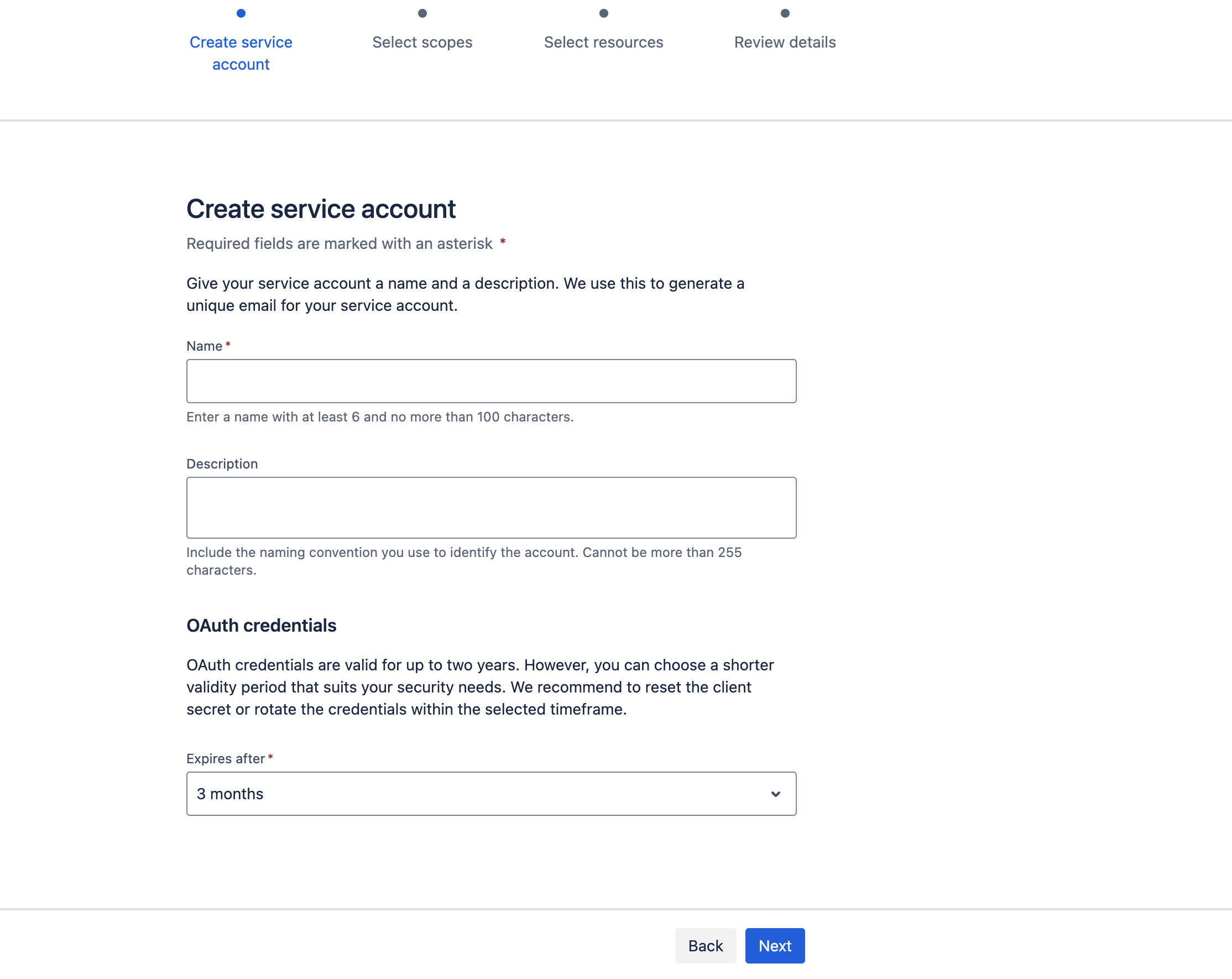
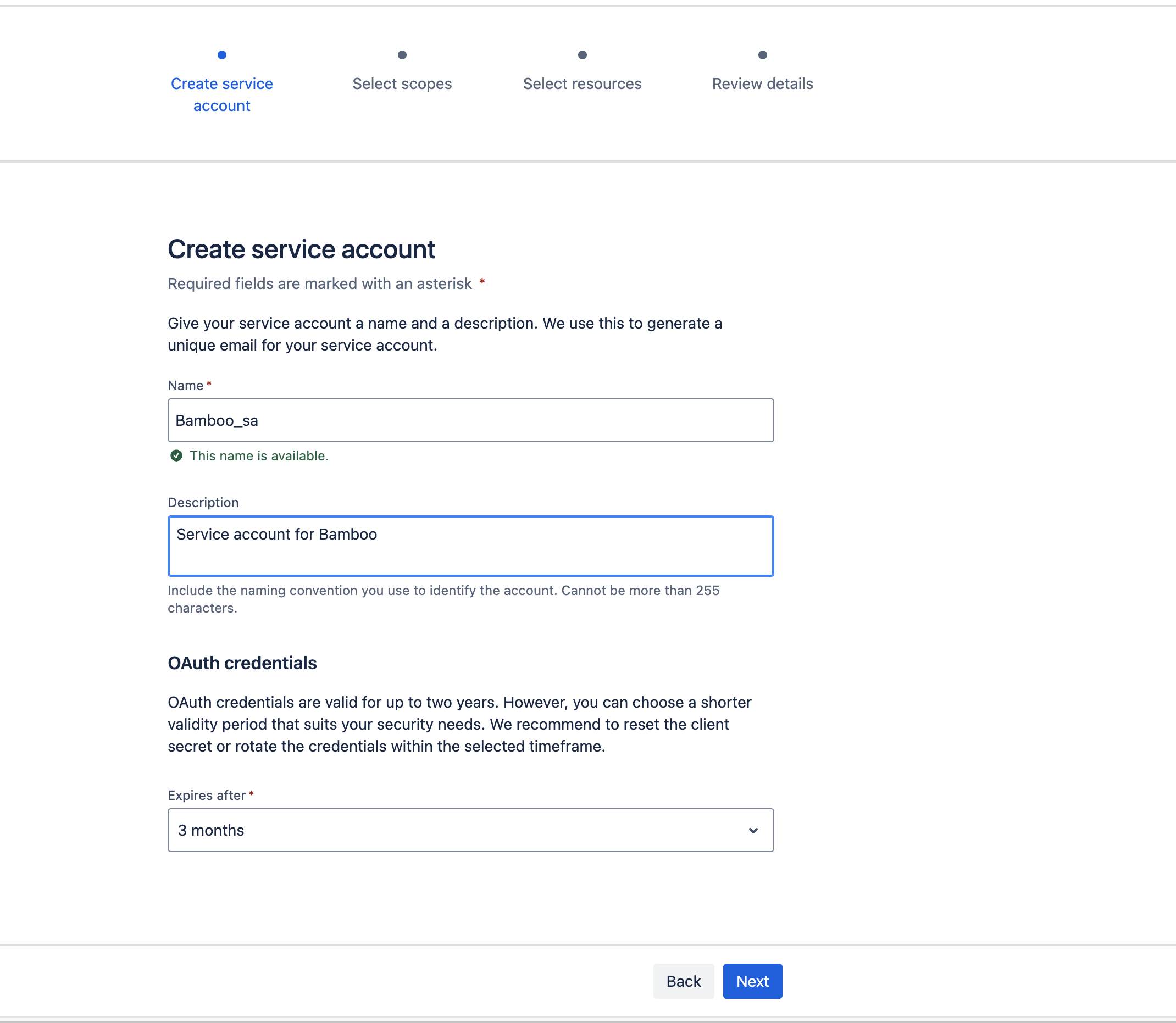
Provide details of Name, description and select the Expires after:
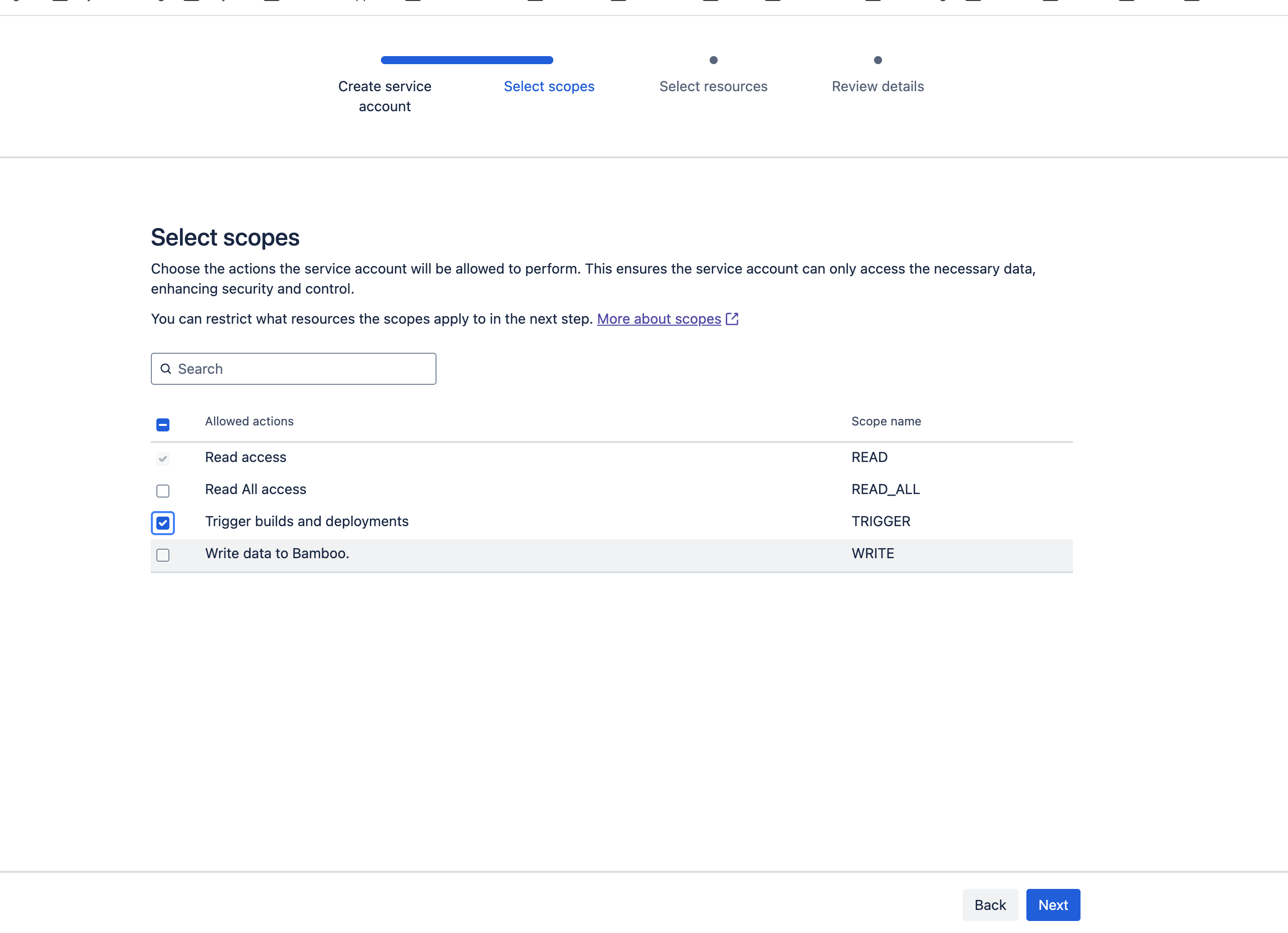
Select the scopes to be granted for the service account:
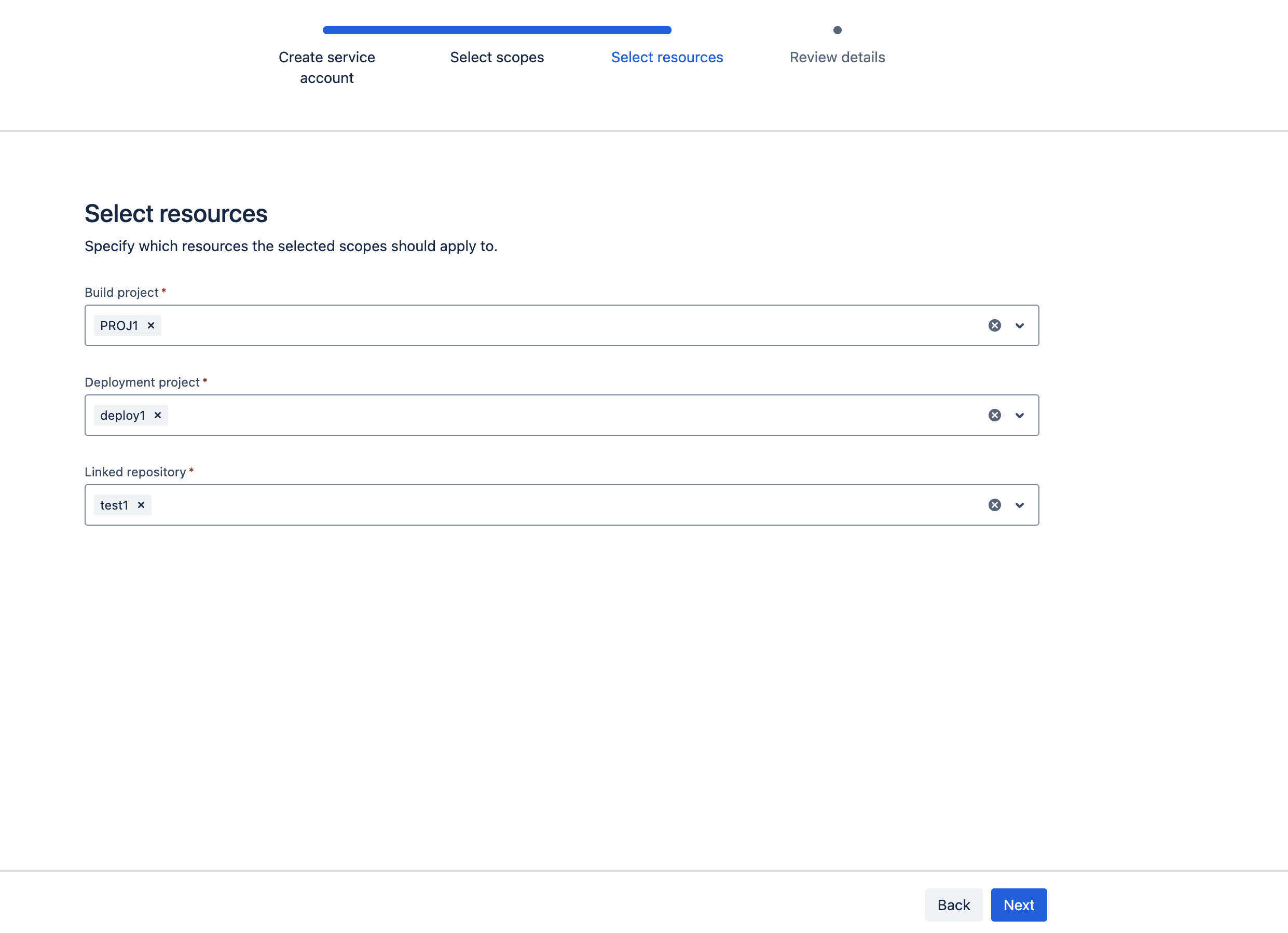
Select the projects, the deployment project and the repository to be accessed by the service account:
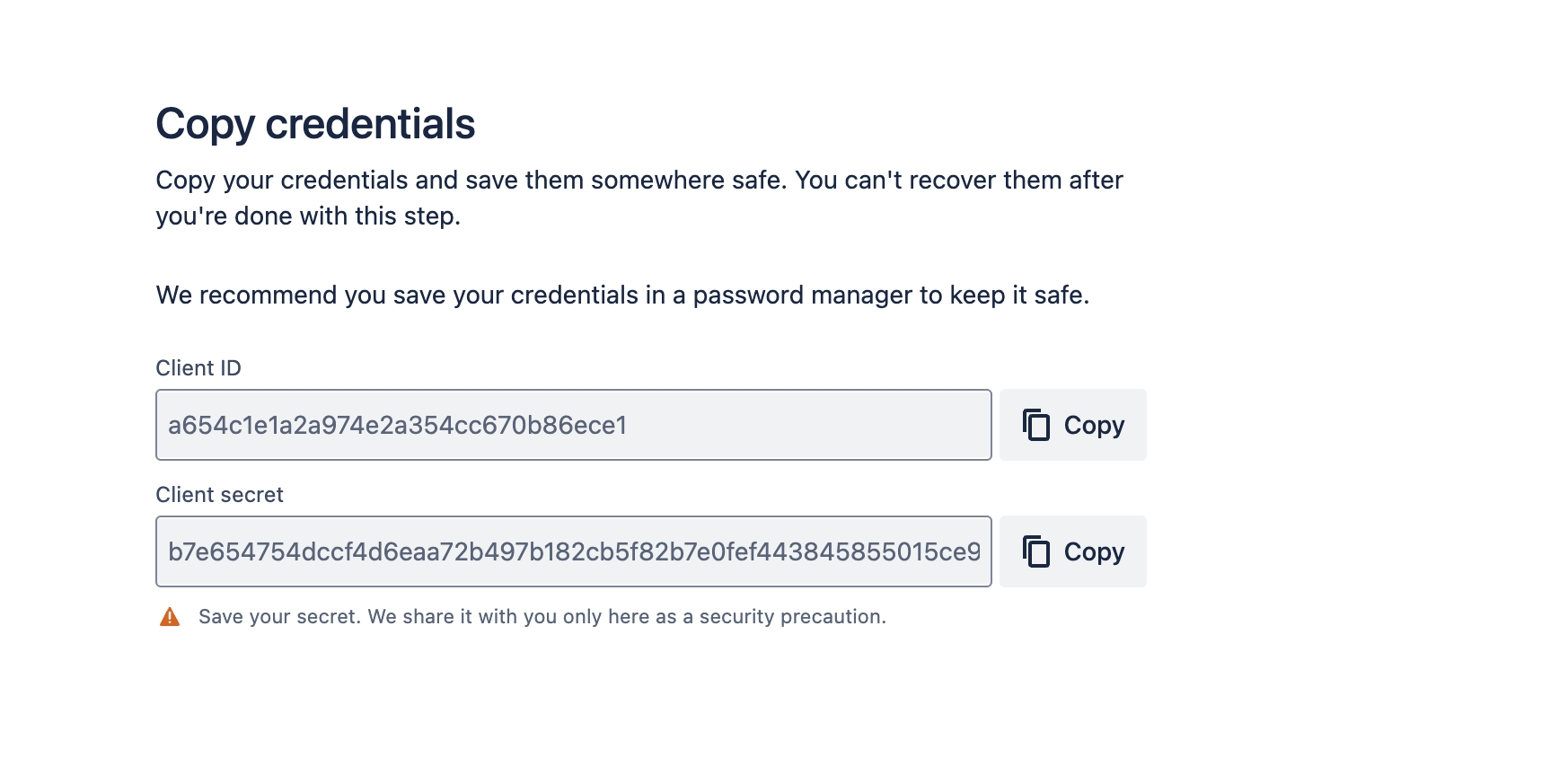
Once the service account is created successfully, it provides the client ID and client secret for the service account. Please copy those and store them to use further:
Access token creation:
Create an access token for the service account client ID and secret above to use in REST API commands for Bamboo resource access.
Use the below API REST endpoint to create the access token for the service account:
curl -X POST "<Bamboo-Base-URL>/rest/oauth2/latest/token" \
  -H "Content-Type: application/x-www-form-urlencoded" \
  -d "grant_type=client_credentials" \
  -d "client_id=CLIENT_ID" \
  -d "client_secret=CLIENT_SECRET" \
  -d "scope=SCOPE"
Replace the <Bamboo-Base-Url> with your Bamboo URL, CLIENT_ID, and CLIENT_SECRET with your service account client_id and client_secret generated after creating the service account.
Repalce SCOPE with the scope access to be granted for the accesstoken. Valid scopes are: READ, WRITE, ADMIN, TRIGGER
curl -X POST "https://instenv-592606-9ygn.instenv.internal.atlassian.com/rest/oauth2/latest/token" \
  -H "Content-Type: application/x-www-form-urlencoded" \
  -d "grant_type=client_credentials" \
  -d "client_id=321786a7868b0621aa70e07c89a60c7d" \
  -d "client_secret=a6b5f107c91595d42661185564f69a1aa01613937c2000c9a5ae31121d56d75b" \
  -d "scope=READ"
It will provide an output of an access token like below, and it is valid for only 60mins:
{"access_token":"eyJhbGciOiJIUzI1NiJ9.eyJpZCI6IjE3OTYxZTExMTk5NmI2ZGQyOTVlMDYxNzNmMzU0MmMxIn0.7N3N2yx2LE-Np1DNwuv5iZ14hhuE4qsreN2GJxx6F2Y","token_type":"bearer","expires_in":3600,"scope":"READ"}%Use access token in Rest API endpoints of Bamboo:
You can use the generated access tokens in the Bamboo REST API end points as per the access granted to accesstoken and the resources allocated to the service account in Bamboo. For example:
curl -k --request GET -H "Authorization: Bearer eyJhbGciOiJIUzI1NiJ9.eyJpZCI6Ijg4NzY3N2JkMGY0Yjg0Y2Q1MWI4YjcwNDI5MGRlOGVlIn0.2ENV-R7EhJJItF0hUI94QC0NmMGq7fyeN-khnyfpijw" --url 'https://bamboo.com/rest/api/latest/project/PROJ1/repository' --header 'Accept: application/json'Using Rest API to Manage Service accounts:
Below Rest endpoints can be used to get list of service accounts or delete service accounts:
GET {Bamboo_url}/rest/service-accounts/latest/service-accounts/Delete service account through Rest API:
DELETE {Bamboo_url}/rest/service-accounts/latest/service-accounts/{id} Was this helpful?