A rule fails to complete with the error "You do not have permission to modify the issue reporter" in Automation For Jira Data Center
Platform Notice: Data Center Only - This article only applies to Atlassian apps on the Data Center platform.
Note that this KB was created for the Data Center version of the product. Data Center KBs for non-Data-Center-specific features may also work for Server versions of the product, however they have not been tested. Support for Server* products ended on February 15th 2024. If you are running a Server product, you can visit the Atlassian Server end of support announcement to review your migration options.
*Except Fisheye and Crucible
Summary
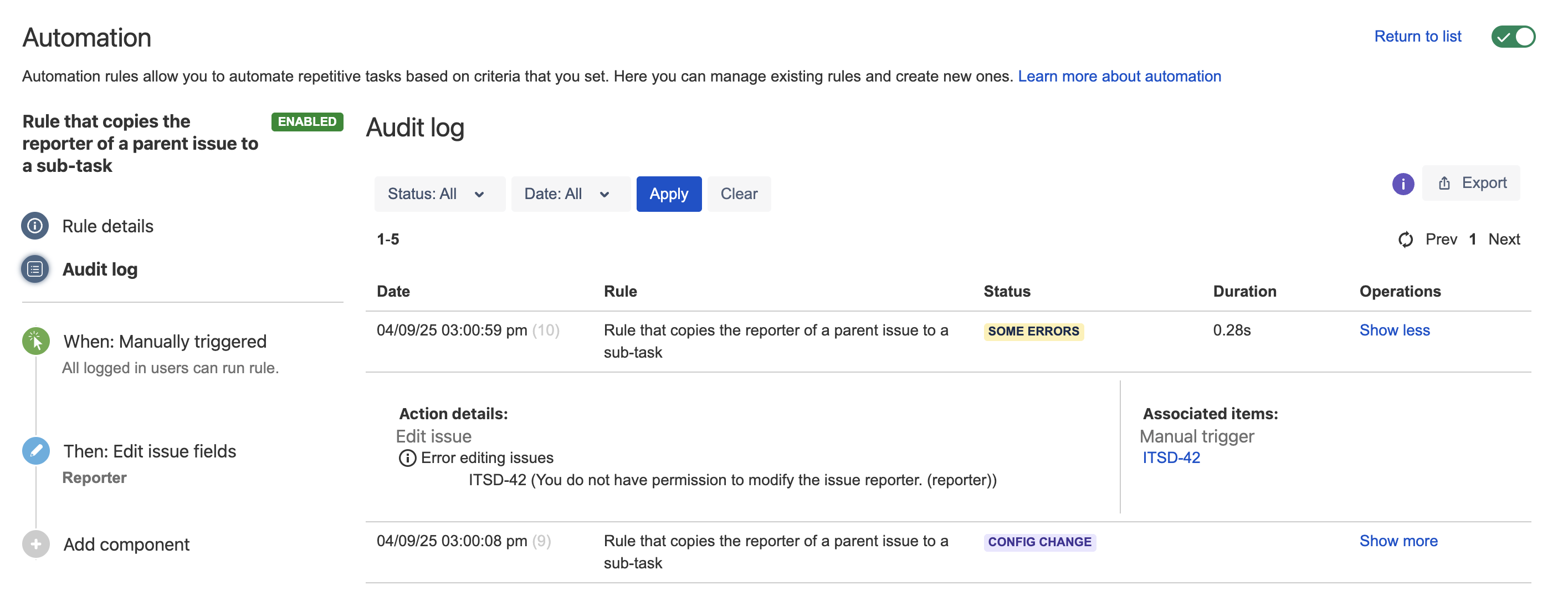
An automation rule was configured to change the reporter of new issues. The execution of the rule fails with the "You do not have permission to modify the issue reporter" error found in the audit logs:
Diagnosis
Open the rule details page and take note of the user set in the Rule Actor field
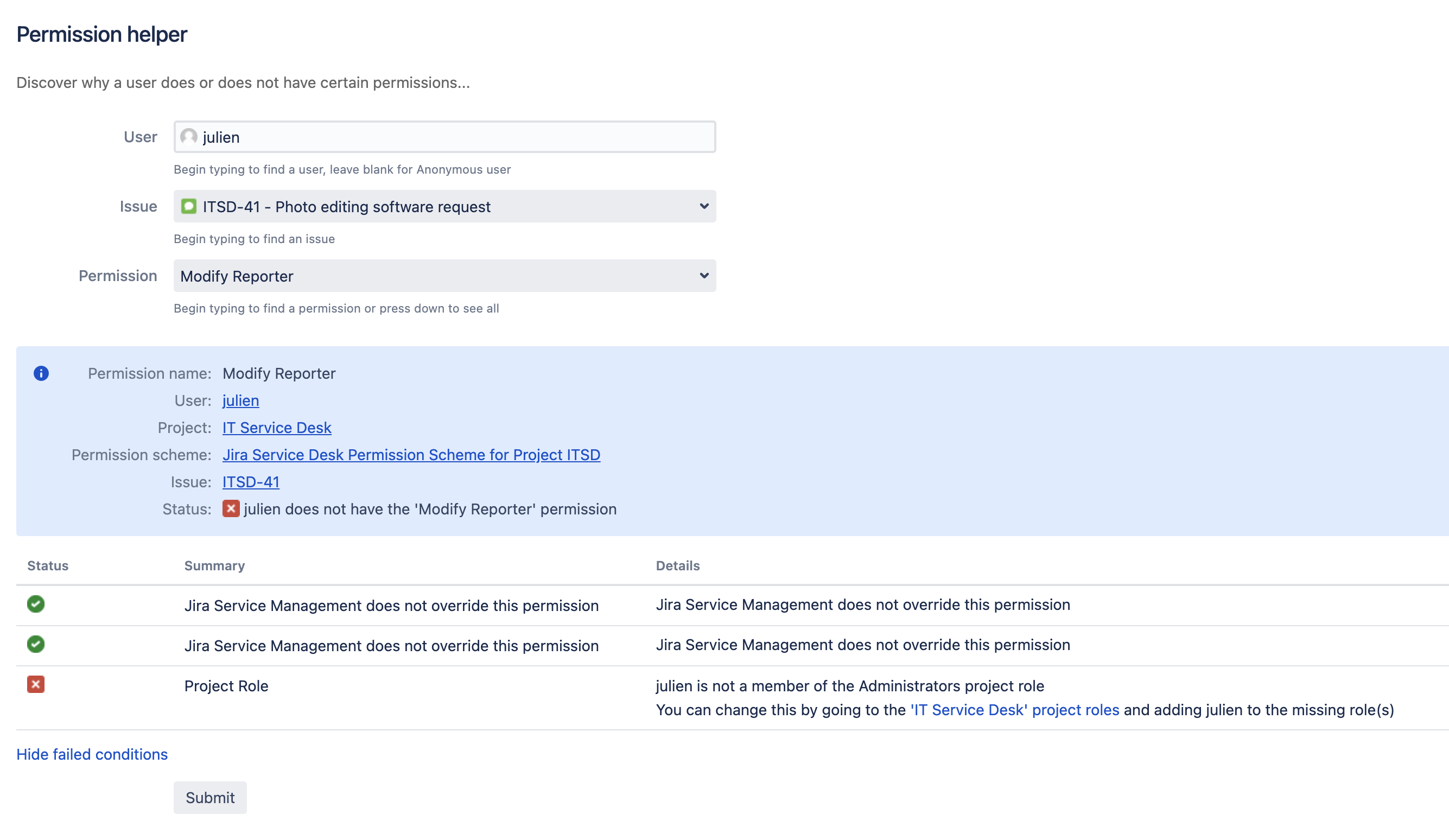
Go to Administration > System > Permission Helper, and use the following parameters:
User: Choose the Rule Actor
Issue key: Choose the Jira issue the rule was executed against
Permission: Select "Modify Reporter"
Select Submit
If the test fails as illustrated below, it means the user does not have the required permissions:
Cause
The Rule Actor was not granted the "Modify Reporter" permission in the project the Jira issue belongs to.
Solution
Fixing the error "You do not have permission to modify the issue reporter"
There are two ways to fix this error:
Either modify the Project Permission Scheme to grant the Rule Actor the Modify Reporter permission
Or change the rule actor to a different user who was already granted the Modify Reporter permission in the relevant project
Was this helpful?