Upgrading JIRA with the installer throws NullPointerException
Platform Notice: Data Center Only - This article only applies to Atlassian apps on the Data Center platform.
Note that this KB was created for the Data Center version of the product. Data Center KBs for non-Data-Center-specific features may also work for Server versions of the product, however they have not been tested. Support for Server* products ended on February 15th 2024. If you are running a Server product, you can visit the Atlassian Server end of support announcement to review your migration options.
*Except Fisheye and Crucible
Summary
Symptoms
Attempting to upgrade JIRA using the installer causes NullPointerException, the follow screen is shown instead of the login screen:
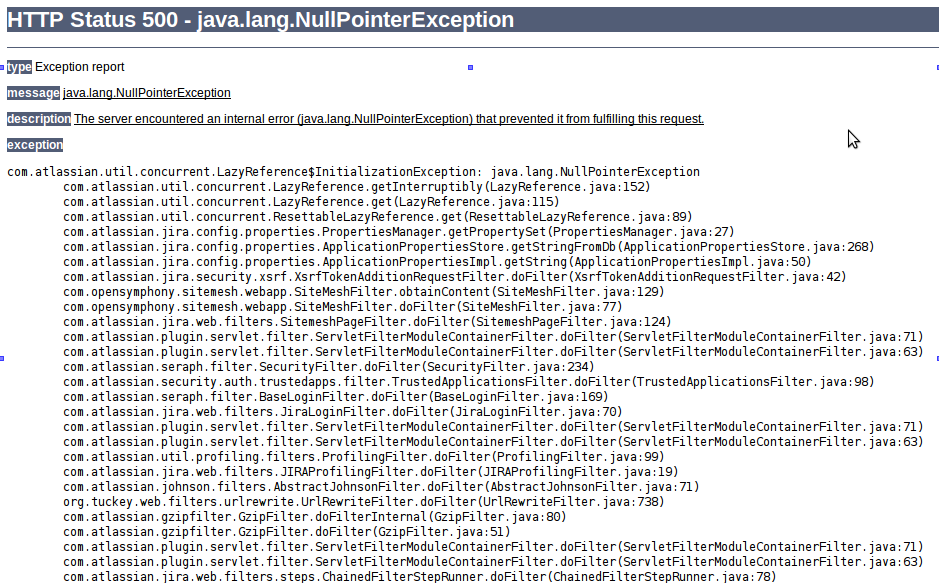
Also, the following appears in the atlassian-jira.log:
2013-03-04 16:45:07,255 localhost-startStop-1 WARN      [core.entity.transaction.JNDIFactory] [ConnectionFactory.getConnection] Failed to find DataSource named java:comp/env/jdbc/JiraDS in JNDI server with name default. Trying normal database.
javax.naming.NameNotFoundException: Name [jdbc/JiraDS] is not bound in this Context. Unable to find [jdbc].
...
2013-03-04 16:45:07,259 localhost-startStop-1 ERROR      [ofbiz.core.entity.ConnectionFactory] ******* ERROR: No database connection found for helperName "defaultDS"
2013-03-04 16:45:07,260 localhost-startStop-1 ERROR      [atlassian.jira.startup.LauncherContextListener] Unable to start JIRA.
com.atlassian.jira.exception.DataAccessException: Unable to get a database connection for the OfBiz default data source.
...
2013-03-04 16:45:27,389 http-bio-8090-exec-2 ERROR      [500ErrorPage.jsp] Exception caught in 500 page java.lang.NullPointerException
com.atlassian.util.concurrent.LazyReference$InitializationException: java.lang.NullPointerException
Diagnosis
The dbconfig.xml file, which is located into JIRA Home Directory, contains a JNDI location:
<jira-database-config>
  <name>defaultDS</name>
  <delegator-name>default</delegator-name>
  <database-type>mysql</database-type>
  <jndi-datasource>
    <jndi-name>java:comp/env/jdbc/JiraDS</jndi-name>
  </jndi-datasource>
</jira-database-config>
Cause
The database resource was located within the server.xml file, which is not copied over during the upgrade.
Solution
Workaround
There are two possible workarounds to this issue:
Reconfigure the dbconfig.xml file and stop using JNDI Location:
Shutdown JIRA
Navigate to JIRA Home Directory
Delete or move the current
dbconfig.xmlfile to another folderNavigate to JIRA Installation Directory/bin and execute JIRA configuration tool
Configure your database connection again
Restart JIRA
Or re-add the JNDI Location:
Shutdown JIRA
Check the
server.xmlfile, which is located in JIRA Installation Directory/conf, from a backup prior to the upgrade attemptCopy the JNDI Location that includes the database connection parameters, as in this example:
<Resource auth="Container" driverClassName="com.mysql.jdbc.Driver" maxActive="20" name="jdbc/JiraDS" password="jira" type="javax.sql.DataSource" url="jdbc:mysql://localhost:3306/jira0?useUnicode=true&characterEncoding=UTF8" username="jira" validationQuery="select 1"/>Do not copy the server.xml file into your new installation. Copy just the JNDI resource definition.
Paste the JNDI Location in the same location (inside the
<Context/>server.xmlfile after the upgradeRestart JIRA
Was this helpful?