Jira Cloud: Missing Fields on Create Issue Screen for Some Users
Platform Notice: Cloud Only - This article only applies to Atlassian apps on the cloud platform.
Summary
Some users in Jira can't find certain fields in the create screen. The fields seem to have disappeared from the screen with no explanation, even though the fields are included on the screen and in the work item layout for the project.
Solution
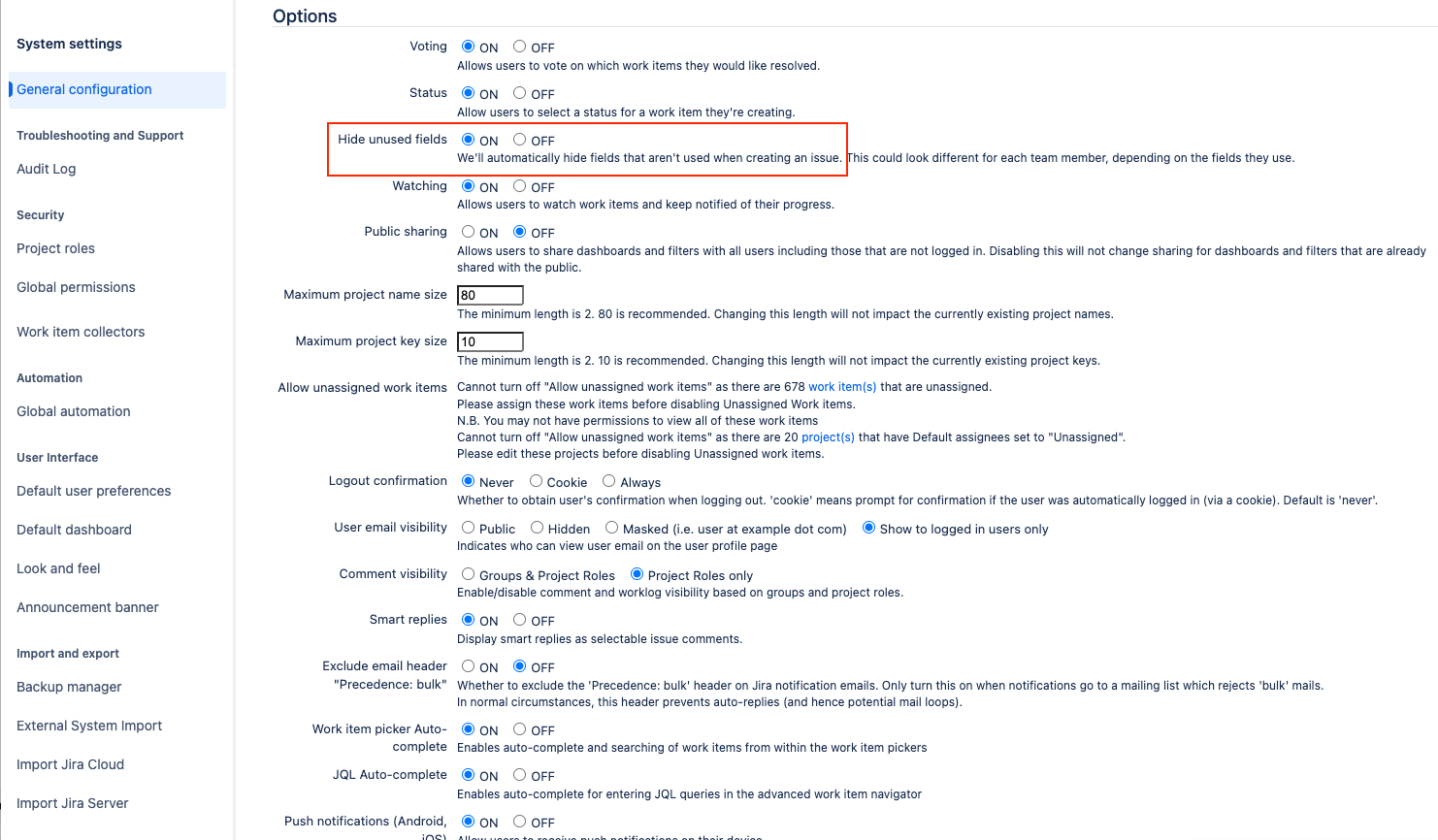
Confirm whether "Hide unused fields" is enabled in Jira
Jira Administrators have control over a feature to hide fields that aren't commonly used when creating new work items. If this feature is enabled, it may hide certain fields for some users. This feature can be enabled or disabled across the entire Jira Cloud site.
To adjust the feature, as a Jira Administrator:
Go to Settings > System.
Select Edit Settings.
In the Options section, look for Hide unused fields.
Toggle the setting on or off as you prefer.
Select Update to apply your changes.
See the screenshots below for reference:

Was this helpful?