Resolve JSM Cloud automation rule errors related to project role membership
Platform Notice: Cloud Only - This article only applies to Atlassian apps on the cloud platform.
Summary
When using Automation for Jira to add comments, an error occurs instead of adding the comment.
Error adding comment to issue
You are currently not a member of the project role: Service Desk Team. (commentLevel)
Solution
Automation for Jira user and the Service Desk Team role
Under Project settings > Permissions, theBrowse Projects permission, Service Project Agent permission, and Comments Permissionsare already granted to the Project Roleatlassian-addons-project-access in the permission scheme.
When the automation rule was executed by the actor Automation for Jira, the app user isn't related to the Service Desk Team role, and returned the error.
Setting up the permission to fix the error
You need to give Service Desk Team role to Automation for Jira user to fix this permission error.
You can go to Project settings > Access > People and access to add com.codebarrel.addons.automation@connect.atlassian.com (email address for Automation for Jira user) with the Service Desk Team Role.
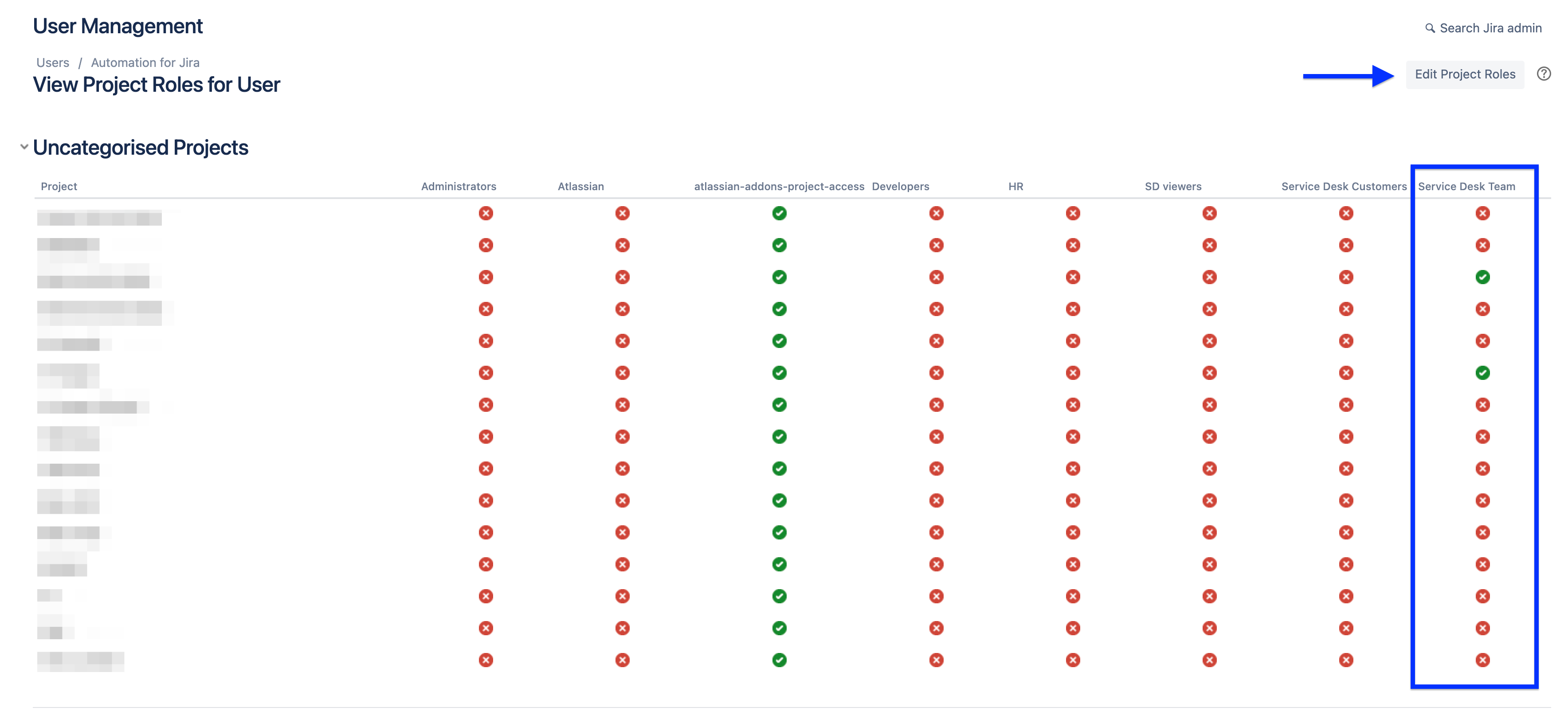
But sometimes, this step can give an error, so, in this case, you can use the below URL (replace <yourinstance.atlassian.net> with the URL of your Atlassian cloud instance) to go to View Project Roles of Automation for Jira user and use the Edit Project Roles tab to grant Service Desk Team role directly in the affected project.
https://<yourinstance.atlassian.net>/secure/admin/roles/ViewUserProjectRoles.jspa?accountId=557058%3Af58131cb-b67d-43c7-b30d-6b58d40bd077
Was this helpful?