Limit Digits in Jira Custom Field Using Workflow Validator (Cloud)
Platform Notice: Cloud Only - This article only applies to Atlassian apps on the cloud platform.
Summary
As an administrator, you may want to limit the number of digits that can be entered in a custom field for a work item type.
Environment
Jira Cloud / Jira Service Management Cloud
Solution
This solution is for text fields only. For number fields, consider using a third-party app or custom development. This approach offers flexibility and meets your specific needs.
Use a workflow validator with RegEx to limit digits. The step-by-step process is given below:
Navigate to Project settings and select Workflows in your project
Find the required workflow and click on the Edit (pencil) icon under the Actions column
Click on the Diagram view and select the required transition (For example, Create transition)
Under Options, click on Validators
Click on the Add validator button, select the Regular Expression Check option, and click the Add button
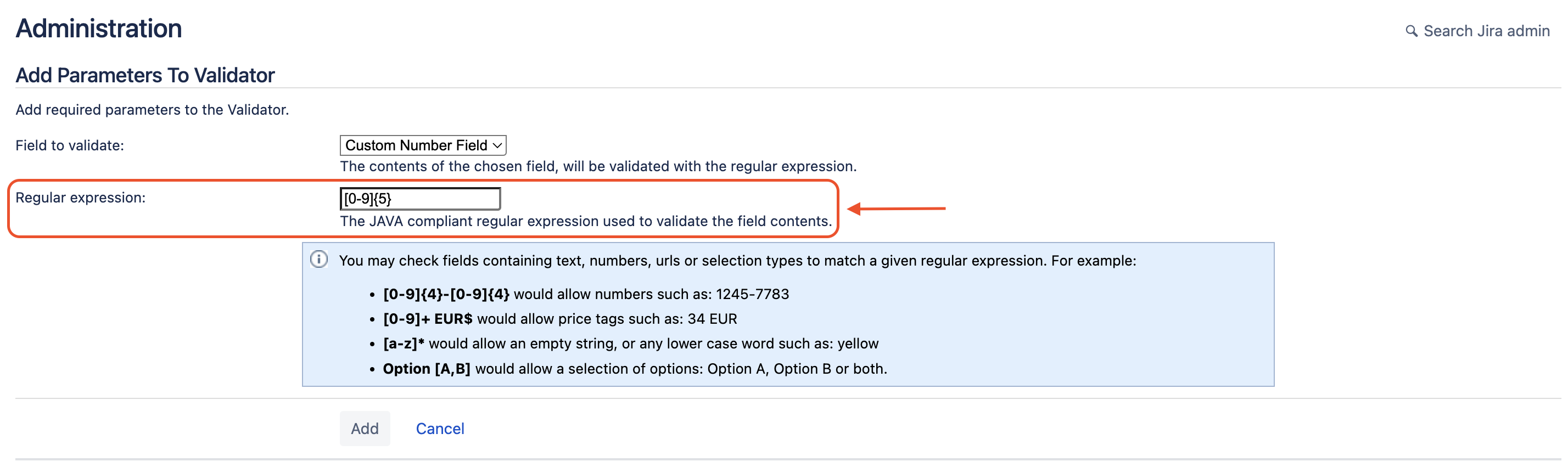
For Field to validate: select the text custom field that needs to be validated from the drop-down menu
For Regular expression: add the expression in the format [Range of numbers]{Number of digits}. For example, to limit the number of digits in the custom field to five (that is, the numbers varying from 00000-99999), use [0-9]{5}
8. Click the Add button
9. Click on Publish Draft > Publish to save the changes to the workflow. Optionally, save a backup copy of the current workflow by selecting Yes
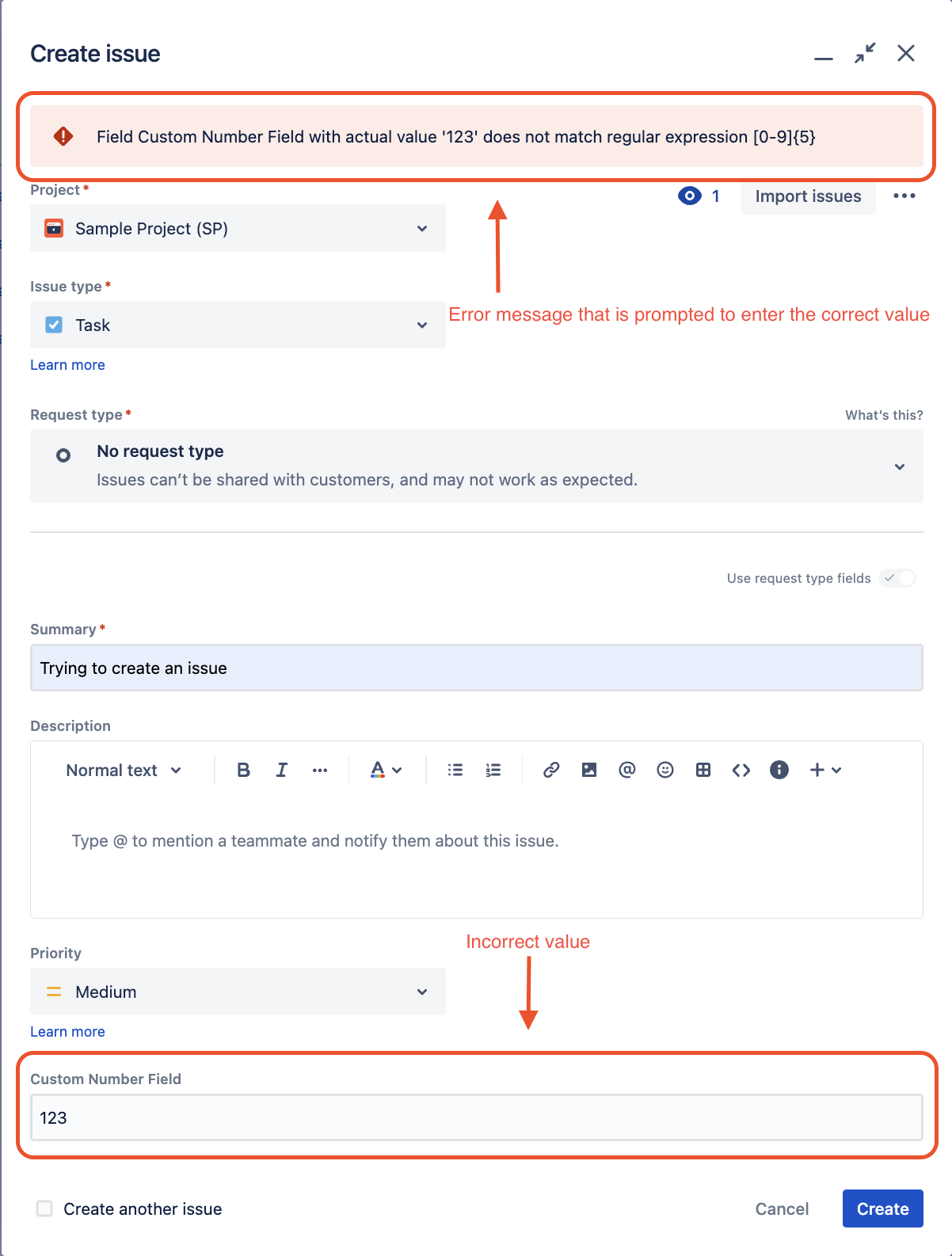
Add the sample regular expression to the workflow validator to limit entries to five digits. Users entering a number with more or fewer than five digits will receive an error message prompting them to enter a valid number.
For more information about workflow, please visit Configure advanced work item workflows.
Was this helpful?