How to fix security tab not loading with error 'Unable to load xx containers. Retry'
Platform Notice: Cloud Only - This article only applies to Atlassian apps on the cloud platform.
Summary
In the security page, Synk containers will not load and show 'Unable to load containers. Retry'. Reloading the page does not resolve the issue. This behavior is reported in this bug (JRACLOUD-86800 - Security tab cant load some containers and throws error - 'Unable to load xx containers. Retry'). The purpose of this article is to provide a workaround on how to delete orphaned security containers linked to a Jira project.
Cause
The containers have been deleted from the Snyk side, and that matches our knowledge regarding orphaned containers (referred to on the Jira side but not in Synk).
Solution
Navigate to the Jira site Graphql interface
https://{JiraHost}/gateway/api/graphqlIdentify the specific ARIs of the relationship to be deleted, by
projectAriandsecurity-container-ariNote: To find the
idof the Security-Vulnerability ARI, you can utilize theNetworktab in your browser. Look for the request namedmainSecurityInJiraQueryon the SiJ page. Within this request, locate the security container where the data is null, and then copy theidfor the Security-Vulnerability ARI.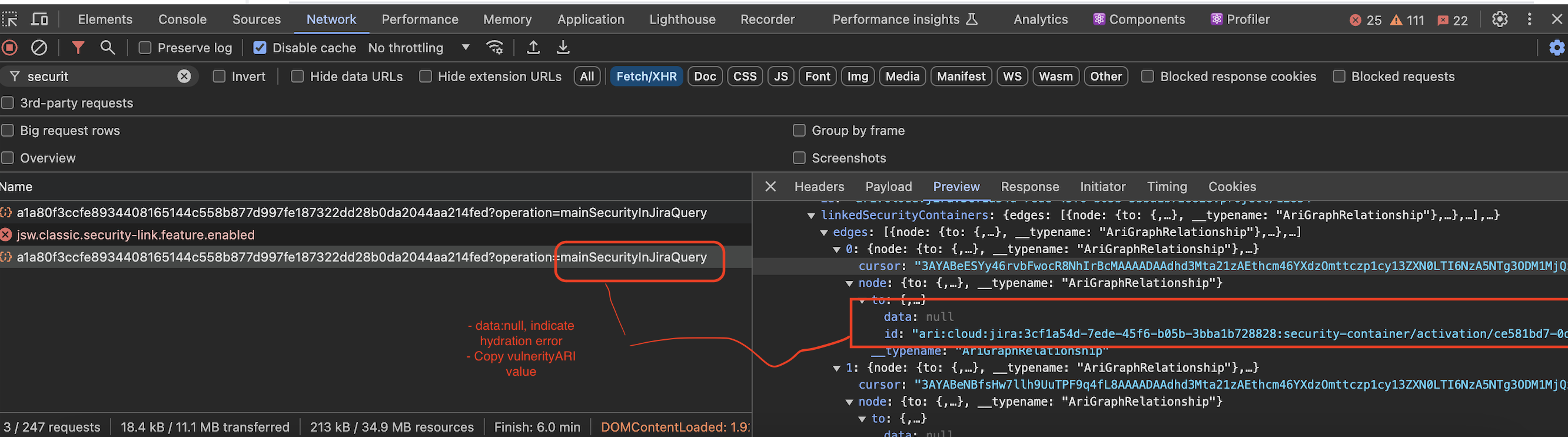
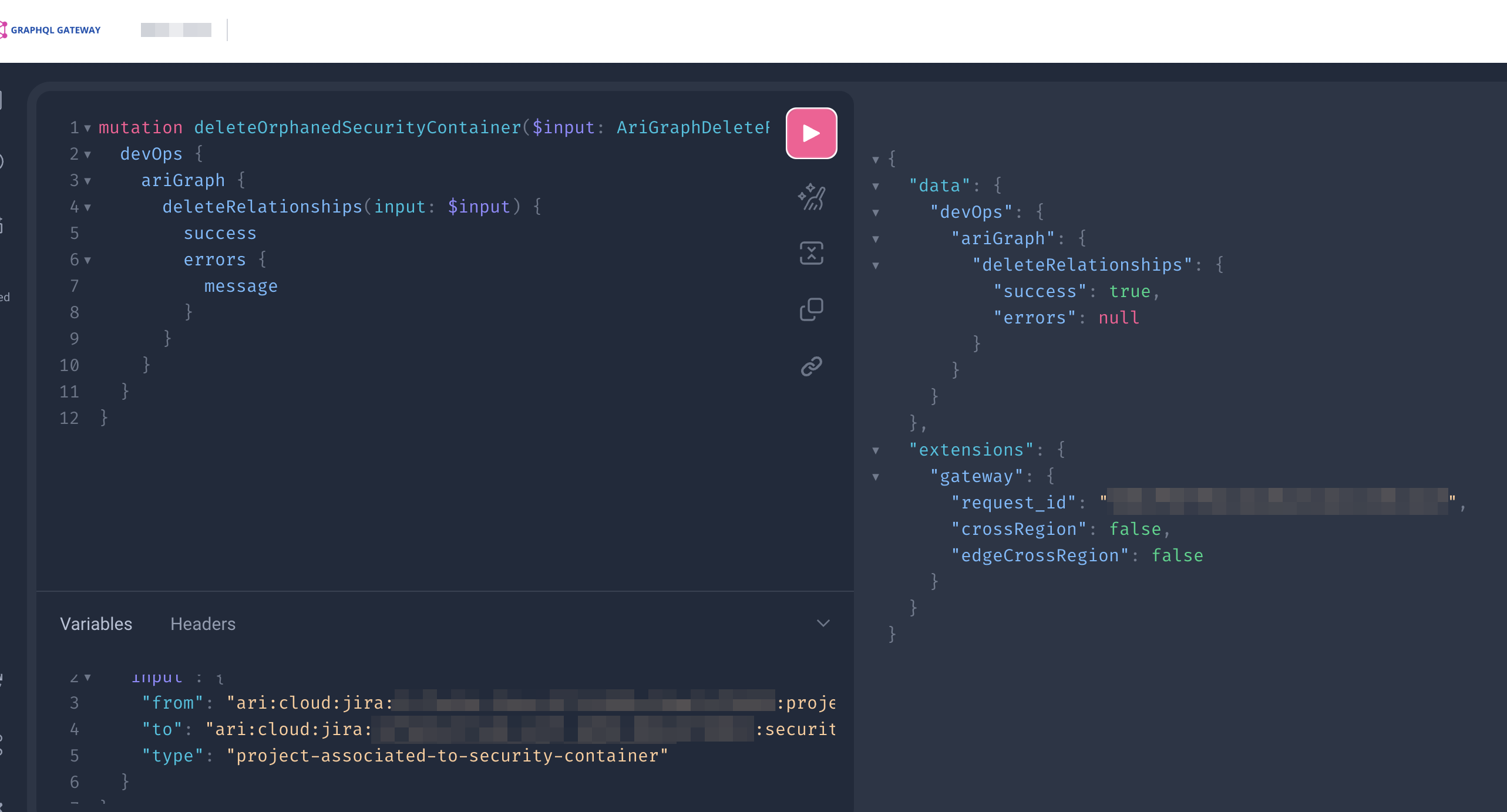
Execute the Graphql query mutation below
Query
mutation deleteOrphanedSecurityContainer($input: AriGraphDeleteRelationshipsInput!) {
  devOps {
    ariGraph {
      deleteRelationships(input: $input) {
        success
        errors {
          message
        }
      }
    }
  }
}
Variable
{
  "input": {
    "from": {projectAri} // "ari:cloud:jira:eb21210d-5b89-41bd-930c-1a9fbf682652:project/10026",
    "to": {SecurityVulnAri} // "ari:cloud:jira:eb21210d-5b89-41bd-930c-1a9fbf682652:security-container/activation/f3c7f655-ef8c-428b-be8b-3b9da73d738e/snyk.in.jira/df1a135a-bb84-4833-955a-6cb3de84f7b7/2174393b-8f03-47f3-9e33-800866b47b46",
    "type": "project-associated-to-security-container"
  }
}
Example:
Was this helpful?