How to close Opsgenie alert when corresponding JSM work item is deleted
Platform Notice: Cloud Only - This article only applies to Atlassian apps on the cloud platform.
Summary
Learn how to automatically close Opsgenie alerts when a Jira work item is deleted.
Solution
Modify the corresponding workflow and add a new status. Name it something like delete issue. This status should be reachable from all the statuses.
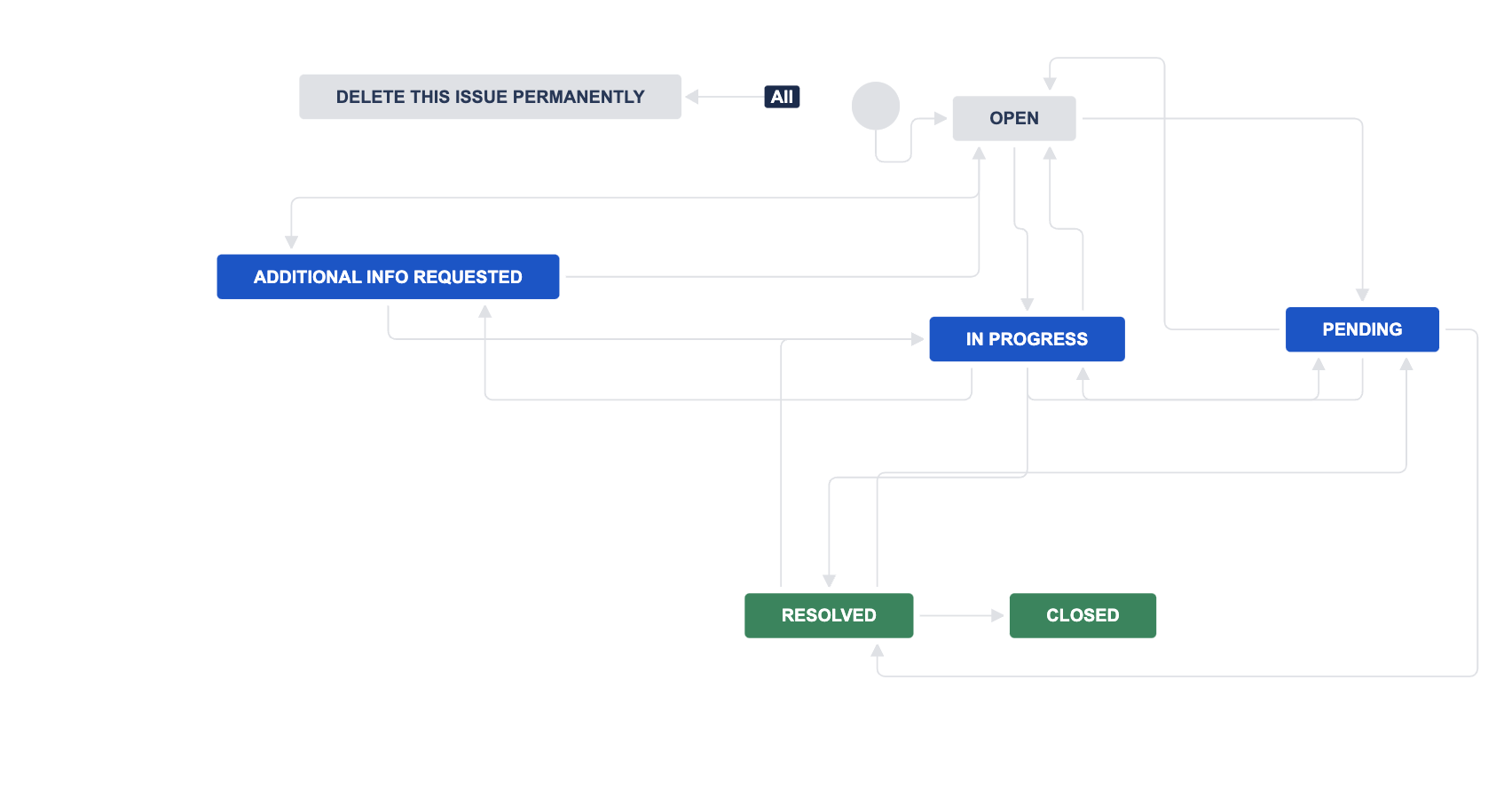
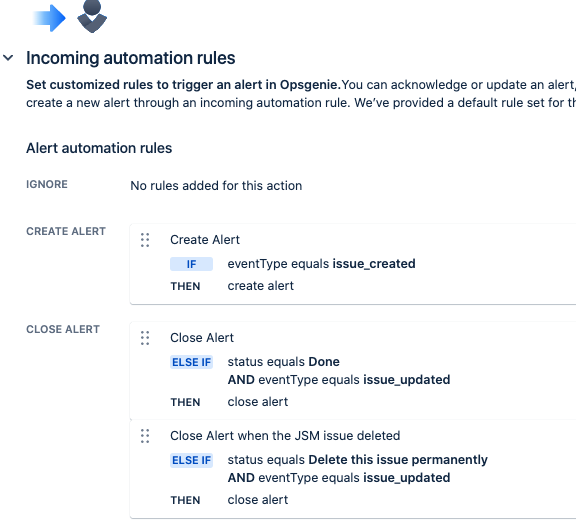
When the work item transitions to the new status, it fires a work item updated event that you can catch in Opsgenie and close the alert. Configure the integration as shown below.
Build an automation based on the trigger when the work item transitions. This rule deletes the work item as soon as it transitions to the status.
Updated on September 25, 2025
Was this helpful?
Still need help?
The Atlassian Community is here for you.