Jira Cloud calendar cannot filter by "Release" or "Sprint"
Platform Notice: Cloud Only - This article only applies to Atlassian apps on the cloud platform.
Summary
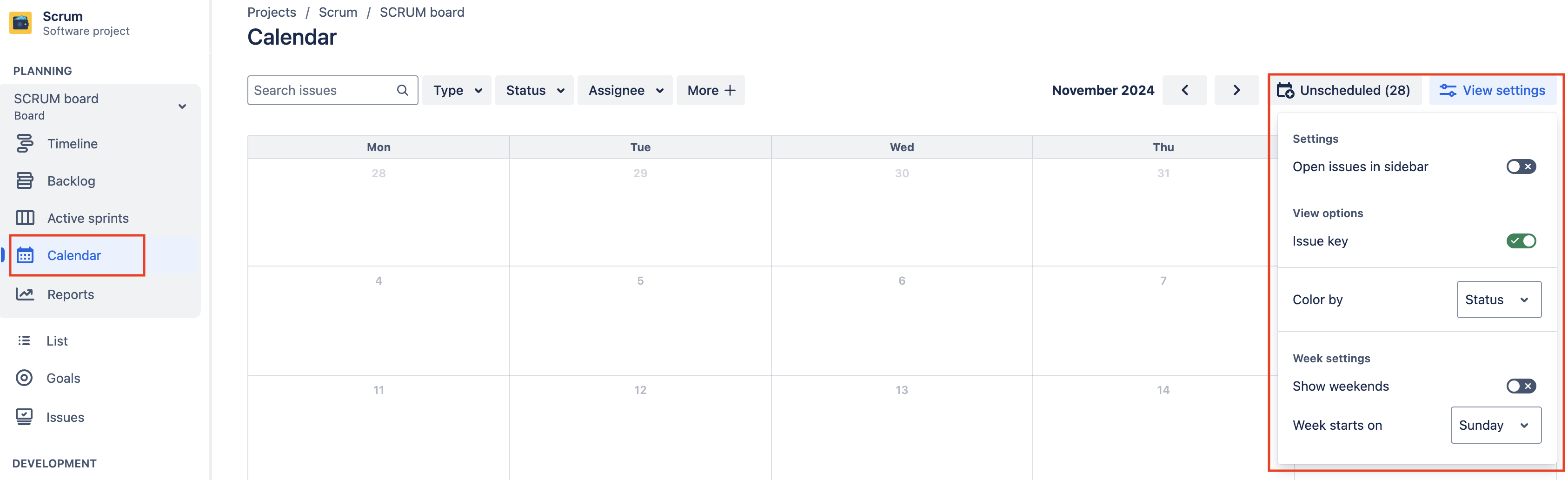
Under "View settings," the Calendar feature in a Jira software project does not display options to filter by "Release" and "Sprint," as represented in the following screenshot:
Confirm permissions for the affected user
In order for the calendar to show the "Release" and "Sprint" options, the user must have "Browse projects" permission for all the projects included in the board filter.
Consider the below example, where a user lacked "Browse projects" permission for one of the projects included in the filter.
Board filter:
project in ("Scrum", "Scrum 2") ORDER BY Rank ASCThe "Browse projects" permission in the "Scrum" project is granted to:
Project role: Administrators
Project role: atlassian-addons-project-access
Single user: Jane Doe
The "Browse projects" permission in the "Scrum 2" project is granted to:
Project role: Administrators
Project role: atlassian-addons-project-access
Based on these permissions, the affected user Jane Doe lacks the necessary permission for the Scrum 2 project. Because of this, Jane will be unable to filter by Release or Sprint on the Calendar view on the relevant board.
Adjust permissions or board filters
The two options to solve this problem are:
Grant Jane's user the "Browse projects" permission on Scrum 2's permission scheme
Remove Scrum 2 from the affected board filter
Once one of these options is complete, Jane will be able to see the options to filter by Release and Sprint on the board's Calendar page.
Was this helpful?