Retrieving external link data from Work Items in Jira Align Enterprise Insights
Summary
This article shows how to retrieve external link data from Jira Align Work Items.
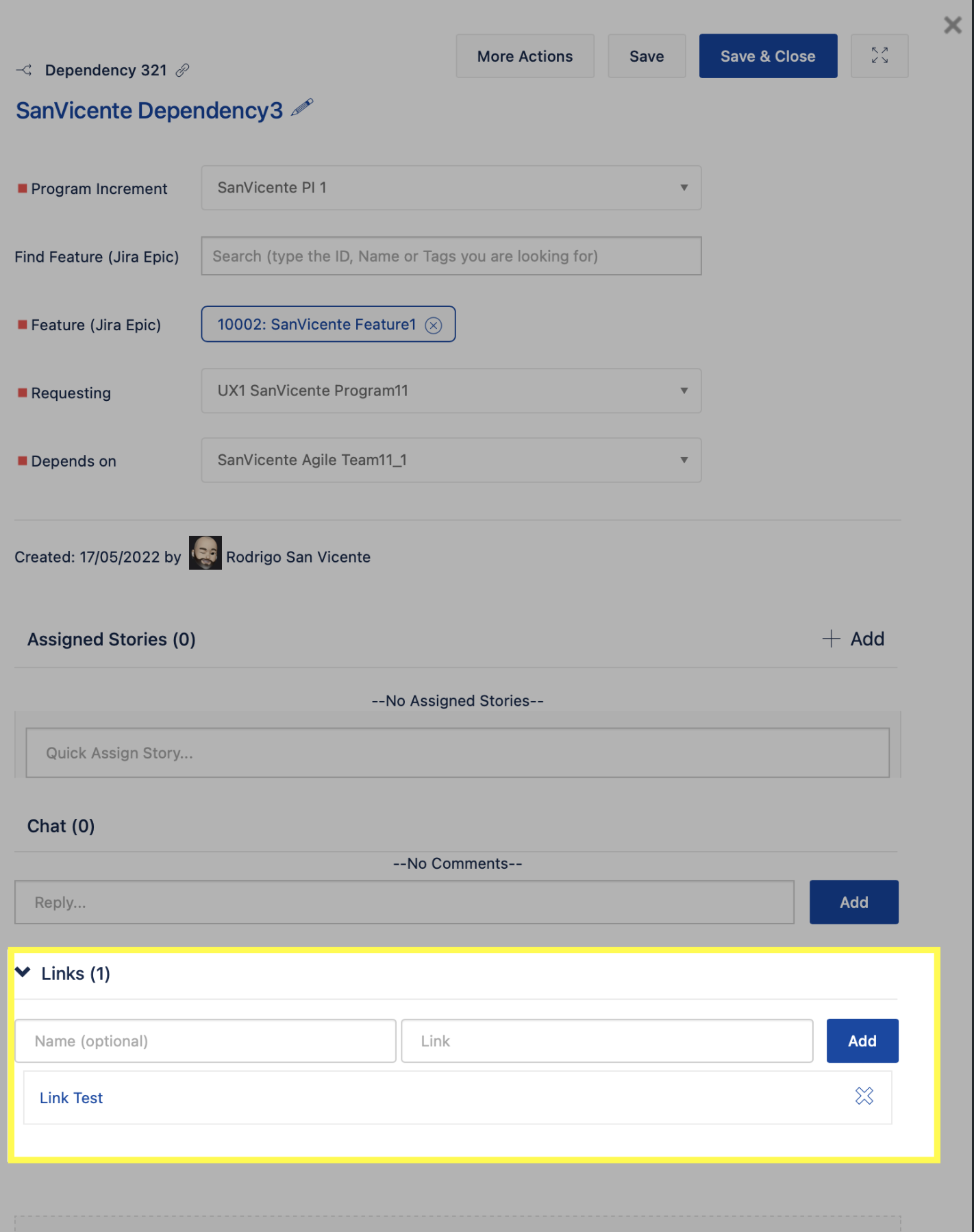
It refers to the “Links” section available at the bottom of some Jira Align Work Items: Capabilities, Dependencies, Epics, Features, Objectives, Risks, Stories, and Themes as highlighted in the screenshot below from a Dependency:
Environment
Jira Align
Solution
There is no pattern on how to retrieve external link data from Jira Align Work Items.
The table below provides details about the availability of external link data for each Work Item:
External Link Data availability | |||
Work Item | Via Export Feature | Via API Call | Via Enterprise Insights |
Capability | ❌ | ✔️ | ✔️ |
Dependency | ❌ | ✔️ | ✔️ |
Epic | ✔️ | ✔️ | ✔️ |
Feature | ❌ | ✔️ | ✔️ |
Objective | ❌ | ✔️ | ✔️ |
Risk | ❌ | ✔️ | ✔️ |
Story | ❌ | ✔️ | ✔️ |
Theme | ❌ | ✔️ | ✔️ |
As detailed in the table, by using the Export feature the external link data is available just for Epics and it can be found in the column “External Links (R/O)”.
Via GET API Call, the external link data is available in the “links” collection as in the below example:
],
  "links": [
    {
      "id": 143,
      "name": "Link Test",
      "link": "http://www.mydomain.com"
    }
  ],
Via Enterprise Insights, where external link data is available for all Work Items, you can find the data in the table [current_dw].[External Reference]:
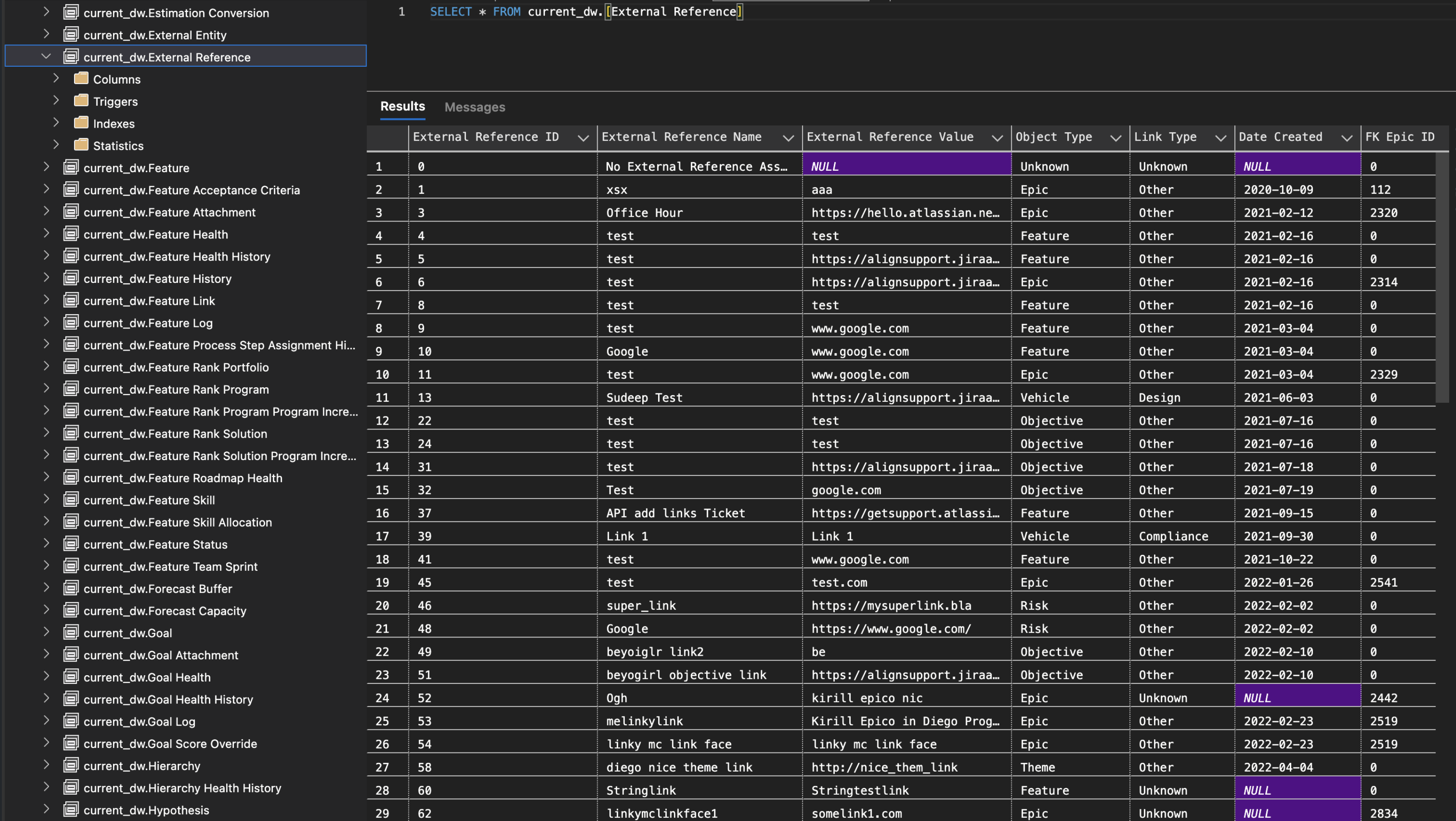
You can run a query for specific a Work Item, as in the example below for Dependencies, and then search/filter based on Dependency ID (FK Dependency ID column).
SELECT * FROM current_dw.[External Reference] WHERE [Object Type] = 'Dependency'
Was this helpful?