Jira Align Portfolios are shown as greyed out in the Public Shared (Room) Checklist card editor
Summary
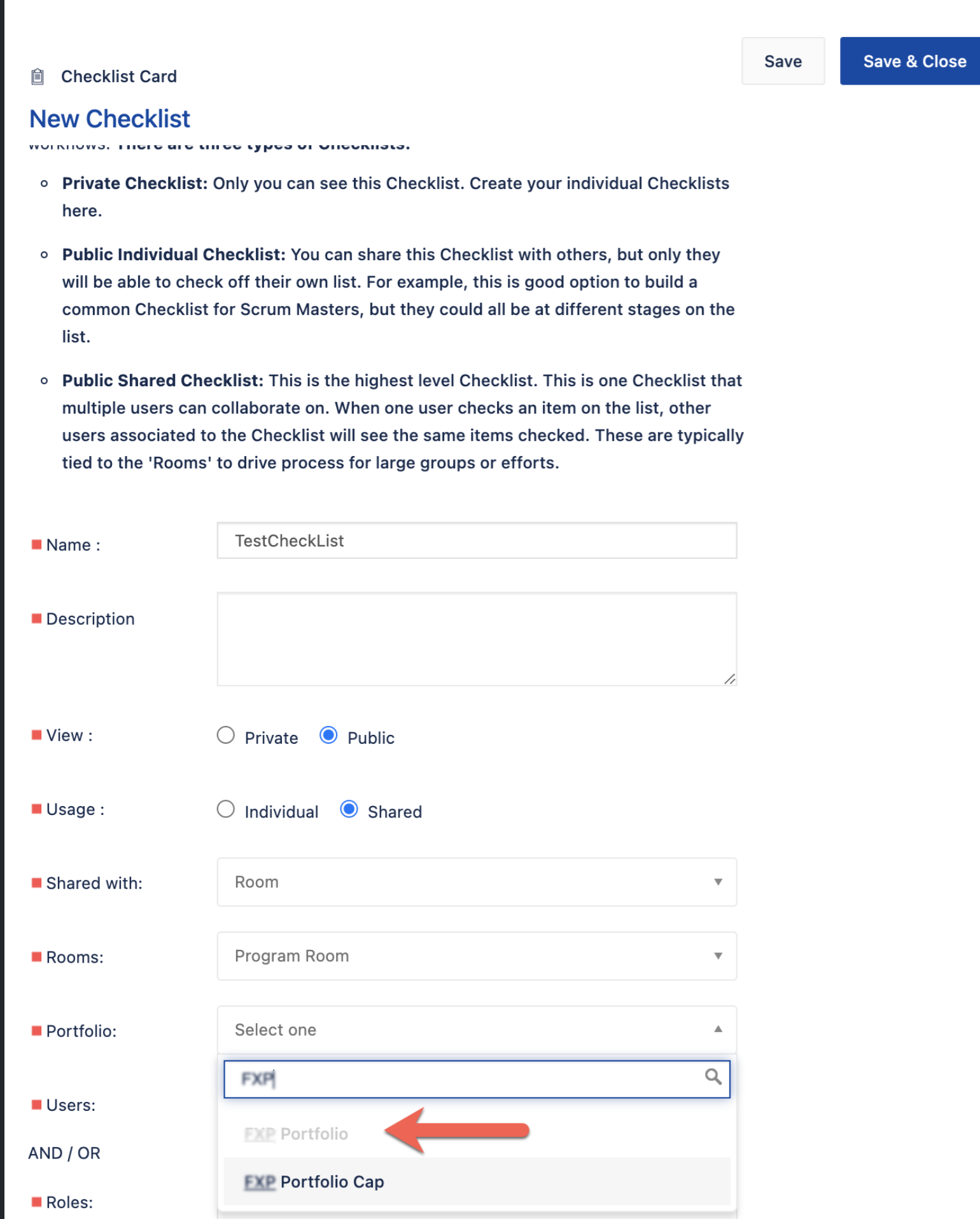
When trying to select a Portfolio in a new or existing public shared checklist with the Program Room, some of the Portfolios may show as greyed out.
Environment
Jira Align
Diagnosis
The below can be seen when trying to add a Portfolio to the Public Shared Checklist:
Cause
It is not possible to add a portfolio to a checklist with the combination: Public > Shared with Room > Rooms: Program Room when the portfolio was already used by another public shared checklist with the program room.
Solution
Check that there is no other existing Public Shared Checklist with Program Room attached to the greyed-out portfolio you want to select from the drop-down list.
Updated on September 26, 2025
Was this helpful?
Still need help?
The Atlassian Community is here for you.